XIRR vs IRR: Which One Should You Use in Excel?
Discover when to use XIRR vs IRR in Excel. Learn how their timing assumptions impact accuracy in financial calculations for smarter investment decisions.
XIRR vs IRR: Which One Should You Use in Excel?

Use XIRR when cash flows land on irregular, date-stamped days. Use IRR only when contributions and withdrawals fall on strictly equal periods, like monthly or annual intervals. The reason comes down to timing: =XIRR(values, dates) weights each cash flow by its actual date, while =IRR(values) assumes every gap between flows is identical. For most real portfolios, where deposits, dividends, and sales never line up neatly on a calendar, XIRR is the more accurate choice.
Key Takeaways
XIRR gives an accurate annualized return for irregular, date-stamped cash flows, while IRR only holds up when contributions and withdrawals fall on strictly equal periods.
| Point | Details |
|---|---|
| Pick by timing, not habit | Use XIRR for irregular dates and IRR only for strictly equal periods. |
| XIRR needs two columns | Feed it matched values and dates arrays, or you'll get #VALUE! or mismatched ranges. |
| #NUM! means no convergence | Adjust the [guess] argument, like trying 0.05 or negative 0.1, when Excel can't solve within 100 iterations. |
| Neither equals TWR | IRR and XIRR are money-weighted and reflect your timing, not pure asset performance. |
| Validate with XNPV | Cross-check your computed rate against =XNPV() to confirm it lands near zero. |
Where to verify the details yourself
- Microsoft's XIRR function page for exact syntax and error behavior.
- TSG Performance's TWR vs IRR breakdown for industry-standard guidance.
- Corporate Finance Institute's XIRR vs IRR guide for modeling examples.
Table of Contents
- What Is IRR and How Does Excel's IRR Function Work?
- What Is XIRR and How Does It Handle Irregular Dates?
- XIRR vs IRR: What Actually Separates Them?
- How Do You Calculate IRR and XIRR in Excel Step by Step?
- When Should You Use IRR Instead of XIRR?
- Where Do IRR and XIRR Diverge From Time-Weighted Return?
- A Worked Example: IRR vs XIRR on the Same Cash Flows
- Frequently Asked Questions
- Sources
What Is IRR and How Does Excel's IRR Function Work?
IRR, or internal rate of return, is the discount rate that makes the net present value of a series of cash flows equal to zero. It's a money-weighted return, but it only works cleanly when contributions and payouts happen at equal time intervals.
In Excel, the syntax is =IRR(values, [guess]). The values argument needs at least one negative number (your initial outlay) and one positive number (a return), and the guess argument is optional.
IRR works best when:
- Cash flows repeat on a fixed schedule, like monthly rent or annual bond coupons.
- You want a fast estimate and don't need date precision.
- You're building a simple model where every period is the same length.
Pro Tip: IRR's equal-interval assumption is fine for textbook amortization schedules, but the moment a payment slips a few days, your annualized rate quietly drifts off. Treat IRR as a rough-cut tool, not a final answer, for anything but perfectly periodic flows.
What Is XIRR and How Does It Handle Irregular Dates?
XIRR calculates an internal rate of return using explicit dates for every cash flow instead of assuming equal spacing. It's essentially the same underlying math as IRR, extended so you never have to pad your model with fake zero-flow periods just to force uniform timing, according to ICAEW's technical guidance.
The syntax is =XIRR(values, dates, [guess]), and it's closely related to =XNPV(). If it can't converge within 100 iterations](https://support.microsoft.com/en-us/excel/xirr-function), feed it a bad date format, and you'll get #VALUE! instead.
Watch for these common pitfalls:
- Mismatched ranges between the
valuesanddatesarrays (they must be the same length). - Dates stored as text rather than real Excel date serials.
- Forgetting the negative sign on your initial contribution.
Pro Tip: If XIRR throws #NUM!, don't just tweak the guess and hope. First check that your dates actually parse as dates, not text strings that only look like dates.
XIRR vs IRR: What Actually Separates Them?
The core difference is timing logic, and it ripples into everything else about how each function behaves.
- Timing assumption: IRR assumes fixed, equal periods. XIRR assigns a specific date to each flow.
- Inputs required: IRR needs only a values array. XIRR needs values plus a matching dates array.
- Accuracy on irregular flows: XIRR handles real-world timing correctly; IRR can distort the annualized rate whenever contributions land off-schedule, which is why modelers widely favor XIRR for financial modeling.
- Excel ergonomics: IRR is simpler to set up but silently gives a misleading number on uneven timing. XIRR is more setup work but flags bad inputs with clear errors.
- Typical use cases: IRR fits regularly scheduled payments like fixed-rate loans. XIRR fits private equity capital calls, real estate distributions, and any brokerage account with sporadic buys and sells.
Practitioner consensus is consistent here: favor XIRR whenever cash flows are date-stamped and irregular, and reserve IRR for quick, periodic sanity checks.
How Do You Calculate IRR and XIRR in Excel Step by Step?
Here's the practical build, start to finish:
- List your cash flows in one column, negative for money out, positive for money in.
- For XIRR, add a matching column of actual transaction dates right next to the values.
- For IRR, type
=IRR(A2:A10); for XIRR, type=XIRR(A2:A10, B2:B10). - Press enter and check the result against a rough mental estimate.
- If Excel throws an error, work through the fixes below before touching your guess.
Common errors and quick fixes:
- #NUM!: Usually means no convergence after 100 iterations. Try a different
[guess], like 0.05 or negative 0.1. - #VALUE!: A date cell is formatted as text. Reformat the range as Date and re-enter it.
- Mismatched ranges: The values and dates arrays must have identical row counts. Recheck for stray blank rows.
- No sign flip: You need at least one negative and one positive value, or Excel can't solve for a rate at all.
Pro Tip: When a result looks suspicious, cross-check it with =XNPV() at that rate. It should land near zero. If it doesn't, run a quick sensitivity test by changing the guess and confirming the rate doesn't jump around.
When Should You Use IRR Instead of XIRR?
Match the function to the shape of your cash flows, not habit.
- Irregular dates, like private equity capital calls or real estate distributions: use XIRR.
- Strictly periodic flows, like monthly rent or bond coupons on a fixed schedule: IRR is fine and faster to set up.
- Salary-style or annuity projections with equal spacing: IRR gives a clean answer without extra columns.
- Brokerage accounts with sporadic contributions and dividend reinvestments: XIRR is the only one that reflects your real timing.
Neither metric tells you how the underlying asset performed in isolation. Both are money-weighted, meaning they reflect your cash-flow timing, not the manager's skill. That distinction matters when you're evaluating a fund versus evaluating your own account.
Pro Tip: When you're unsure which applies, run both. If IRR and XIRR land close together, your flows were nearly periodic anyway. If they diverge, trust XIRR.
Where Do IRR and XIRR Diverge From Time-Weighted Return?
IRR and XIRR are money-weighted measures; they reflect the investor's actual timing of contributions and withdrawals. Time-weighted return strips that timing out entirely, isolating how the underlying assets performed regardless of when money moved in or out.
Industry practice draws a clean line here: IRR is the standard for private assets because managers there often control when capital gets called and distributed. TWR is the standard for public securities, where the manager has no say over when an investor adds or withdraws money.
This split matters because IRR can be skewed by contributions made right before a loss or right before a gain, making a fund look better or worse than its actual asset performance. If you're comparing two managers, IRR alone can mislead.
Pro Tip: When judging manager skill rather than your own outcome, pair IRR with a TWR figure if one is available. The gap between them tells its own story.
A Worked Example: IRR vs XIRR on the Same Cash Flows
Say you invest $10,000 on January 1, add $2,000 on July 15, and the position is worth $14,200 on December 31 of the same year.
- As periodic flows for IRR: negative $10,000, negative $2,000, positive $14,200, treated as three equal periods.
=IRR(values)returns roughly 11.5% for that simplified three-period structure.- With actual dates,
=XIRR(values, dates)returns a different rate because the July 15 contribution only had about five and a half months to work, not a full "period."
XIRR typically comes out higher in this scenario because it correctly credits the second contribution with less time in the market rather than treating it as occupying a full, equal-length period like IRR does.
- The gap between the two rates grows wider the more your contribution dates drift from evenly spaced.
- For a single mid-year contribution like this, a difference of one to two percentage points is common.
- Validate any result by checking
=XNPV(rate, values, dates)lands near zero at your computed XIRR.
Why our default in Excel is XIRR
We build every internal model around XIRR first, because date-accurate cash flows are the whole point of tracking a real portfolio rather than a textbook one. Evibe's dividend and options tracking capture exact transaction dates automatically, which is exactly the input XIRR needs to stay honest. If your holdings ever land on a clean, equal schedule, IRR still has its place. Just don't reach for it by default.

Frequently Asked Questions
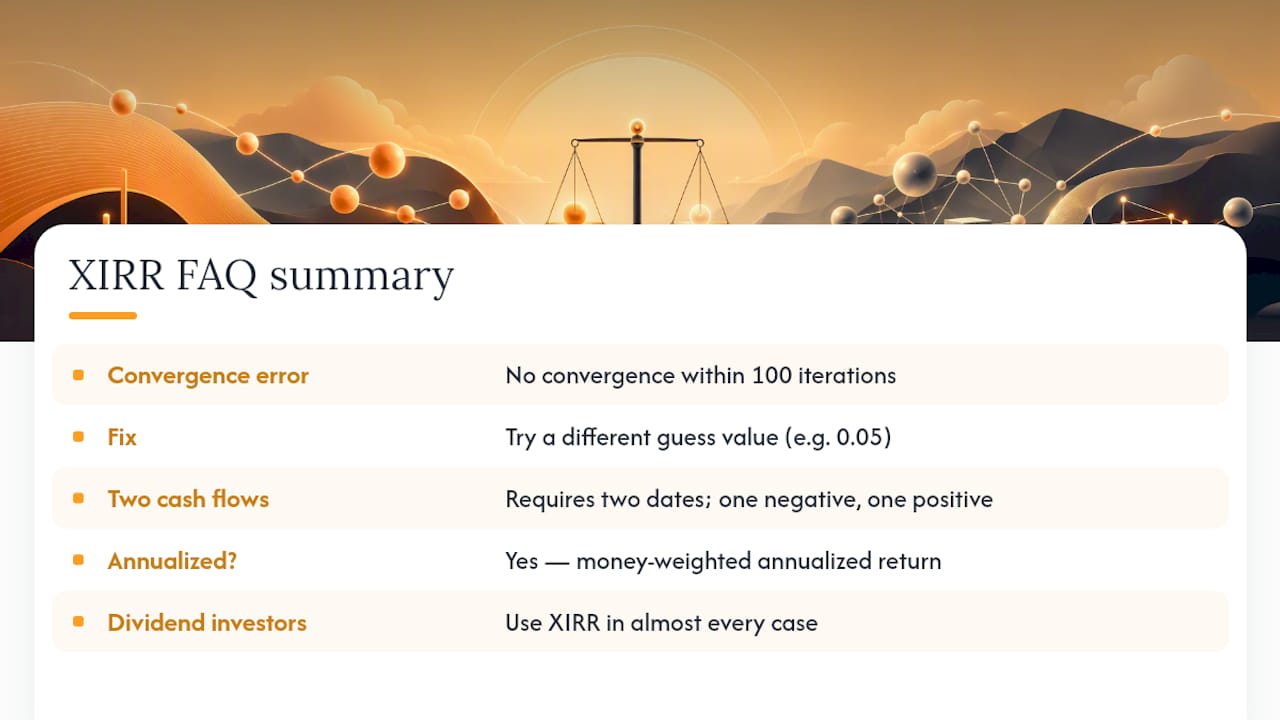
Does XIRR always give a higher return than IRR? No. XIRR gives a more accurate return, which can be higher or lower than IRR depending on whether your actual contribution dates fall earlier or later than the equal-period assumption implies.
Can I use XIRR with only two cash flows? Yes, as long as one value is negative and one is positive, with two corresponding dates. It works the same way a simple compound-growth calculation would.
Why does my XIRR formula return #NUM!? It usually means Excel couldn't converge within 100 iterations from your starting guess, as Microsoft documents. Try a different guess value, like 0.05 instead of the default.
Is XIRR the same as annualized return? Functionally, yes. XIRR expresses your money-weighted return on an annualized basis, accounting for the exact number of days each cash flow was invested.
Should dividend investors track XIRR or IRR? XIRR, in almost every case. Dividends rarely land on a perfectly periodic schedule, and tools like Evibe's dividend tracker capture the exact payment dates XIRR needs to stay accurate. For options traders with irregular expiry and assignment dates, the same logic applies through Evibe's options tracker, and ETF holders comparing periodic distributions against special payouts can lean on Evibe's ETF tracker to keep the underlying dates straight.
This article is general information, not a substitute for advice from a qualified financial advisor. Consult a qualified financial professional about your own circumstances before acting on anything here.
Sources
- TWR vs IRR — When does GIPS require one or the other? | TSG Performance
- Time-weighted return and internal rates of return | Commonfund
- IRR, XIRR and MIRR — what are they and when to use them | ICAEW