A Mac-exclusive surface for the markets
The Menu Bar Stock tracker gives you thin, always-on-top floating bars that sit on top of your other windows and show live quotes for symbols, options, currencies, exchanges or whole portfolios. It is a deliberately Mac-only feature — the kind of thing that only makes sense when you have a real keyboard, real window management, and the long sessions that come with working on a desktop OS.
If you spend your day in a code editor, a research browser, a spreadsheet, a writing app — and the markets matter to you — the Menu Bar Stock tracker is how Evibe makes that present without making it intrusive.
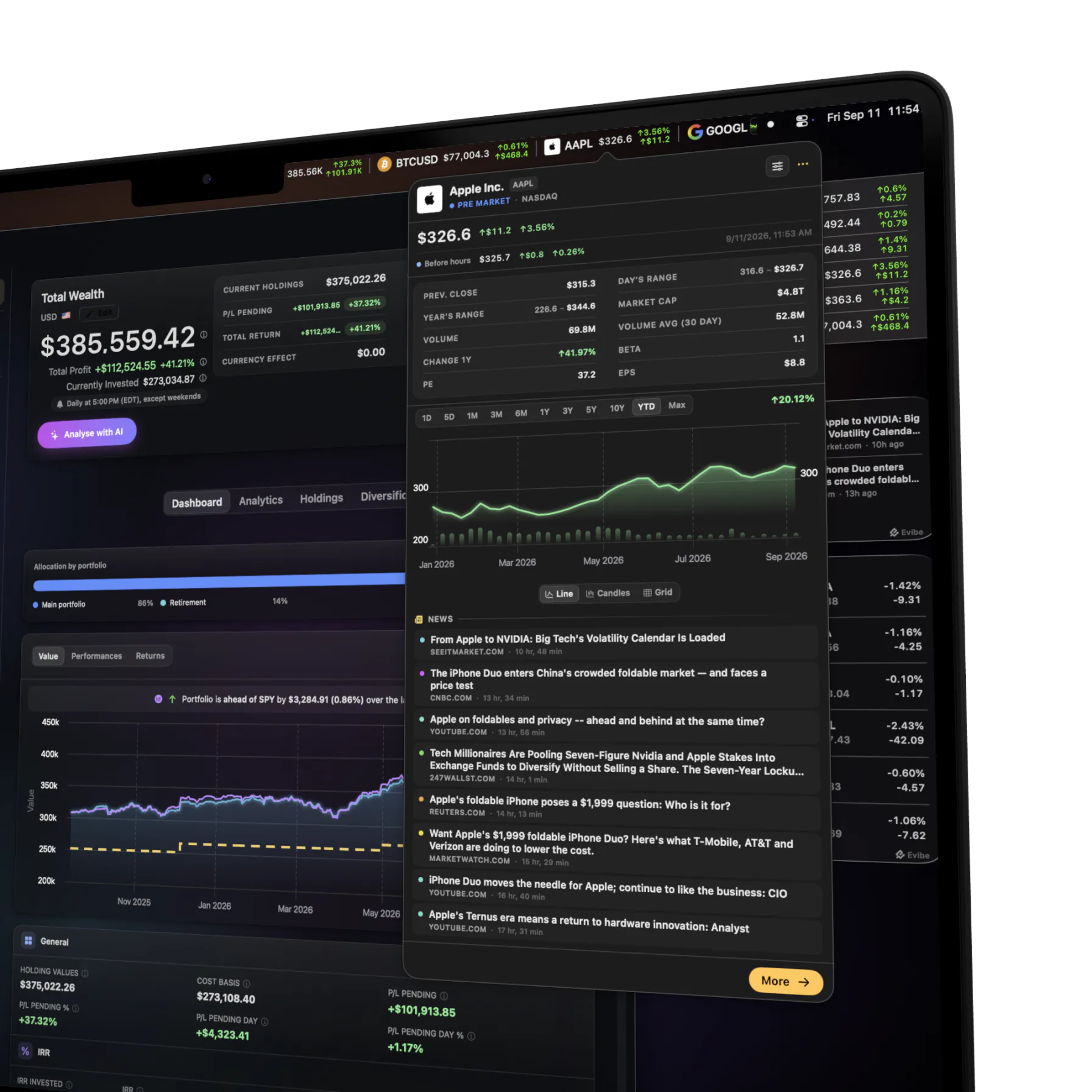
What each Bar can show
- A symbol — last price, intraday %.
- An option — strike, expiry, mid, change.
- A currency pair — EUR/USD, GBP/JPY, anything we cover.
- A whole portfolio — net worth, intraday % change, optional 1-day P/L in cash.
- An exchange — a market like NYSE or NASDAQ, to see its trading hours and whether it's open.
Each Bar carries one "thing." A typical setup is 2-3 Bars — one for the portfolio, one or two for the symbols you care about right now — but power users routinely run 5-8.
Configurable per Bar
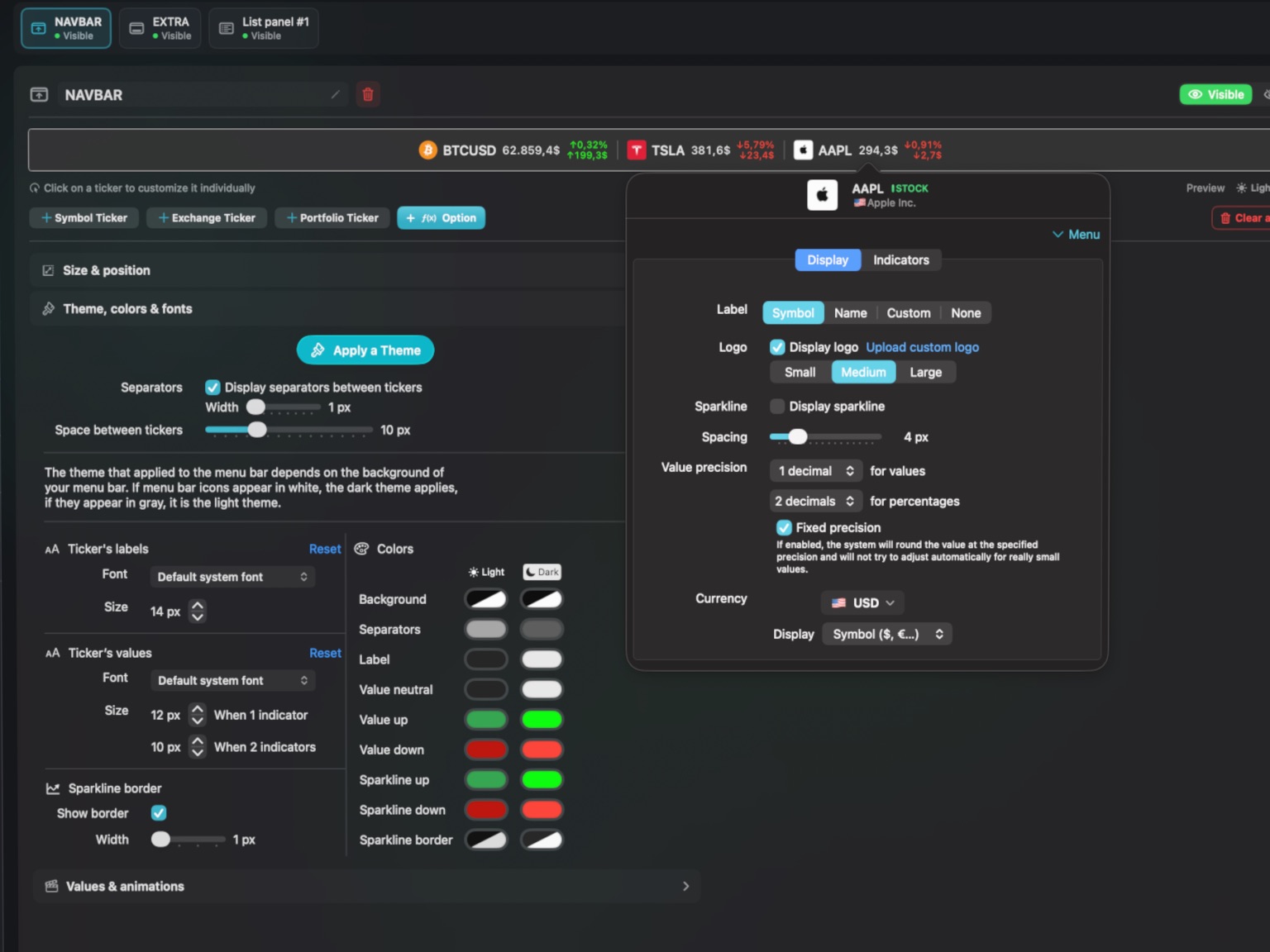
Every Bar has its own settings panel, accessed by right-clicking the Bar.
- Position — top edge, bottom edge, freely positioned. Snap-to-edge.
- Width — fit content, fixed pixel width, or fill horizontal.
- Theme & style — light or dark, full color control, fonts, opacity, blur the background, optional thin outline.
- Indicators — choose which indicators a Bar shows: % delta, sparkline, and more.
- Animations — how values flash and transition when prices move.
- Auto-hide on approach — a Bar or panel can slip out of the way when your cursor comes near, so it never blocks what's underneath.
- Show on which Spaces — pin to one Space, follow you across Spaces, or hide in fullscreen.
Every visual detail — color, font, animation — is yours to set, so a Bar fits your desktop instead of fighting it.
Real-time across every surface
When the streaming quote engine ticks, every Bar updates in lockstep with the rest of the app — the main Mac window, any open iPhone showing the same portfolio, the Apple Watch face. There is no "the Bar is showing stale data" failure mode.
If your relationship with the markets is "I want to glance, not deep-dive, multiple times an hour" — that is exactly what the Menu Bar Stock tracker is built for.