Every payment, on a calendar, in three tenses
A dividend calendar is the part of an income portfolio that turns spreadsheet maintenance into a habit. Evibe's calendar shows every confirmed and projected dividend payment, grouped by month / quarter / year, totaled in your portfolio currency.
Three colored states distinguish the certainty of each payment:
- Executed — already paid, reconciled with your statement. Audited and immutable.
- Declared — officially announced by the company, dated for an upcoming pay date. Not paid yet, but the check is essentially in the mail.
- Estimated — our projection of the next dividend based on the company's schedule, payout trend and any guidance. The horizon line for planning.
Most dividend trackers collapse all three into one number. Evibe keeps them separate because they answer different questions: what did I earn?, what's about to land?, what will roughly land if nothing changes?
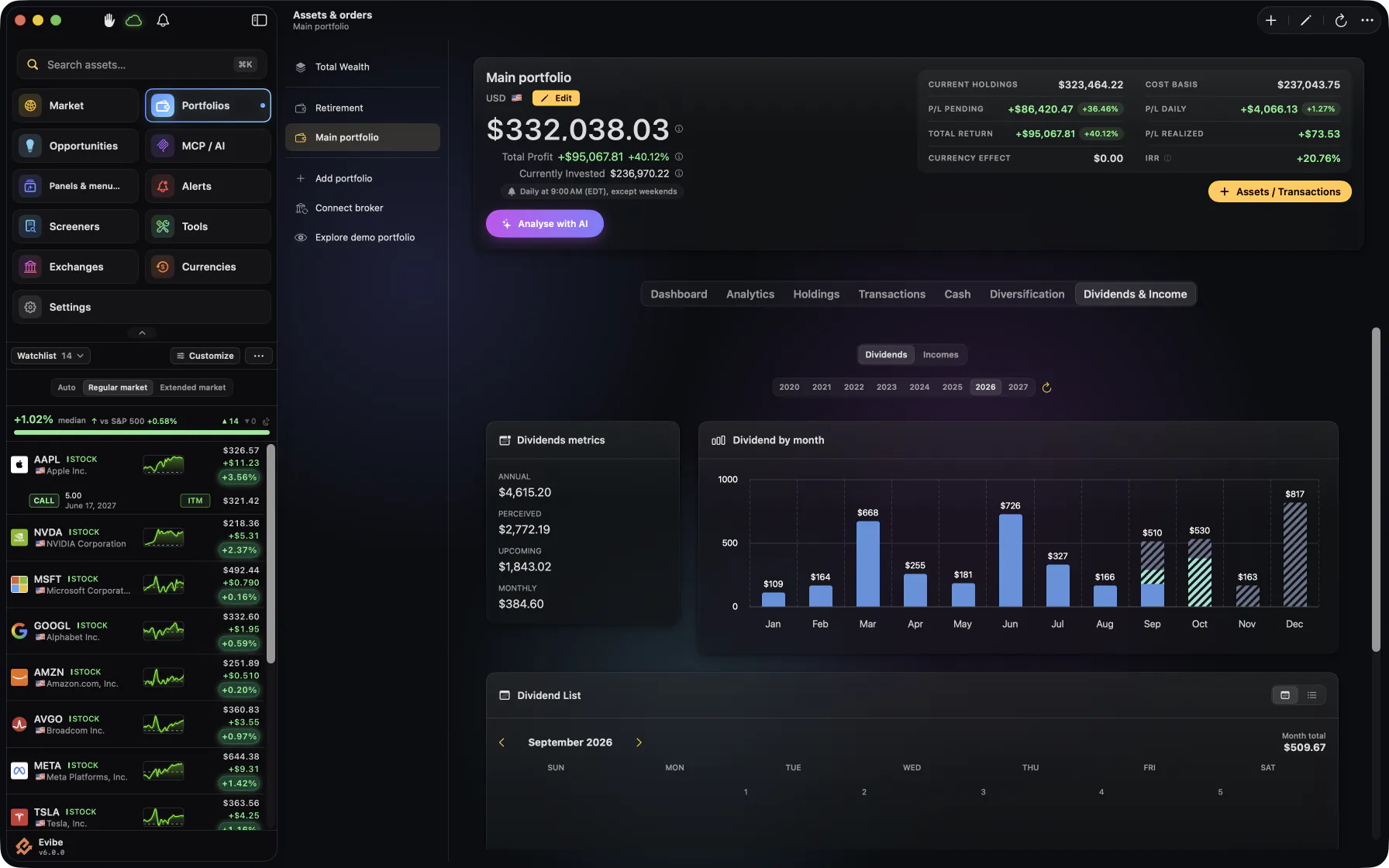
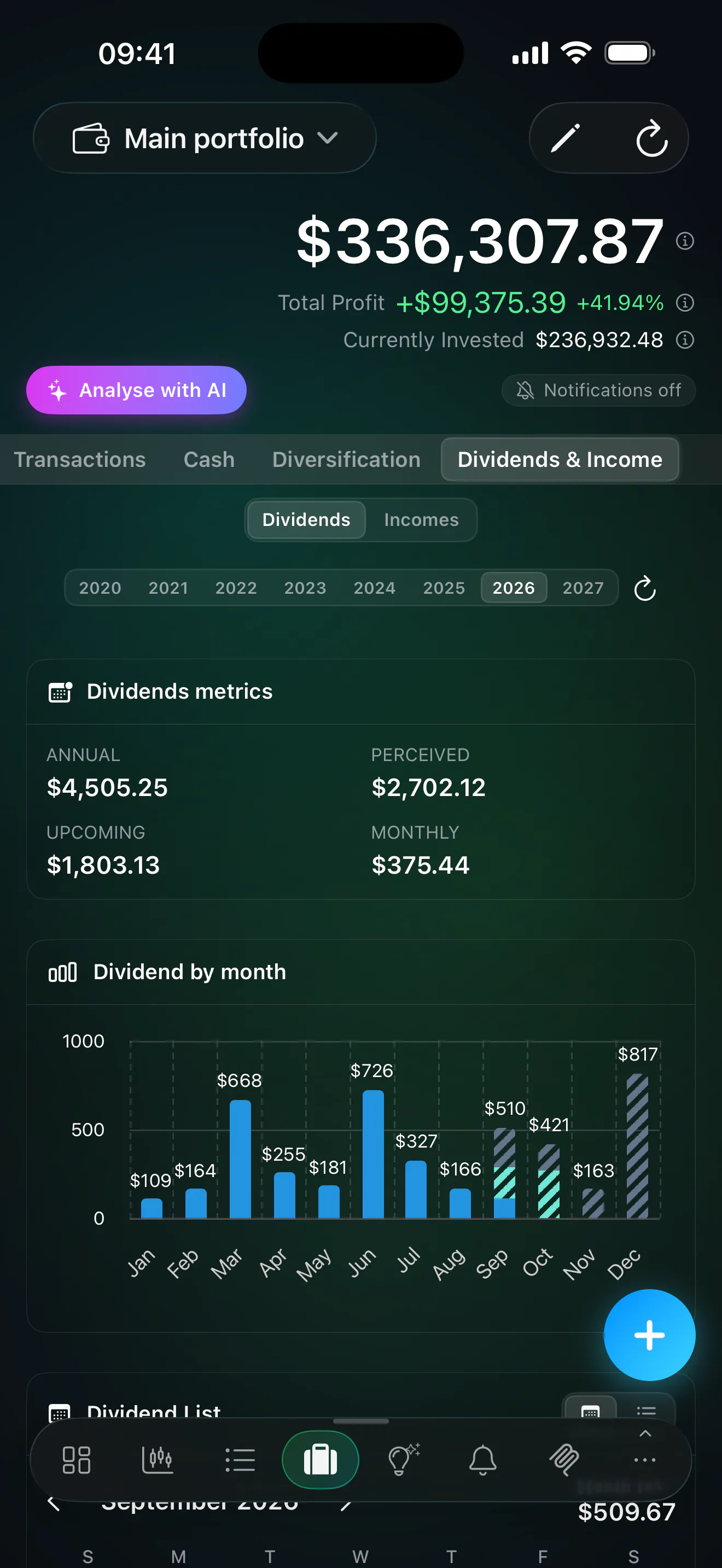
Per-month, per-quarter, per-year drill-down
Tap any month and see the individual payments: company, ticker, ex-date, pay-date, per-share amount, your share count, total in the company's currency and converted to your portfolio currency at the historical FX rate.
A small but important detail: payments are sorted by pay date, not by ex-date — because what you're planning around is when the cash actually arrives.
Yield metrics surfaced next to the calendar
The calendar isn't an island. Right next to it, every dividend-paying position shows:
- Yield on cost — what the stream pays relative to your purchase price.
- Payout ratio — sustainability check.
- Coverage ratio — earnings or FCF divided by dividend obligations.
- Growth streak — consecutive years of hikes. Aristocrat / King / Champion badges where applicable.
On iPhone, Mac and the web
The income calendar is available in the iPhone app, the Mac app and the web app.