Track ETF Holdings With One Automatically Synced Dashboard
Track ETF holdings effortlessly with Evibe’s auto-synced dashboard — real-time data, sector insights, and dividend details, all private and Apple-native.
Track ETF Holdings With One Automatically Synced Dashboard

The fastest way to track ETF holdings is a consolidated portfolio tracker that syncs directly with your brokerages and breaks each ETF down into share counts, allocation, sector exposure, and dividend activity automatically. Evibe was built around exactly this job: connect your accounts once, and it maintains a live view of every ETF position without manual spreadsheet updates.
Once you're set up, you get:
- Real-time position values across every linked brokerage account
- An allocation heat map that flags sector or geography drift
- Overlap detection that shows duplicate stock exposure hiding inside different ETFs
- A dividend calendar tracking ex-dates, pay dates, and reinvestment
Key Takeaways
Accurate ETF tracking depends on automatic brokerage syncing paired with a manual reconciliation check, not either practice alone.
| Point | Details |
|---|---|
| Sync first, verify second | Connect brokerage accounts via OAuth, then confirm share counts and cost basis against your statement. |
| Watch allocation drift | Use a sector and geography heat map to catch concentration before it becomes a real risk. |
| Check for overlap | Different ETFs often share the same underlying stocks, which quietly increases single-stock exposure. |
| Set alerts with room to breathe | Start with loose thresholds on sector drift and dividend events, then tighten rules once you trust them. |
| Evibe covers the full workflow | Evibe combines automatic syncing, ETF-specific analytics, AI-driven risk insights, and OAuth security in one tracker. |
This article is general information, not a substitute for advice from a qualified financial advisor. Consult a qualified financial professional about your own circumstances before acting on anything here.
Table of Contents
- How Do You Connect Your Broker to Track ETF Holdings?
- What ETF Metrics Actually Matter Once You're Synced?
- How Do You Set Up ETF Alerts That Actually Help?
- How Do You Verify Your Synced ETF Data Is Actually Correct?
- What Security Signals Should Your ETF Tracker Show?
- How Does Evibe Cover This Entire Checklist?
- What Actually Matters Most When You Track ETF Holdings
- Start Tracking Your ETF Holdings With Evibe
- Sources
How Do You Connect Your Broker to Track ETF Holdings?
Getting your ETF holdings synced correctly takes about ten minutes, provided you have the right information on hand before you start.
Before you touch the connector, gather your brokerage login credentials, have your two-factor authentication device nearby (a phone with an authenticator app or SMS access), and decide which accounts to include. Most investors hold ETFs across a taxable brokerage and one or more retirement accounts, and each one needs to be linked separately for the consolidated view to be accurate.
- Authorize a secure, read-only connection. Evibe uses OAuth connectors, meaning it never stores your brokerage password. You log in through your broker's own portal and grant read-only access.
- Confirm your holdings imported correctly. Check that share counts and cost basis match what your broker shows. A mismatch here almost always means the connector pulled a stale snapshot.
- Map each account by type. Tag taxable versus retirement accounts so tax-lot reporting and withdrawal rules stay separate.
- Add unsupported accounts manually. If your custodian isn't on the supported list, use manual entry as a fallback so nothing is missing from your total allocation picture.
The most common first-sync issue is a missing tax lot, usually from an ETF purchased through a dividend reinvestment plan that the connector logged as a separate transaction rather than an addition to an existing lot. The fix is almost always a manual lot edit rather than a full re-sync.
Pro Tip: Do your first sync a day after a dividend payment date rather than on it. Distribution processing lags at most custodians by 24 to 48 hours, and syncing mid-process is the single biggest cause of "wrong" position values on day one.
What ETF Metrics Actually Matter Once You're Synced?
Share count and market value are the baseline, but they don't tell you much on their own. What separates a useful ETF holdings tracker from a glorified spreadsheet is the layer underneath: cost basis, realized and unrealized profit and loss, and a true total-return figure that accounts for both price change and distributions. Watch for the difference between time-weighted return (TWR), which measures how the fund itself performed, and money-weighted return (MWR), which measures how your specific cash flows performed. Investors who added to a position right before a drawdown often see a meaningfully lower MWR than TWR, and confusing the two leads to bad conclusions about which ETFs are "working."
Allocation views matter just as much. A sector, geography, and factor breakdown, ideally shown as an allocation heat map, reveals drift that a simple list of tickers hides. Three broad-market ETFs can look diversified by name while all three quietly lean 35% technology.
Dividend tracking deserves its own attention. A good tracker records the ex-date, the pay date, whether the distribution was reinvested or paid as cash, and how each event affects your NAV and reported income. This matters more than most investors realize, because reinvested shares that aren't flagged correctly quietly inflate or deflate your yield-on-cost calculation over time.
Two more things worth watching closely:
- Overlap and concentration. Entering your ETF tickers and dollar amounts into an ETF holdings analysis tool often reveals overlapping stock exposure across supposedly different funds, which can quietly amplify single-stock risk, highlighting the benefits of portfolio diversification for crypto traders and investors alike. Evibe's overlap analysis applies this same logic across your entire synced portfolio.
- Expense ratio and liquidity flags. A fund's expense ratio compounds against you every year you hold it, and thin trading volume can widen bid/ask spreads exactly when you need to sell.
How Do You Set Up ETF Alerts That Actually Help?
Alerts are only useful if they fire rarely enough that you still trust them.
Start with rules tied to thresholds you'd actually act on:
- Sector drift alerts. Get notified when a sector's weight crosses a set line, such as a hard 20% cap, so concentration doesn't creep up unnoticed between checks.
- Single-position concentration alerts. Flag when any one ETF grows past a target weight due to price appreciation alone.
- Dividend calendar reminders. Get a heads-up ahead of ex-dates so you can decide whether to reinvest or hold cash.
- Expense-ratio change alerts. Fund providers occasionally adjust fees, and few investors notice until months later.
Reserve automatic rebalancing for rules you're fully comfortable letting run unattended; use suggested actions everywhere else, so you stay in the decision loop on anything that affects taxes or timing.
Combining signals cuts down on noise substantially. Pairing an allocation-drift trigger with a volatility or momentum indicator reduces false positives compared to either signal firing alone.
Pro Tip: Set your first few alert rules with generous thresholds, even if they feel too loose. Tightening a rule after it proves useful is easy. Loosening one after weeks of alert fatigue means you've already started ignoring your phone.
How Do You Verify Your Synced ETF Data Is Actually Correct?
A sync that runs quietly in the background is only trustworthy if you've checked it at least once. Run this short reconciliation pass after your first sync and periodically afterward.
- Compare share counts and total market value against your most recent brokerage statement, line by line.
- Confirm your cost basis and tax lots match, particularly for ETFs purchased across multiple transactions or through automatic reinvestment.
- Check that corporate actions, like stock splits or special distributions, were processed correctly and that reinvested shares actually appear as new lots.
- Note whether your price feed is real-time or delayed. A 15 minute lag can make your unrealized P&L look off during volatile sessions, even though nothing is actually wrong.
- For ETFs denominated in a non-base currency, verify the FX conversion rate used matches what you'd expect for that date.
Reconciliation-first trackers that support lot-level accounting produce far more explainable performance numbers than trackers that only show price-based estimates.
Pro Tip: If a position looks wrong after a sync, refresh the connector before editing anything manually. Manual lot edits made before a refresh often get overwritten, forcing you to redo the correction twice.
What Security Signals Should Your ETF Tracker Show?
Connecting brokerage accounts to any app means trusting that app with sensitive financial data, so the security bar has to be non-negotiable.
Look for a read-only OAuth connector rather than a tool that asks for your actual brokerage password, and enable two-factor authentication on every linked account. Beyond that, confirm the provider encrypts data at rest using AES-256, hashes stored passwords, and publishes its security practices rather than burying them. A short, visible security section in a provider's FAQ is a genuine trust signal, not just marketing copy.
On your end: rotate credentials periodically, limit which permissions you grant during setup, and actually read the privacy policy for data retention terms and export options before you connect a single account.
How Does Evibe Cover This Entire Checklist?
Evibe was built around the exact workflow described above: sync first, verify second, monitor continuously. Automatic brokerage syncing pulls your ETF positions, share counts, and cost basis without manual entry. ETF-specific analytics surface allocation heat maps, overlap detection, and sector exposure. Smart alerts cover drift thresholds, dividend events, and concentration risk, and AI-driven analysis translates raw holdings data into plain-language risk and diversification scores.
On the security side, Evibe uses OAuth read-only connectors and encrypted data storage, matching the checklist above item for item.
What's still missing here, and worth adding as this article matures:,, and.
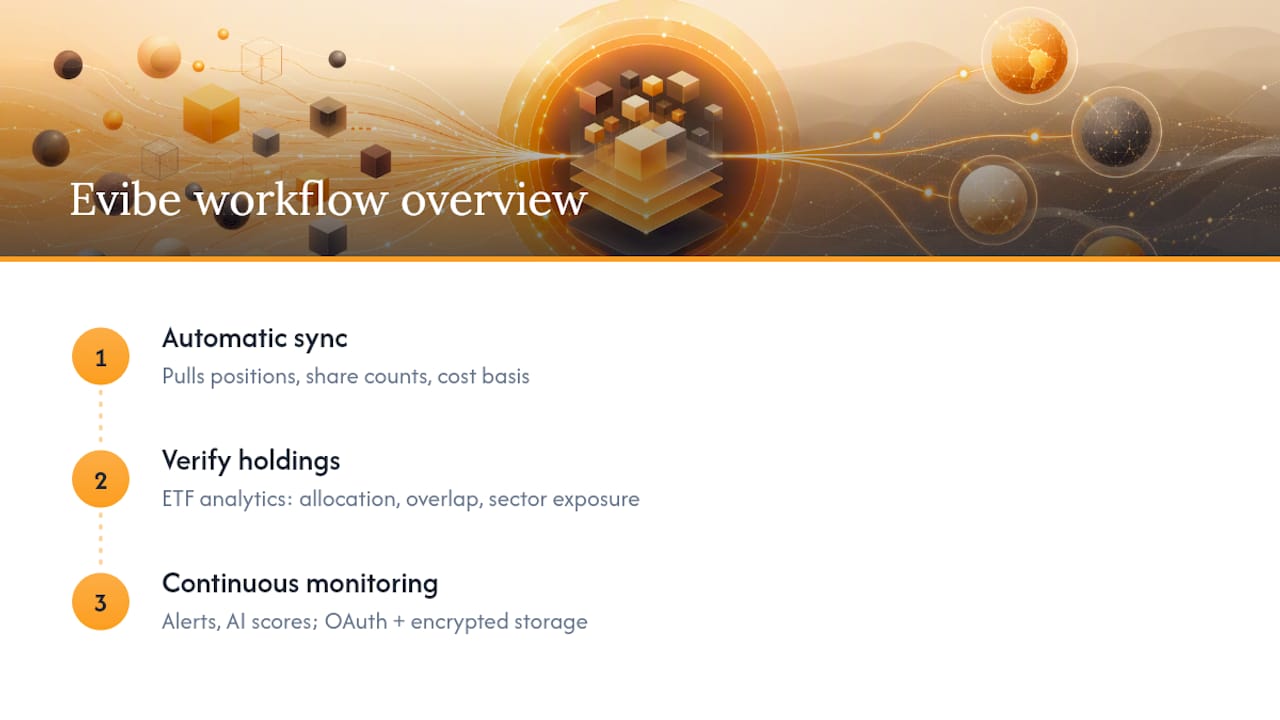
What Actually Matters Most When You Track ETF Holdings
Most advice on this topic obsesses over dashboards and charts, when the real risk sits somewhere less visible: overlap. Investors who hold four or five ETFs assume they're diversified because the tickers look different, but the underlying stock exposure often tells a different story. A total-market fund, a tech-tilted growth fund, and a dividend-growth fund can all quietly own the same five mega-cap names in overweight proportions.

The conventional advice, "just check your allocation once a quarter," undersells how fast drift compounds when you're not automatically syncing. A single strong quarter for one sector can shift your real exposure meaningfully before your next manual review even happens.
If you're prioritizing anything first, prioritize verification over automation. A synced tracker that shows wrong cost basis is worse than no tracker at all, because it gives you false confidence. Get the reconciliation right, then let alerts do the watching. Automation is only as good as the data underneath it.
Start Tracking Your ETF Holdings With Evibe
Evibe gives you the whole checklist in one app: automatic brokerage syncing, ETF-specific analytics, allocation heat maps, dividend tracking, and alerts built on real-time data, not delayed exports you have to reconcile by hand. Where a general portfolio spreadsheet leaves you guessing at overlap, Evibe's AI-driven analysis shows your actual sector and stock exposure across every ETF you hold, synced continuously rather than updated once a quarter.
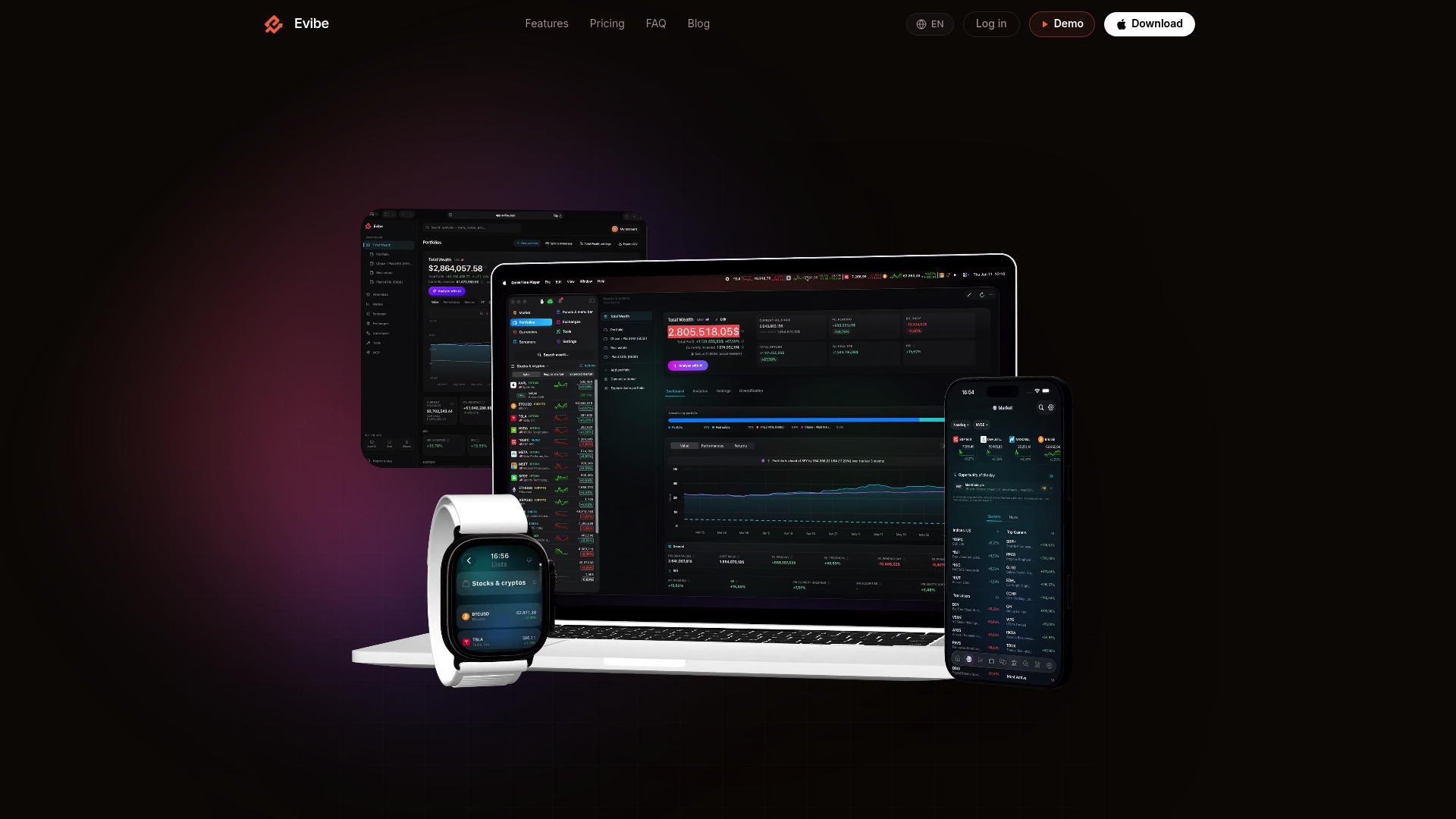
You can try the full ETF portfolio tracker free through the iOS or Mac app, with 7 days of Premium on every new account. Connect your brokerage accounts, let the first sync run, and check your allocation heat map before the Premium period ends. If you also hold dividend-focused positions, Evibe's dividend tracker pairs directly with your ETF view for a fuller income picture.
Sources
- Portfolio Tracking Apps for ETFs | Best of
- Best Portfolio Tracker Software | Independently Tested 2026