Price Alert Strategies: Turn Notifications Into Action
Discover effective price alert strategies to optimize your investments and portfolio tracking. Transform notifications into smart, timely trading decisions.
Price Alert Strategies: Turn Notifications Into Action

The single best price alert strategy is this: use every alert as a trigger to review your investment thesis, never as an automatic signal to trade. Retail investors get this backward constantly, treating a buzzing phone as a command instead of a prompt. The highest-value alerts for active portfolios are percentage-move alerts, allocation-drift alerts, and event-driven alerts tied to earnings. When one fires, run this sequence every time:
- Acknowledge the alert without touching your brokerage app
- Quick-check the cause (news, volume, sector move, or nothing at all)
- Act or hold based on a rule you set in advance, not your mood
- Record the decision so you can review it later
Key Takeaways
Effective price alert strategies treat every notification as a prompt to check your thesis, not a command to trade, and pair each alert type with a preset rule for action.
| Point | Details |
|---|---|
| Match thresholds to volatility | Use 3% to 5% for large caps and 5% to 10% for volatile stocks or crypto to avoid noise. |
| Follow the four-step playbook | Acknowledge, quick-check context, act or hold on a preset rule, then record the outcome. |
| Automate carefully | Use webhooks and staging services with human approval gates, limit orders, and minimum trade-size filters. |
| Cap total alerts | Keep active alerts in the 5 to 15 range and prune monthly or quarterly to fight alert fatigue. |
| Use a tracker built for the playbook | Evibe's smart alerts and AI-driven analysis prioritize drift and volatility signals across your full portfolio. |
This article is general information, not a substitute for advice from a qualified financial advisor. Consult a qualified financial professional about your own circumstances before acting on anything here.
Table of Contents
- Price Alert Strategies by Type: Which Trigger Fits Which Asset
- How Do You Build a Playbook to Act on Alerts?
- Automating Alerts Without Losing Control
- Preventing Alert Fatigue Before It Starts
- Reviewing Alert Performance Every Quarter
- What Actually Separates a Good Alert Strategy From a Bad One
- Putting the Playbook Into Practice With Evibe
- Sources
Price Alert Strategies by Type: Which Trigger Fits Which Asset
Not every asset deserves the same alert. Absolute price alerts fire at a fixed number, like "notify me at $150." They work best for known entry or exit targets on individual stocks you already researched.
Trailing alerts move with the asset, locking in a gap below the peak price to protect gains without capping upside. Active traders use these on momentum names where a hard stop feels premature. Allocation-drift alerts watch your portfolio weights rather than any single price, flagging when a position has grown or shrunk past a target band. Event alerts cover earnings dates, dividend declarations, or economic releases that don't show up in price data at all until after the fact.
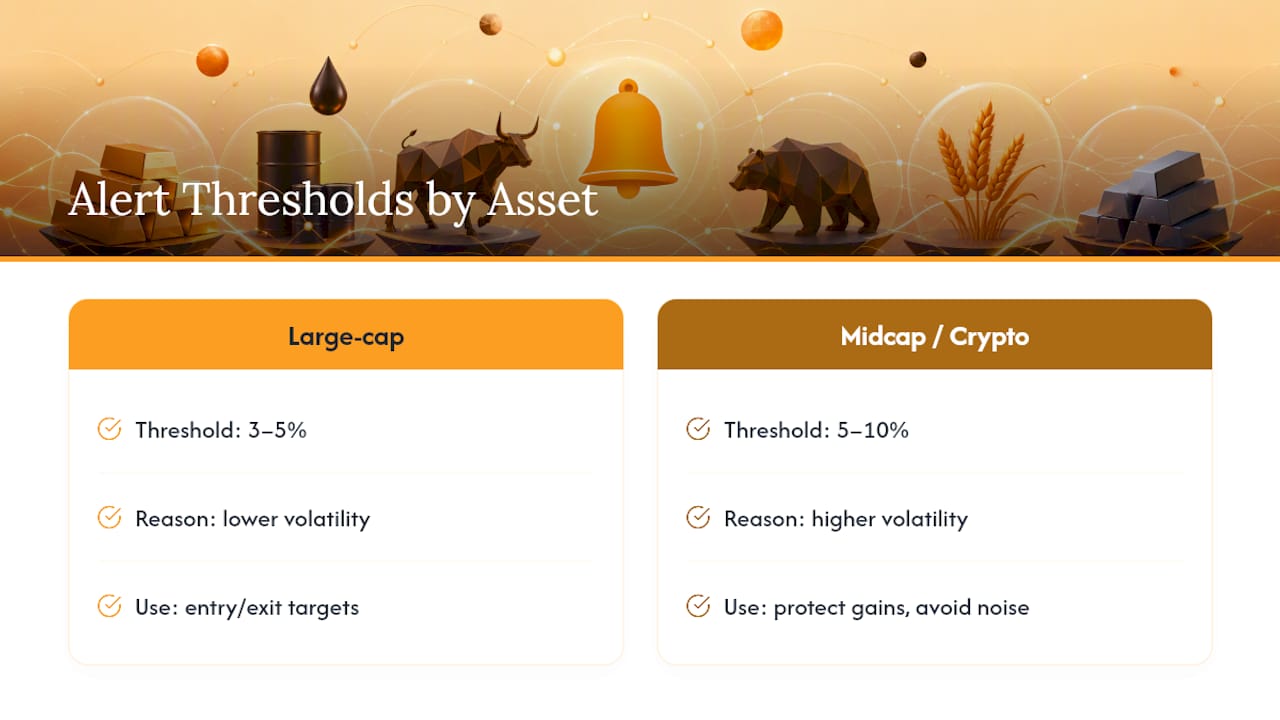
Statistic Callout: Threshold sizing should track volatility, not habit. Practitioner guidance suggests 3% to 5% moves for large-cap stocks and 5% to 10% for volatile midcaps or crypto, since a 5% swing in a mega-cap index fund means something very different from a 5% swing in a small-cap miner.
Delivery method matters more than most investors assume. Push notifications land fastest, usually within seconds of a trigger. Email lags behind, sometimes by minutes, which is fine for end-of-day summaries but risky for fast-moving crypto positions. SMS sits in between and works well as a backup channel when you're away from your phone's lock screen. Some platforms also support alerts on moving-average crossovers and 52-week highs or lows, which add a technical layer beyond raw price.
How Do You Build a Playbook to Act on Alerts?
A price alert without a rule attached is just noise with better timing. The goal is to decide your response before the notification ever arrives, so a market move doesn't turn into a gut decision.
- Acknowledge the alert and note the timestamp.
- Context check: pull up news, volume, and any recent filings tied to the asset. A 6% drop on no news behaves differently than a 6% drop after a guidance cut.
- Decide using a preset rule: buy alerts might trigger a review of your cash position, review alerts might just log the event, and rebalance alerts should map directly to your drift thresholds.
- Execute or schedule the trade, favoring limit orders over market orders to control your fill price.
- Record the outcome, including what you did and why, in your tracker or a simple log.
Preset actions should differ by alert type. A buy-target alert should check whether you have settled cash available before you place anything. A review alert, like an event notification ahead of earnings, usually just means read the release and wait. A rebalance alert tied to allocation drift should follow a rule you already picked, since hybrid rebalancing that combines calendar checks with drift triggers reduces unnecessary trades compared to reacting to every wiggle.
Sizing rules matter as much as the trigger itself. Prefer limit orders on volatile names to avoid a bad fill during a fast move, and always confirm settled cash before entering an order tied to a sell alert elsewhere in your portfolio.
Pro Tip: Build a simple tax-impact check into your sell rules. If an alert fires on a position you've held under a year, flag it for short-term capital gains before you act, not after.
Automating Alerts Without Losing Control
Webhooks let your portfolio tracker talk directly to other systems the moment a threshold trips, sending a structured message to a broker API, a spreadsheet, or a notification service. This is where a lot of retail investors get tempted to skip the thinking step entirely.
Auto-execution makes sense for narrow, well-tested cases: rebalancing between two ETFs you already hold, or trimming a position back to a target weight. It does not make sense for discretionary calls, like deciding whether an earnings miss changes your thesis on a stock. Keep a human approval gate on anything involving a new position or a meaningful chunk of your portfolio.
- Use limit orders in automated flows, not market orders, to cap slippage on thin volume
- Apply minimum trade-size filters so tiny drifts don't generate constant small trades
- Run preview simulations before going live, checking what the automation would have done over recent history
- Route every automated action through a staging step that logs the proposed trade before it fires
A workable flow looks like this: alert fires, webhook sends the event to a staging service, the service checks size and price filters, then a broker order goes out only after you approve it on your phone or dashboard.
Pro Tip: Never let an automation touch a position larger than your predefined maximum trade size, even if the drift math says it should. Cap first, automate second.
Preventing Alert Fatigue Before It Starts
More alerts do not mean better monitoring. Investors who set up ten alerts per stock end up ignoring all of them within a month.
Set a frequency cap per asset, such as one alert per trigger type per day, and add quiet hours overnight unless you're trading global markets around the clock. Prioritize portfolio-level alerts, like total drawdown or allocation drift, over single-stock noise. Practitioner guidance suggests keeping a total alert count in the 5 to 15 range rather than layering on dozens that overlap.
Statistic Callout: Guides in this space commonly warn that once total alerts climb past roughly 20, the signal-to-noise ratio collapses and most notifications get dismissed unread.
Run a pruning pass monthly if you trade often, quarterly if you're closer to buy-and-hold. Track how many alerts fired against how many actually led to a decision. If a specific alert has fired ten times and you've acted on it zero times, delete it.
Reviewing Alert Performance Every Quarter
Every triggered alert deserves a short record: the trigger value, your portfolio state at the time, the decision you made, and a rough tax estimate if a trade happened. This log is what separates a strategy from a habit.
- Ask whether each threshold still fits current volatility, since a 5% band set during a calm market may be too tight now.
- Check whether the alerts you kept actually influenced a decision, or just added to your notification count.
- Compare realized trades against what you originally planned to see how much drift crept into your execution.
- Run a quick backtest or simulation before changing a threshold meaningfully, rather than adjusting on a hunch.
Track your false-positive rate specifically. If half your drift alerts get dismissed without action, your bands are too tight for how you actually trade.
What Actually Separates a Good Alert Strategy From a Bad One
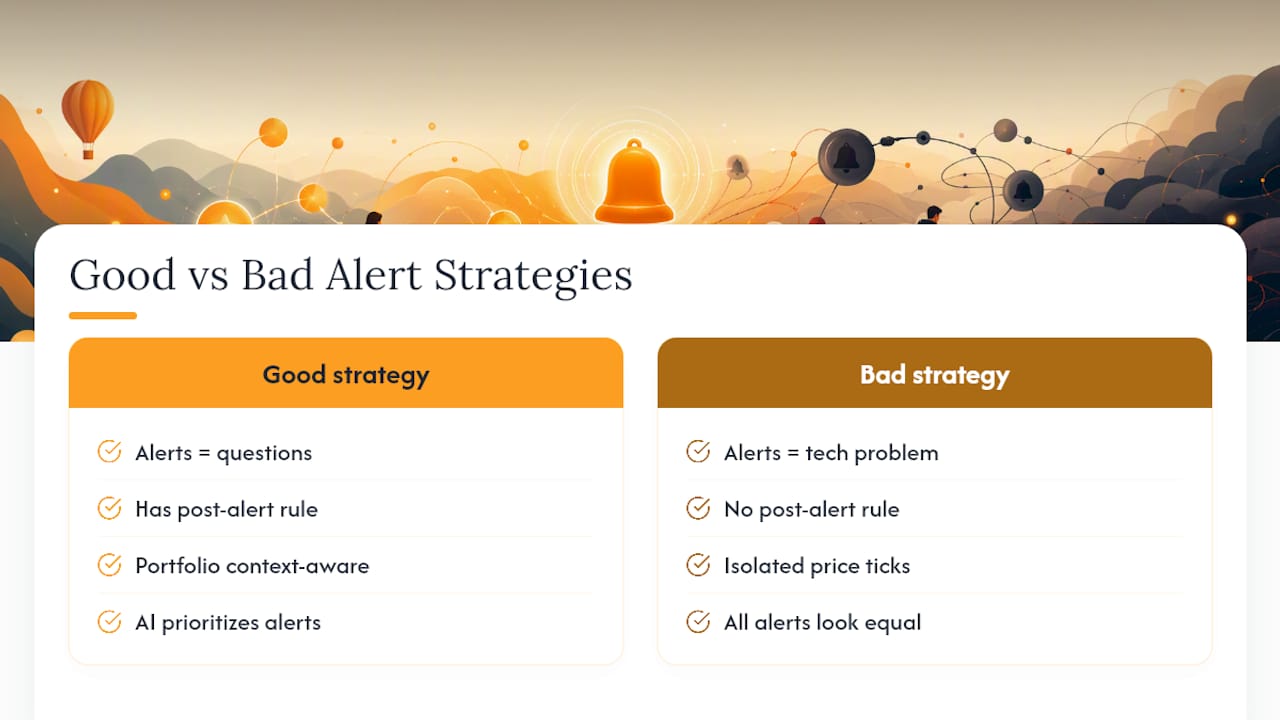
Most advice on this topic treats alerts as a technology problem: pick the right app, set the right number, done. That misses the real issue. The investors who get the most out of alerts are the ones who treat every notification as a question, never an instruction. Vincent, drawing on years of watching retail trading behavior, has seen the same pattern repeat: the accounts that blow up their own returns aren't the ones with bad alert settings, they're the ones with no rule for what happens after the alert fires.
Evibe's smart alerts work well here because they're built around portfolio context, not isolated price ticks, and the AI-driven analysis helps prioritize which drift or volatility signal actually deserves your attention that day. In one common case, an allocation-drift alert on a tech-heavy portfolio maps directly to a rebalancing suggestion, turning a vague "something moved" notification into a specific, sizeable action. Good time-management habits around when you check these alerts matter just as much as the thresholds themselves.
Putting the Playbook Into Practice With Evibe
Evibe is built to be the tool that runs this exact playbook, not just a notification pipe. The options tracker extends the same logic to Greeks and expiry windows, so an event alert ahead of expiration actually tells you something actionable. Index benchmarking gives you the context check step for free, showing whether a move is asset-specific or just the market having a rough day.
Where this article recommends recording your decisions, Evibe's dashboard already tracks your allocation across stocks, ETFs, crypto, and real assets in one place, so the "context check" and "record" steps in your playbook happen inside the same app that sent the alert. If you're managing more than a handful of positions across brokerages and want alerts that actually respect your attention, get started free on Evibe (7 days of Premium included) and see how the smart alert prioritization compares to what you're using now.
Sources
- 4 ways to use alerts when investing | Fidelity
- Automated portfolio rebalancing strategies for TradingView traders
- Using alerts & notifications to monitor your portfolio - Alpha Learning