How to Automate Portfolio Reports: A Practical Guide
Automate portfolio reports with Evibe’s privacy-first, Apple-native tracker. This practical guide covers seamless setup and timely performance updates.
How to Automate Portfolio Reports: A Practical Guide

The fastest path to automated portfolio reports is a portfolio-tracking app like Evibe that connects your accounts via read-only APIs, computes performance and allocation on a schedule, and delivers a plain-English summary to your inbox or dashboard. Setup takes a typical amount of time consistent with similar portfolio tools. Here is the three-step playbook to get your first report running:
- Connect every account using read-only OAuth (brokerage, bank, crypto).
- Confirm cost basis and holdings reconcile against your broker statements.
- Schedule a weekly or monthly report and validate the first output.
That is the whole loop. The sections below cover each step in depth, including privacy trade-offs, what to put in the report, and a self-hosted pipeline for technically inclined investors.
Key Takeaways
Automated portfolio reporting works best when you connect accounts via read-only OAuth, validate cost basis before scheduling, and treat AI narratives as informational summaries rather than trading signals.
| Point | Details |
|---|---|
| Three-step start | Connect read-only accounts, confirm cost basis, then schedule and validate one test report. |
| Setup time | Expect 30–60 minutes for initial configuration across all accounts. |
| Report core metrics | Include TWR/MWR performance, allocation, risk concentration, dividends, and benchmark comparison. |
| Privacy rule | Confirm only redacted summaries, not raw holdings, are sent to any third-party LLM. |
| Evibe recommendation | Evibe automates consolidation, scheduling, and AI-driven analysis with no pipeline to maintain. |
Table of Contents
- How to automate portfolio reports: step-by-step setup
- Which metrics should your automated report include?
- What delivery options work best for automated investment reports?
- Privacy and security checklist before you connect accounts
- Common problems with automated reports and how to fix them
- Building a self-hosted pipeline for full control
- What to automate first, and what to leave alone
- Evibe gives you automated portfolio reports without the build
- Sources
How to automate portfolio reports: step-by-step setup
A clean setup prevents the most common failure modes: stale connections, missing cost basis, and mismatched holdings. Work through these steps in order.
- Inventory your accounts. List every brokerage, bank, crypto exchange, and manual asset (real estate, private equity, collectibles). Pick a base reporting currency, typically USD.
- Connect via read-only OAuth. Most major brokerages support read-only account connections, either through a bank-aggregation service or direct OAuth. These connections cover thousands of institutions and request only read permissions — they cannot place trades.
- Add manual or CSV accounts. Some brokers do not support API connections. Export a CSV from your broker's portal and import it. Evibe supports manual entry for custom assets like real estate, vehicles, and startups.
- Map cost basis and tax lots. After the first sync, cross-check each position's cost basis against your broker's "Positions" or "Cost Basis" page. Missing cost basis breaks your unrealized gain/loss calculations.
- Configure report contents. Choose which metrics appear (see the next section) and whether you want a summary view, a detailed holdings tab, or both.
- Schedule delivery. Set a cadence: daily, weekly, or monthly. Run a test report immediately and compare totals to your broker statements before enabling the schedule.
Pro Tip: During initial reconciliation, check tax lots for every position, not just total shares. A lot imported with the wrong acquisition date will skew your time-weighted return (TWR) and capital-gains estimates for the entire year.
FlashFi's portfolio tracking guide recommends a tiered review cadence: a weekly snapshot glance, a monthly net-worth review, and a quarterly deep dive. Matching your report schedule to this cadence keeps the signal-to-noise ratio high.
Which metrics should your automated report include?
A report investors can act on needs more than a total balance. Build around these core sections.
Core sections (required):
- Portfolio snapshot: total value, daily change in dollars and percent, base currency, and as-at date.
- Performance: time-weighted return (TWR) for comparing against benchmarks; money-weighted return (MWR) for understanding your personal cash-flow impact. Show daily, month-to-date, year-to-date, and all-time.
- Allocation: asset class, sector, and geography breakdowns as percentages of total portfolio.
- Risk checks: concentration flags (any single position above 10–15% of total), beta, and volatility relative to a benchmark like the S&P 500.
- Dividends: income received, declared, and estimated forward yield. Evibe's dividend tracker covers executed, declared, and estimated cash flows in one view.
- Benchmark comparison: portfolio TWR vs. SPY, QQQ, or a custom blended index over the same period.
Optional sections:
- Holdings detail with individual position P&L.
- Tax-sensitive view: short-term vs. long-term gains by lot.
- Options exposure: net delta, open contracts, and nearest expiry. Evibe's options tracker includes Greeks and expiry calendars.
- Private assets: real estate, art, vehicles, and collectibles at manually entered valuations.
A well-structured AI narrative for the executive snapshot might read: "As of [date], your portfolio is valued at $[X], up [Y]% YTD vs. the S&P 500's [Z]%. Your largest position, [Ticker], represents [N]% of total assets. Dividend income this month totaled $[D]. No single-position concentration breach detected." That paragraph, generated automatically, replaces 20 minutes of manual spreadsheet work every reporting cycle.
What delivery options work best for automated investment reports?
Frequency and channel choices depend on how actively you monitor your portfolio and how much inbox noise you can tolerate.
Frequency guidance:
- Daily: useful for active traders or anyone with options positions near expiry. High signal, but risks desensitization.
- Weekly: the right default for most retail investors. Enough data to spot trends without overwhelming your inbox.
- Monthly: best for long-term, buy-and-hold investors who review allocation and dividends rather than daily price moves.
- Event-driven: alerts triggered by a threshold breach (position up or down more than 5%, concentration limit hit) complement scheduled reports without replacing them.
Delivery channels:
- In-app dashboard: lowest latency, no email overhead, best for daily check-ins.
- Email (HTML or PDF): portable, shareable, and easy to archive. The portfolio-email-agent project shows a working implementation: yfinance for live prices, NewsAPI for curated articles, and Claude for narrative, scheduled via GitHub Actions on a bi-weekly cadence.
- Push notifications: good for threshold alerts, not full reports.
- Webhook: sends report data to a downstream tool (Notion, Slack, a custom dashboard). Requires technical setup but gives the most flexibility.
On LLM-generated narratives: if you route your report through Anthropic's Claude or a similar model, expect API costs that scale with report length and frequency. A concise weekly summary costs a few cents per run. Daily detailed reports with large holdings lists cost more. The Agent_Plutus project handles this by running health checks locally and sending only classified findings to the LLM, not raw holdings, keeping both cost and data exposure low.
Privacy and security checklist before you connect accounts
Read-only OAuth is not zero-risk. Work through this checklist before enabling any automated connection.
- Use read-only OAuth only. Confirm the token scope explicitly excludes trading and withdrawal permissions.
- Enable two-factor authentication on every connected brokerage account before linking.
- Audit token scopes in your brokerage's "Connected Apps" or "Third-Party Access" settings after linking.
- Limit report recipients. If you email reports, send to yourself only unless you have a specific reason to share.
- Understand what leaves your device. Cloud-based apps may send aggregated summaries to LLMs for narrative generation. Ask the vendor whether raw holdings or only redacted summaries (percentages, severity tags, category labels) are transmitted. The Agent_Plutus privacy-first design keeps raw data local and falls back to deterministic local text when no API key is provided.
- Check data retention policy. Know how long the vendor stores your holdings snapshots and whether you can delete them.
The Ontario Securities Commission's research on AI for retail investing classifies AI uses into decision support and automation, and emphasizes human oversight. That framing matters: treat AI-generated narratives as informational summaries, not trading signals, and keep a human review step in your workflow.
Pro Tip: Test your revocation workflow before you need it. Go to your broker's connected-apps page, revoke the token, and confirm the app loses access within minutes. Then reauthorize. Knowing this sequence cold means you can act in seconds if credentials are ever compromised.
Common problems with automated reports and how to fix them
Most failures fall into three categories.
Stale or expired OAuth tokens: brokers rotate tokens on a schedule (often 90 days) or after a password change. Fix: reauthorize in the app's account settings. If reauth fails, disconnect and reconnect from scratch.
Missing cost basis: some brokers do not export cost basis via API. Fix: download a CSV from your broker's tax-lot page and import it manually. Reconcile after every import.
Duplicate holdings: can appear when both a direct brokerage connection and a bank-aggregation service pull the same account. Fix: disable one connection source for that account.
Troubleshooting flow:
- Report shows wrong total → compare position count and prices to broker statement → if prices match but total differs, check for a duplicate account connection.
- Unrealized gain/loss is wrong → verify cost basis and acquisition date for each lot → import corrected CSV if needed.
- Report did not run → check scheduler logs or app notification history → confirm OAuth token is still valid → reauthorize if expired.
When contacting support, gather: the account name, the specific position or metric that is wrong, a screenshot of your broker's statement showing the correct value, and the date/time of the failed report run. That evidence cuts resolution time significantly.
Building a self-hosted pipeline for full control
If you want complete ownership of your data and logic, a self-hosted pipeline is achievable in a weekend. The standard architecture follows a consistent pattern across open-source projects:
Connect → Enrich → Compute → Narrate → Deliver
- Connect: pull holdings through a read-only account connection (a bank-aggregation service or a direct brokerage link), or import CSV exports for unsupported accounts.
- Enrich: use yfinance for live prices, historical returns, and benchmark data. It is free and covers most U.S. equities and ETFs.
- Compute: calculate TWR, MWR, allocation percentages, and concentration flags in Python. Store snapshots in Postgres or Supabase for historical trending.
- Narrate (optional): send a redacted summary to Anthropic's Claude for a plain-English brief. The Claude-powered financial dashboard project runs this pipeline on a Mon/Wed/Fri schedule, enriching positions with RSI, MACD, and Bollinger Bands before the Claude analysis step.
- Deliver: email via SendGrid or SMTP, push to a Next.js dashboard, or post to a Slack webhook. The portfolio-email-agent project uses GitHub Actions for scheduling, which requires no server.
Scheduling options: cron (Linux/Mac), launchd (macOS), or GitHub Actions (serverless, free for public repos). GitHub Actions is the lowest-friction option for a weekly email report.
The main trade-off is maintenance. A hosted app like Evibe handles broker API changes, token refreshes, and data normalization for you. A self-hosted pipeline puts that burden on you. Expect to spend a few hours per quarter on upkeep as brokers update their login flows or API responses.
For privacy-conscious investors, Cash Heaven's guide to account aggregation covers secure data-handling practices worth reviewing before you wire up any third-party connection.
What to automate first, and what to leave alone
Most investors over-engineer their first automation. The right starting point is a single consolidated snapshot: total portfolio value, daily change, and a one-line performance vs. benchmark.
That combination, a scheduled report plus a threshold alert, covers monitoring without creating noise.
What not to automate: trading decisions. The OSC's research notes that experimental evidence on whether blended human-plus-AI advice improves investor behavior is mixed, not definitive. AI-generated narratives are most valuable as a reading aid, a way to surface what changed and why, not as a signal to act on directly. Keep the human review step. The automation handles the data assembly; you handle the judgment.
Evibe gives you automated portfolio reports without the build
Evibe connects your brokerage, bank, crypto, and real-estate accounts in one place, syncs them automatically via read-only OAuth, and produces scheduled performance, allocation, and risk reports with AI-driven analysis built in. No spreadsheets. No manual price lookups. No pipeline to maintain.
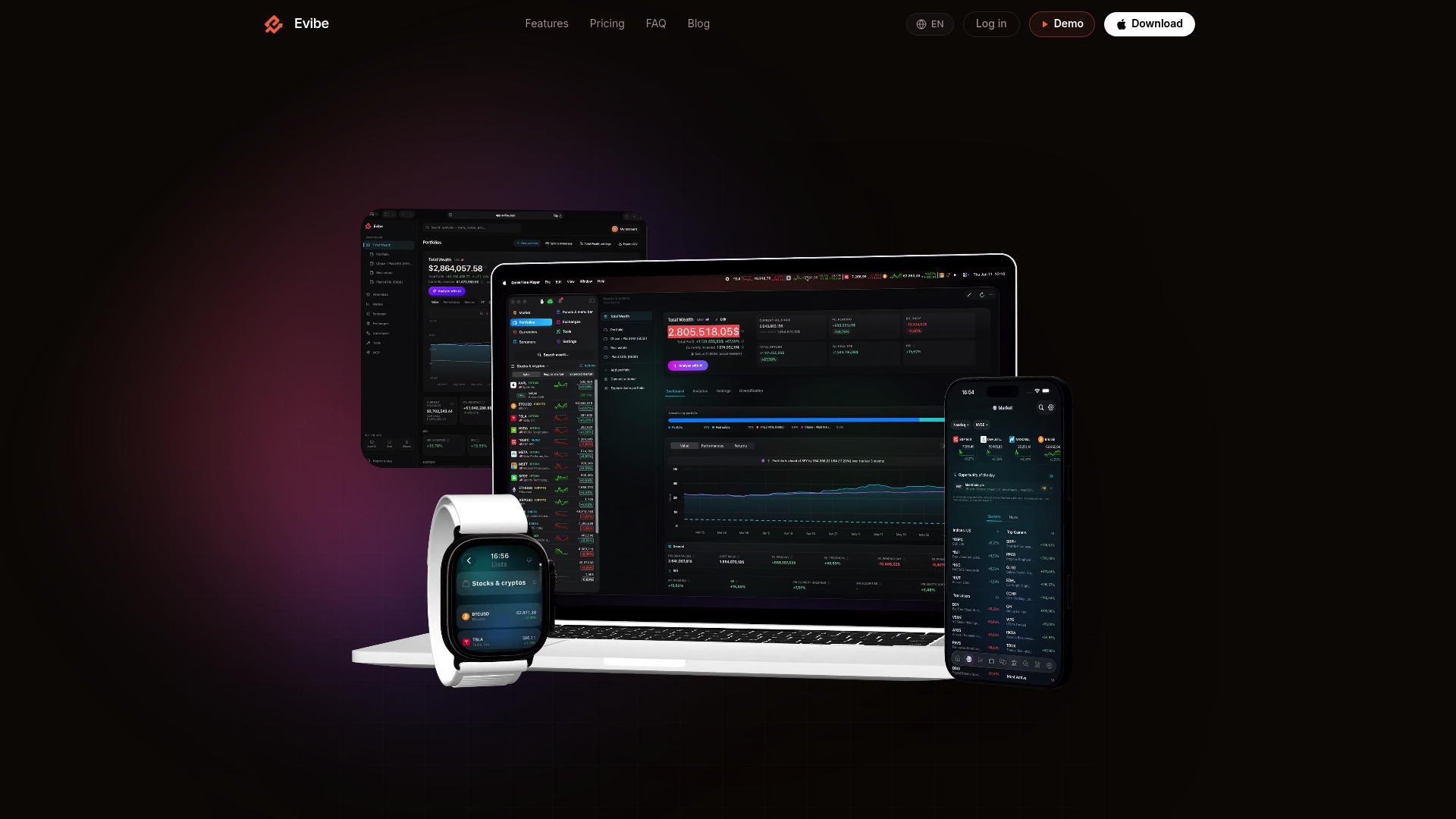
The AI layer runs health checks on your portfolio and delivers plain-English insights on risk, diversification, and performance, including ETF-specific analytics, dividend tracking, and benchmark comparisons against major indices. Raw holdings stay protected: Evibe operates on a subscription model with no data selling and no ads. What gets sent to an LLM for narrative generation is a redacted summary, not your full holdings list.
Setup takes a typical amount of time consistent with similar portfolio tools. Evibe is free to use, and every new account starts with 7 days of Premium — download the app and run your first automated report today.
Sources
- Artificial Intelligence and Retail Investing: Use Cases and Experimental Research | OSC
- Claude-powered-AI-native-financial-dashboard
- portfolio-email-agent
This article is general information, not a substitute for advice from a qualified financial advisor. Consult a qualified financial professional about your own circumstances before acting on anything here.