Top 6 Portfolio Monitoring Software Alternatives 2026
Discover the top 6 portfolio monitoring software alternatives of 2026 to track assets, optimize strategies, and boost your overall financial performance today.
Top 6 Portfolio Monitoring Software Alternatives 2026

Consolidating multi-asset, multi-currency portfolios without losing performance details or income tracking is difficult for investors and advisors. Many tools restrict connections to one region, limit asset types, or enforce manual reconciliation that slows reporting and tax preparation. This comparison shows pricing, automation, asset coverage, and privacy across six portfolio tracking software options so you can choose one that matches your workflow.
Table of Contents
Evibe
At a Glance
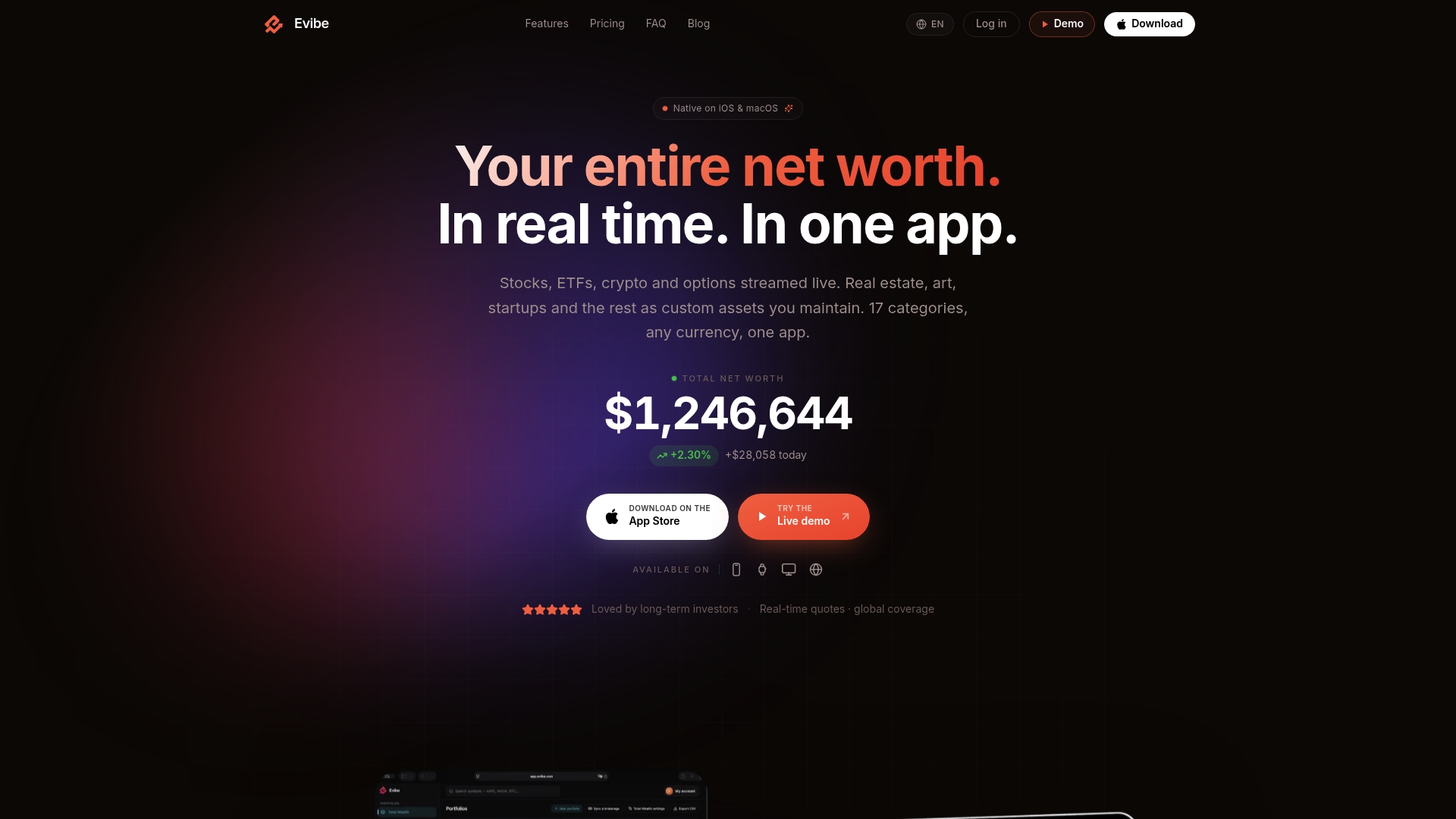
Live quotes across 17 asset classes update in real time across Apple devices and multiple currencies. The app consolidates stocks, ETFs, crypto, options, real estate, and private assets into one net worth view. It also shows dividend schedules and payout metrics so you can track income alongside market prices.
Core Features
Evibe syncs bank and brokerage accounts automatically with read-only broker sync, bringing bank and brokerage balances into a single dashboard for continuous updates. It runs AI analysis on both the whole portfolio and individual holdings, flagging concentration risk and presenting stock fundamentals in plain language. The app includes dividend calendars and cross-device access through iPhone, Mac, and Apple Watch with a Mac menu bar shortcut.
Key Differentiator
Evibe covers multi-asset and multi-currency portfolios with live streaming quotes and device-level coverage on iPhone, Mac, and Apple Watch. The app couples that feed with AI-driven research ideas and portfolio-level risk and diversification metrics. Private MCP endpoints let you query AI assistants without exporting raw account data to external services, keeping queries local to the platform.
Pros
Evibe gives a consolidated net worth view that spans traditional and alternative assets, which makes complex portfolios easier to reconcile. Real-time updates extend to Apple Watch and the Mac menu bar, so price moves and alerts reach you quickly. The AI analysis translates holdings into risk scores and diversification notes, and the dividend tools break down income by payout dates and yield-on-cost. Automatic account import via broker sync reduces manual reconciliation and keeps holdings current across devices.
Cons
- Limited to Apple ecosystem devices; there is no Android app.
Notable Integrations
- Read-only sync with 1,000+ banks and brokers across the US, Canada, Europe and crypto exchanges
- Apple Watch and macOS menu bar for fast access
- Private MCP endpoints for ChatGPT, Claude, and Gemini integration
Who It's For
The app fits Apple users who want a single place to monitor diversified portfolios, including crypto, real estate, and private assets. It suits long-term and dividend-focused investors who need payout calendars and yield metrics. It also works well for investors who rely on live quotes and prefer quick access from Apple Watch or the Mac menu bar.
Unique Value Proposition
Private MCP endpoints let you query ChatGPT, Claude, or Gemini about your actual holdings without sending raw account data to third parties. That design shortens research time by enabling plain-language Q&A against your portfolio while keeping account details within Evibe. For income investors, that means faster answers about dividend exposure and payout timing without extra privacy tradeoffs.
Real World Use Case
An investor with bank accounts, brokerage positions, crypto wallets, and a rental property opens Evibe each morning on iPhone and Mac. Live quotes refresh across holdings while AI highlights rising concentration in one sector. The investor checks the dividend calendar and gets a plain-language explanation of portfolio risk from their connected AI assistant.
Pricing
Evibe is free to use (1 portfolio up to 50 holdings, 1 watchlist, real-time prices, AI statement import), with Premium at $9.99/month or $99.99/year for unlimited portfolios, broker sync, AI analysis and the full history. Every new account gets 7 days of Premium, no card required.
Website: https://evibe.com
Delta
At a Glance
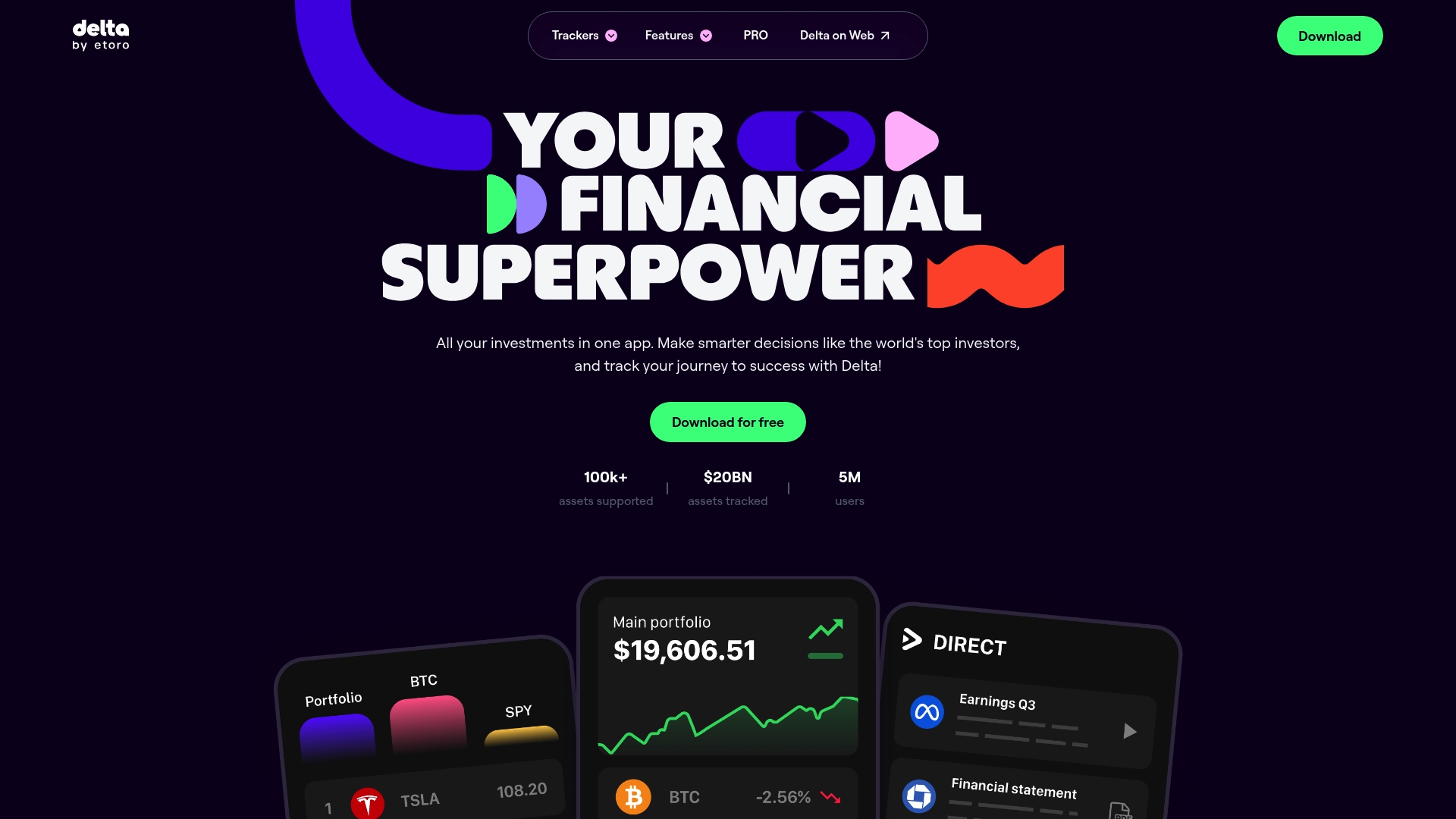
Delta reports over 5 million users. The vendor advertises a 4.5-star average on app stores. The app supports tracking across stocks, crypto, NFTs, ETFs, commodities, and forex with account linking, manual entry, and CSV import.
Core Features
Delta lets you connect brokerages, exchanges, and wallets to centralize holdings and transaction history. It provides real-time portfolio tracking and performance metrics, and it issues custom notifications for price moves and portfolio thresholds. The app also includes market discovery tools and diversification analysis so you can look for trends and gaps in allocation.
Key Differentiator
Delta focuses on broad asset coverage and cross-platform parity, with auto-sync across iOS, Android, Windows, and Mac. That multi-asset reach and platform consistency appeals to investors who hold both traditional securities and crypto. It serves individual investors rather than active trading desks or custodial managers.
Pros
Delta aggregates many asset types into a single dashboard, which helps you view net worth and allocation without manual spreadsheets. That figure gives scale to the ecosystem of supported accounts and third-party data sources. The app’s push alerts and market discovery tools make it easier to monitor volatility and emerging trends, and the reported app-store rating above suggests a positive user experience for many people.
Cons
- Does not facilitate buying or selling assets directly. You still need broker or exchange apps to execute trades.
- Some advanced analytics and higher connection limits require a PRO subscription, which adds cost for power users.
- Linking live accounts raises potential data privacy concerns for security-conscious investors.
When It May Not Fit
If you need an app that executes trades or manages custody, this product will not meet that need. Large family offices or managers who require trading execution and custody should look elsewhere. If you are unwilling to share account credentials with an aggregator, Delta’s account-linking model may feel like the wrong fit.
Who It's For
Individual investors who hold multiple asset classes and want a single view of their holdings will get the most from Delta. It fits people who value real-time updates and mobile access across devices. It is less suitable for institutional traders or anyone who requires in-app trading.
Real World Use Case
A retail investor links a brokerage account and two crypto wallets, then sets price alerts on key holdings. They receive push notifications for large market moves and use the app’s diversification charts to rebalance across stocks and crypto. The workflow replaces a spreadsheet and speeds up decision making.
Pricing
Delta offers a free tier with core tracking and alerts. Optional PRO and PRO+ subscriptions add more connections, higher asset limits, and advanced features for active users.
Website: https://delta.app
Portseido
At a Glance
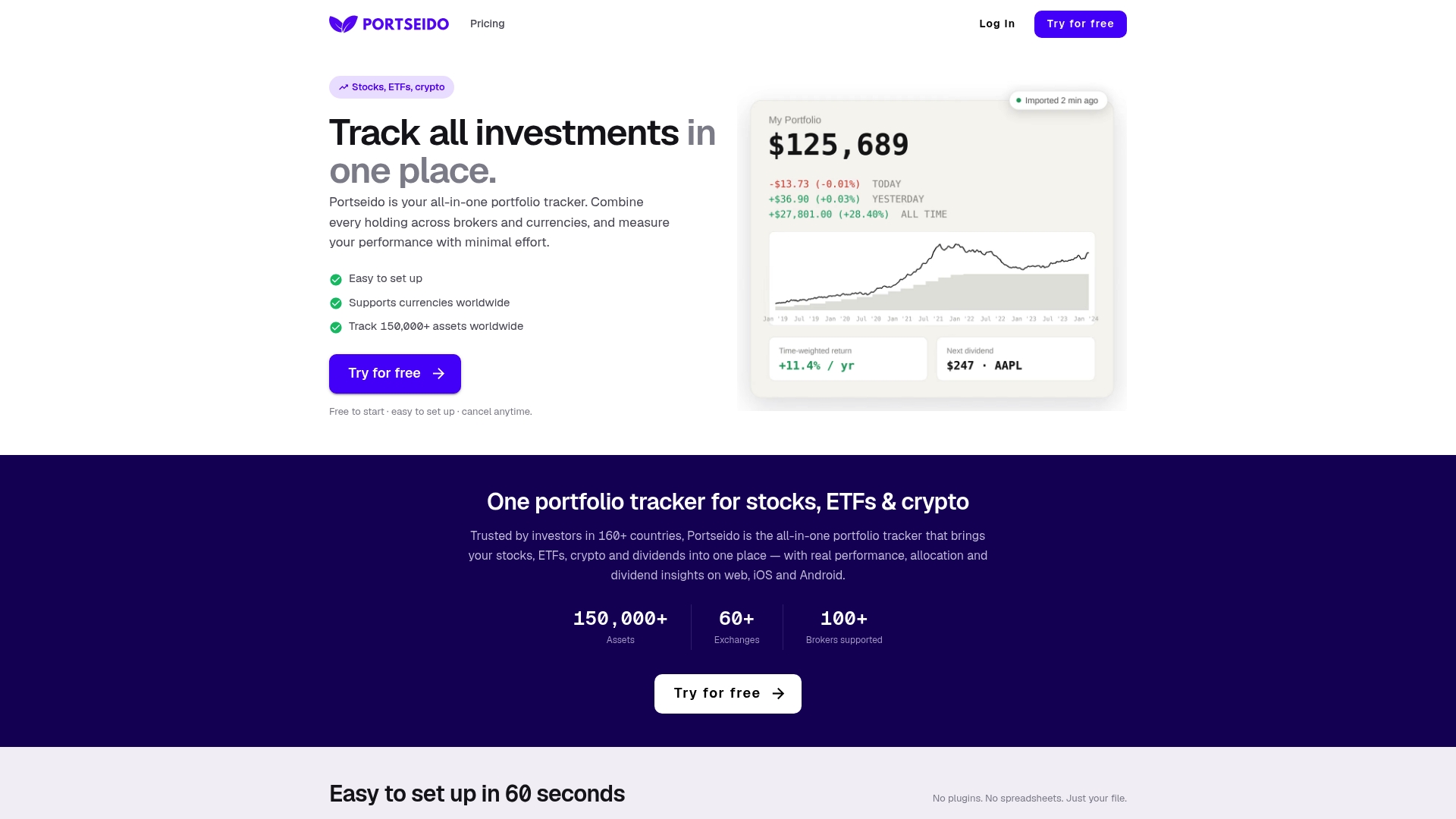
Portseido reports support for trade import from over 170,000 assets, which lets investors consolidate detailed histories without manual entry. The app aggregates stocks, ETFs, crypto, and dividends into a single view. That scope shortens setup time for portfolios that span multiple brokers and asset types.
Core Features
Portseido bundles Portfolio Tracking with dividend tracking, performance reports, and a portfolio analyzer into web and mobile apps. The platform imports trade histories, calculates true returns, and produces allocation and dividend forecasts. The vendor advertises coverage across more than 70 markets and investors in over 160 countries.
Key Differentiator
What sets Portseido apart is the breadth of its import library and automated brokerage pulls. That claim allows users to view trades and dividends for a vast number of symbols across global exchanges and cryptocurrencies. The result is a single performance view that reduces spreadsheet work and manual reconciliation.
Pros
Portseido supports a wide variety of assets across global exchanges and crypto markets, so you can keep multiasset holdings in one place. Automated imports from major brokerages reduce manual uploads and make ongoing maintenance lighter. The mobile apps mirror the web dashboard, giving you access to allocation breakdowns, dividend forecasts, and trade-level analytics on the go. The free tier provides a low-friction entry point for casual investors.
Cons
- The free plan caps users at 50 transactions and one portfolio, which may frustrate active traders or users with many historical trades.
- Advanced tools and support for larger portfolios require a paid subscription, adding recurring cost for power users.
- Some user reports describe occasional integration limits or technical glitches with specific broker connections.
When It May Not Fit
Portseido may not fit investors who need unlimited historical transactions on a free tier. Teams that require enterprise grade API access or custom white label options will likely need a different solution. Users who depend on every broker connection being flawless should expect occasional troubleshooting for specific integrations.
Who It's For
Portseido targets individual investors and traders who manage diversified portfolios across global markets and want detailed analytics without a complex setup. It also suits dividend investors and crypto traders who want consolidated performance and income projections. Financial advisors with modest client volumes can use it for periodic reporting.
Real World Use Case
A US investor with US equities, European ETFs, and several crypto wallets imports trade histories into Portseido and reconciles cost basis in one dashboard. They use allocation reports to rebalance and the dividend forecast to plan cash flows. That workflow replaces multiple spreadsheets and speeds monthly performance reviews.
Pricing
Portseido offers a free tier for basic use that limits transactions and portfolios. Paid tiers start at $8/month for expanded transaction limits and rise to $12/month for unlimited transactions and portfolios.
Website: https://portseido.com
MyCapitally
At a Glance
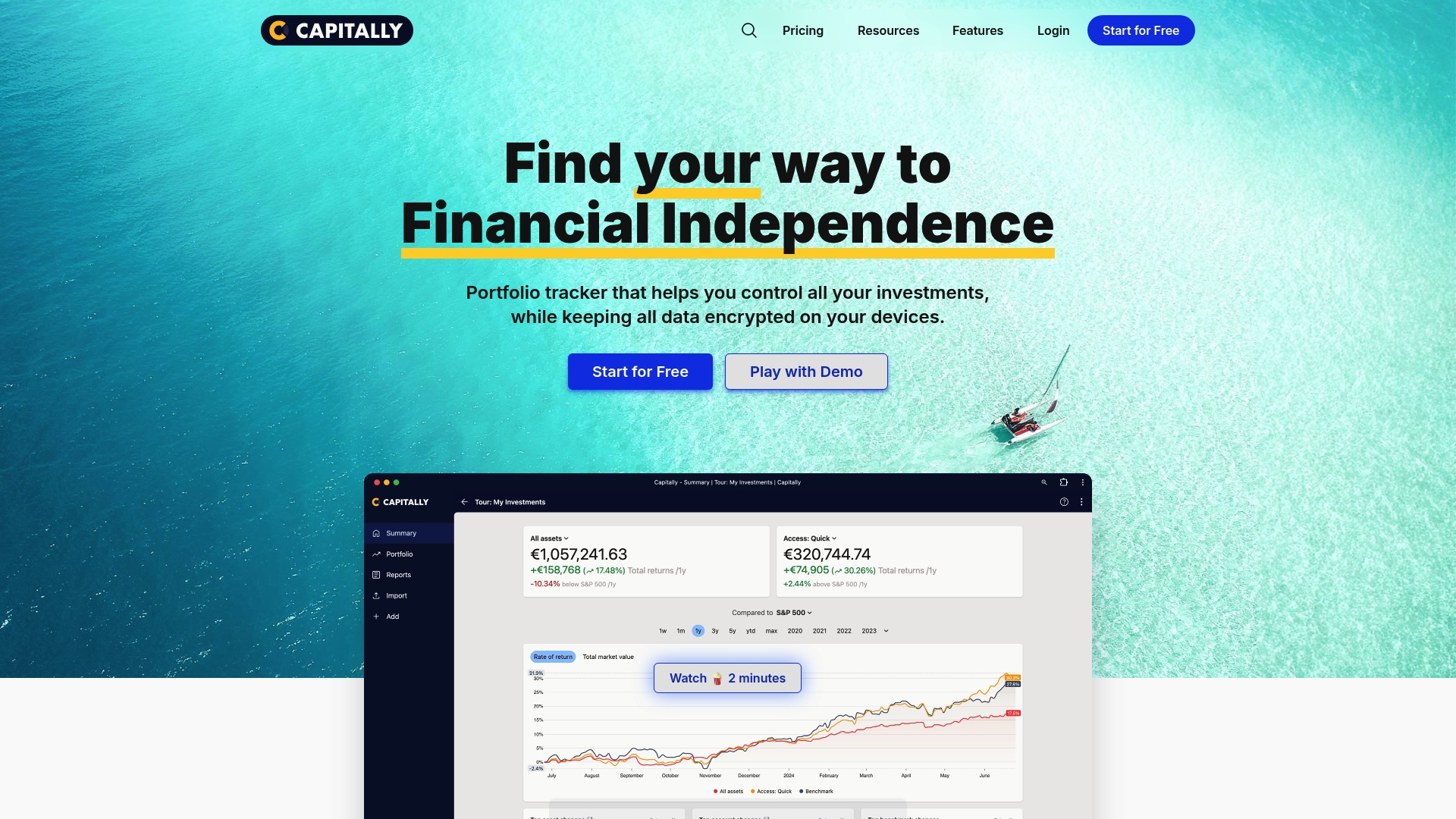
All user data remains encrypted on the device, not routed through broker aggregators. This design forces manual imports via CSV, Excel, or copy paste while keeping data private. The app targets advanced investors who want control over multi asset, multi currency portfolios and tax details.
Core Features
MyCapitally delivers performance analysis, a wealth tracker, and a dedicated dividend tracker together with options and private equity tracking. It includes detailed tax reporting and a suite of data exploration tools that act as an Excel alternative for investment analysis. Users can import broker exports or paste trade history to build consolidated views without linking accounts.
Key Differentiator
MyCapitally centers on end to end encryption with all records stored and processed on the user device. That architecture removes third party account aggregation and keeps broker credentials out of the equation. The product pairs this privacy model with broad asset class support and deep analytics aimed at technically minded investors.
Pros
The app keeps sensitive information local, which reduces exposure when you cannot or will not grant aggregator access. It supports a wide set of asset types, including crypto, real estate, options, and private equity, so complex portfolios can live under one roof. The analytics include performance breakdowns and tax reporting that let you audit returns and income across currencies and accounts.
Cons
- Manual CSV imports only, which adds time if you manage frequent trades.
- A steep learning curve for users who prefer minimal setup or automatic syncing.
- Subscription pricing with no permanently free tier beyond the trial period.
When It May Not Fit
If you need continuous, automatic broker synchronization, this product will slow your workflow. If you prefer a plug and play solution with aggregator connections, choose a tracker that supports bank and brokerage linking. Casual investors who avoid detailed tax or performance work will likely find the feature set more detailed than they need.
Who It's For
Advanced DIY investors and financial professionals who insist on data privacy will get the most from MyCapitally. High net worth individuals and expatriates tracking assets across jurisdictions will benefit from multi currency reporting and manual import support. If you run tax or dividend reporting in house, the analytics match that workflow.
Real World Use Case
A financial advisor uses MyCapitally to consolidate expatriate clients assets across countries by importing broker CSVs and rental income spreadsheets. The advisor runs performance reports and tax breakdowns without storing client credentials on an aggregator. That workflow preserves client privacy while producing the audit level detail needed for cross border planning.
Pricing
The product is subscription based with tiered plans named Sailor, Navigator, and Captain that increase allowed assets, projects, and historical depth. There is a trial period but no ongoing free tier. Exact plan limits and pricing are listed on the vendor site.
Website: https://mycapitally.com
Strabo
At a Glance
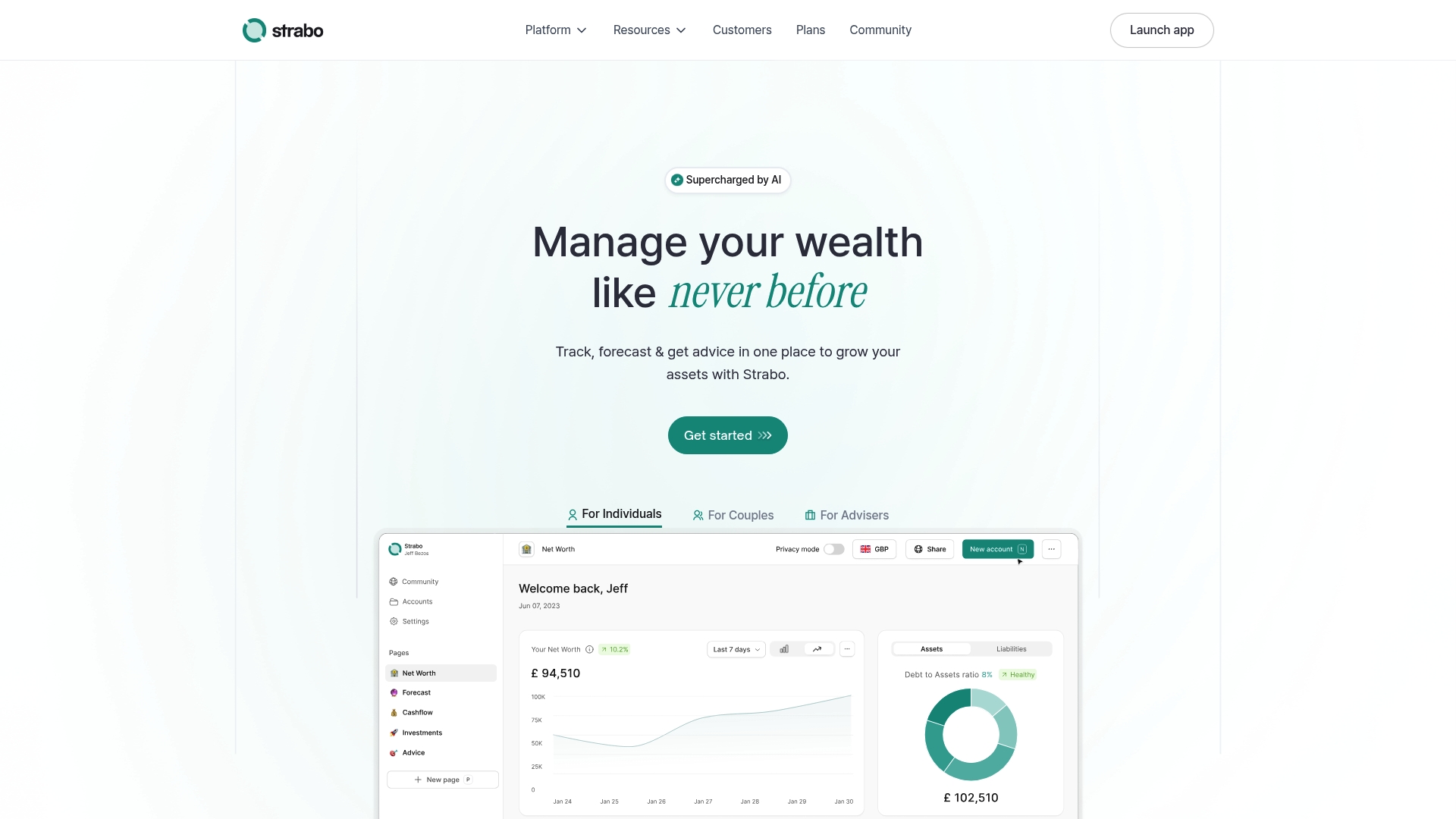
Strabo reports it connects manual and synced accounts across more than 10,000 institutions. The app tracks assets in multiple currencies and includes AI tools that generate reports and run scenario analyses. Security features and a focus on cross border holdings make it attractive to advisers and high net worth individuals.
Core Features
Strabo combines account syncing with manual entry and supports multi currency tracking across 12 countries, account tagging, and custom pages and widgets for forecasting. AI assisted report generation, scenario planning, and diversification analysis appear throughout the interface to speed portfolio reviews and client reporting. The product also offers passwordless authentication and strong encryption for account access and data storage.
Key Differentiator
Deep integration with a wide array of financial institutions paired with AI analytics drives Strabo's value proposition. That pairing favors professionals who need consolidated, cross border visibility and advisers who prepare detailed client reports and scenario work. The emphasis on private data handling and adviser workflows separates it from consumer-focused trackers.
Pros
Strabo has a clean interface that works for both newcomers and experienced advisers while keeping client dashboards organized. Its security stack includes AES 256 encryption and passwordless authentication, which reduces credential risk. Account tagging plus custom pages and widgets lets advisers build client specific reports and forecasts without manual spreadsheets. The platform covers nonstandard assets such as real estate, collectibles, and crypto, which helps when a client holds physical and digital assets.
Cons
- Limited investment product offerings currently. The vendor lists additional products as coming soon.
- Adviser tier pricing is high for individual users at £1,170 per year, which can price out casual investors.
- Account syncing depends on external data providers, so occasional outages or data mismatches may occur.
When It May Not Fit
If you need trading, custody, or direct product access today, Strabo may fall short because investment products are still rolling out. Casual investors or people with simple domestic portfolios will likely find the adviser plan expensive. Teams that require guaranteed real time execution data should plan for the occasional external sync delay.
Who It's For
Financial advisers, high net worth individuals, expatriates, and couples with assets across borders will get the most from Strabo. Advisers who prepare quarterly reports, run allocation scenarios, and manage multiple client portfolios will find the client management features useful. Casual users who want only simple budgeting may prefer simpler, lower cost tools.
Real World Use Case
A financial adviser aggregates a client’s brokerage accounts, overseas bank balances, crypto wallets, and property valuations into a single view. The adviser runs scenario planning to test different allocation mixes and exports an AI assisted report for the client meeting. That workflow replaces manual reconciliation and speeds up quarterly reviews.
Pricing
The Pro plan is listed at £70/year, discounted from £108, and includes unlimited synced and manual accounts plus AI features. The Adviser plan is listed at £1,170/year and adds client management tools and enterprise oriented features. Enterprise pricing and additional products are available but not specified.
Website: https://strabo.app
Portfellow
At a Glance
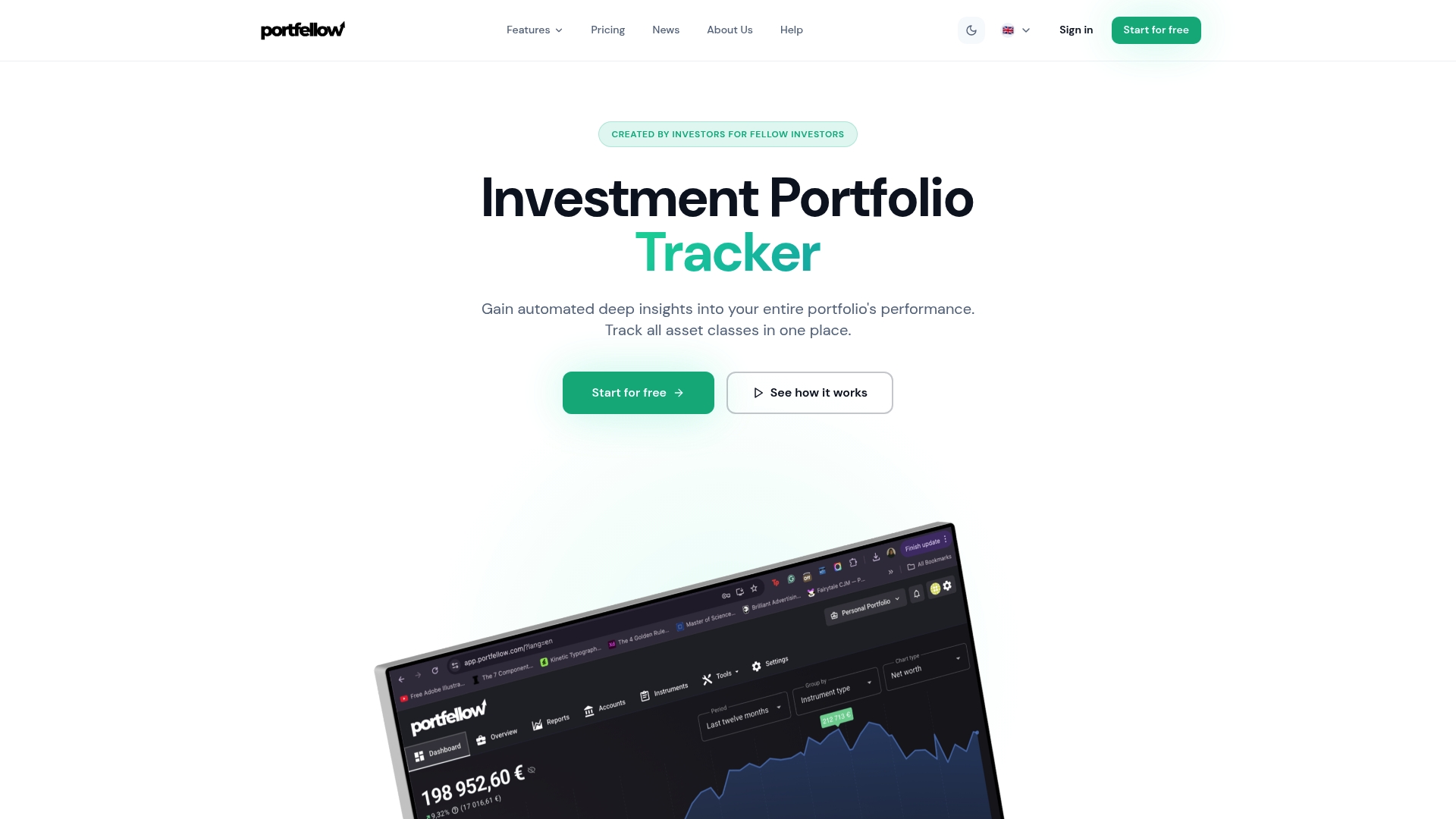
Portfellow connects directly to European banks such as Swedbank, LHV, and SEB for automatic account sync. It supports tracking of securities, real estate, crypto, bonds, and loans in one place. The vendor offers a free tier limited to 10 holdings and paid plans that start at €6/month.
Core Features
Automatic bank and broker integrations pull balances and transactions into a single portfolio view. The tracker covers multiple asset classes and calculates performance metrics such as XIRR, CAGR, dividends, currency impacts, and fees. Users can share portfolios with family or advisors, create custom groups, and add notes for tax and reporting workflows.
Key Differentiator
Portfellow stands out for its direct European bank connections that reduce manual reconciliation. That direct connectivity gives near real time updates for accounts held at supported banks. This makes it a practical choice for investors who keep bank deposits and brokerage accounts inside Europe.
Pros
Portfellow ties bank accounts and brokerages directly to the portfolio view, which lowers setup overhead and reduces missed transactions. It handles a wide set of asset types, so real estate, loans, and crypto appear alongside stocks and ETFs in performance calculations. Family and advisor sharing features simplify joint oversight and reporting for household or advisory workflows.
Cons
- Free plan limits you to 10 holdings, which is restrictive for diversified investors.
- Premium tiers are relatively higher priced versus some global competitors.
- The product focuses on European connectivity and may lack depth for non European custodians.
When It May Not Fit
If you need estate planning features or AI document analysis, Portfellow lacks those advanced capabilities. Casual investors who want the lowest possible monthly cost may find premium tiers expensive. Users with most assets held outside Europe will likely prefer a tool with broader direct bank coverage.
Notable Integrations
Portfellow lists direct connections with Swedbank, LHV, and SEB, plus Interactive Brokers and 2,000+ broker connections via aggregators. These links cover common European retail banks and major brokerages for consolidated holdings.
Who It's For
European retail investors who hold a mixture of stocks, property, and crypto will find the product useful. It matches households and small advisory relationships that need portfolio sharing and consolidated performance metrics. Investors who require direct bank sync inside Europe will get the most value.
Real World Use Case
An EU based investor links checking accounts at Swedbank, a brokerage at Interactive Brokers, and a rental property entry to Portfellow. They share read only access with a family member and export monthly performance notes for tax review. The consolidated view replaces several spreadsheets and manual transfers.
Pricing
Portfellow provides a free tier with 10 holdings. Paid plans start at €6/month for Starter, €12/month for Investor, and €25/month for Expert when billed annually. The tiers add higher holdings limits and advanced analytics.
Website: https://portfellow.com
Comparison of alternatives
Effective portfolio monitoring requires selecting a solution tailored to your investment needs and technological preferences. This comparison explores the strengths and limitations of the reviewed tools to help identify the best choice.
Data security and platform integration
MyCapitally prioritizes data privacy with its offline storage mechanism, enabling manual configuration to prevent the transmission of sensitive data through third-party platforms. For security-conscious investors, this approach ensures high-level data control. However, this comes with the tradeoff of limited automation and convenience compared to platforms that integrate directly with brokerages for real-time synchronization.
Pricing and accessibility
Price competition exists across these applications, with Delta and Portseido offering free tiers for basic users, while Evibe pairs a free tier with a Premium subscription focused on Apple ecosystem integration. While Delta supports all major platforms, Evibe specifically caters to Apple device users by leveraging tight integration across iPhone, Mac, and Apple Watch. Meanwhile, Strabo and Portfellow address distinct geographic and professional user needs, showcasing higher pricing with specialized functionalities. An individual should weigh these factors based on specific device preferences and budget constraints.
Best fit
- Apple users monitoring diverse assets and dividend income across devices: Evibe provides real-time multi-asset tracking integrated into the Apple digital ecosystem.
- Security-conscious users preferring offline data storage and local analysis: MyCapitally offers strict data privacy through manual import and local storage, ensuring no external exposure.
- Advisors handling international asset portfolios needing customized reporting tools: Strabo combines account synchronization, manual data input, and country-specific support for cross-border visibility and reporting.
- Investors seeking analytics on a free tier: Delta fits as it delivers real-time updates and key functionality in its no-cost version.
Our pick
Evibe exemplifies a future-oriented portfolio monitoring application tailored for Apple product users, offering real-time updates, advanced AI-driven analysis, and asset viewing tools. Its focus on improving the user experience through tightly coupled device integration outperforms other competitors for clients who value such ease of connectivity. However, those outside the Apple ecosystem or with heightened privacy needs may explore Delta, Portfellow, or MyCapitally, depending on their unique usage scenarios.
Compare portfolio monitoring software options based on features, compatibility, and costs to find the best fit for your financial tracking needs.
| Product | Key Features | Key Differentiator | Pricing | Limitation |
|---|---|---|---|---|
| Evibe | Real-time updates, AI risk analysis, Apple-sync | Private MCP endpoints with local AI queries | Free; Premium $9.99/month or $99.99/year | Limited to Apple devices only |
| Delta | Portfolio tracking, price alerts, data analysis | Extensive platform and asset compatibility | Free; PRO plans offered | Lacks direct trading functionality |
| Portseido | Portfolio tracker, dividend and analytics tools | Over 170,000 asset imports via broker sync | Free; $8–$12/month | Free tier limited to minimal usage |
| MyCapitally | Encryption-focused, manual data import | Data kept local via encryption, no aggregators | Subscription-based plans | Does not support automatic syncing |
| Strabo | AI scenario reports, cross-border tracking | Advanced client management tools | £70/year; Adviser £1,170/year | High cost for individual users |
| Portfellow | European bank integration, family sharing | Direct connectivity with EU financial accounts | Free; €6–€25/month | Limited suitability outside European market |
How to Manage Complex Portfolios Without Getting Lost in Data
Many investors managing multiple asset classes face difficulty tracking real-time performance, income schedules, and diversification risks in one place. Evibe addresses these challenges by consolidating stocks, ETFs, crypto, real estate, and private assets into a unified dashboard. Its AI-driven analysis translates portfolio data into clear risk scores and payout metrics. Users benefit from live account syncing across Apple devices, eliminating manual updates while gaining insights on concentration risks.
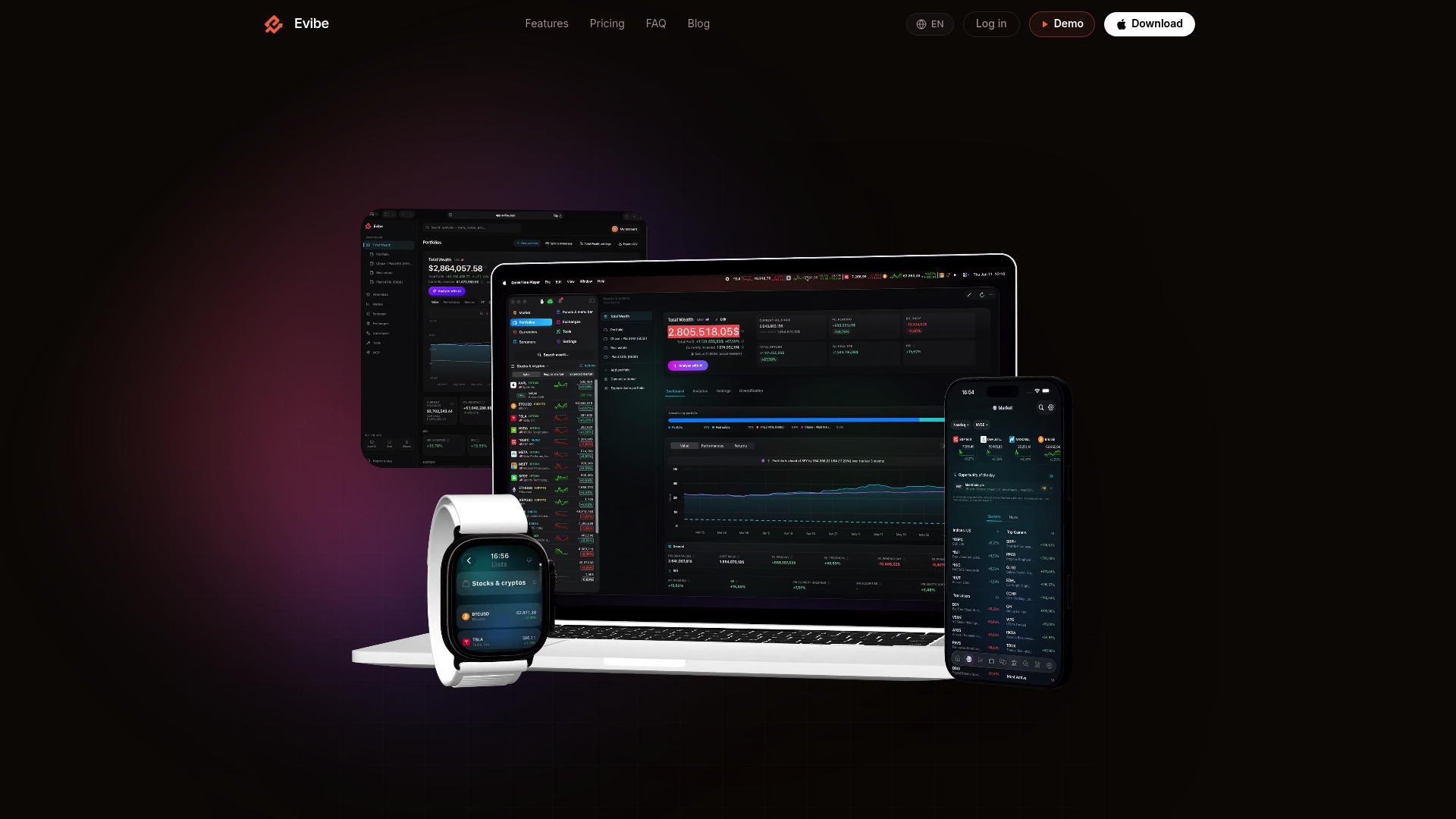
If you are an Apple user seeking a single portfolio monitoring software with automated account linking and dividend tracking, consider exploring Evibe. Visit Evibe to get started free, sync your accounts, and track your net worth in real time with AI-enhanced clarity.
FAQ
How does Evibe support dividend tracking for diverse portfolios?
Evibe includes detailed dividend calendars and payout metrics that allow users to track income alongside market prices. This feature is vital for dividend-focused investors, managing multiple income sources. You can start tracking your income efficiently by trying Evibe today.
What is the difference between Evibe and Delta?
Delta reports over 5 million users and offers a free tier with core tracking and alerts, making it accessible for casual investors. Evibe shines in offering a consolidated net worth view that spans traditional and alternative assets, aiding more complex portfolios. Consider Evibe if you need advanced tracking for a diverse investment strategy.
Can I use Evibe if I focus on risks associated with investment portfolios?
Evibe runs AI analysis on both the whole portfolio and individual holdings, flagging concentration risk effectively. This capability allows users to manage their investment risks actively. For those particularly concerned with portfolio risk, Evibe serves as an excellent starting point.
Does Evibe support automatic account imports?
Yes, Evibe syncs accounts automatically with read-only broker sync, allowing users to bring their bank and brokerage balances into a single dashboard. This automation reduces manual reconciliation, keeping your holdings current across devices. Choose Evibe for its efficiency in managing multiple accounts effortlessly.
Which platform is better for tracking international assets, Evibe or Portseido?
Portseido supports trade import from over 170,000 assets, making it suitable for users with diverse global holdings. Evibe, however, provides a single net worth view that covers both traditional and alternative assets, focusing more on comprehensive portfolio management. Depending on your investment strategy, Evibe may meet your needs more effectively.