Privacy Aware Dividend Tracking: No Formulas, Auto Sync or Sheets
A privacy aware workflow for tracking dividends. Use auto sync or spreadsheet formulas, backfill 12 months of history, and forecast income without...
Privacy Aware Dividend Tracking: No Formulas, Auto Sync or Sheets

The fastest, most reliable way to track dividends is with an automated tracker that syncs your brokerage accounts, shows a dividend calendar, and projects your forward income. Connect one brokerage or import a CSV first, then turn on calendar alerts for ex-dates and pay dates. Everything else in this guide builds on that foundation.
TL;DR:
- Automated account syncing is the most accurate method for multiple brokers but depends on data refresh frequency, which could introduce delays.
- Tracking foreign dividends requires logging exchange rates and withholding taxes separately to accurately assess income changes.
- Reconcile monthly and export dividend history quarterly to avoid errors in tax filings and maintain lot-level tracking for capital gains.
- Using filters like dividend yield, payout ratio, and growth rate helps identify the health and sustainability of your income stream.
- Evibe offers an all-in-one dashboard for automatic dividend tracking, separating declared and estimated payments, and forecasting future income with minimal setup.
Table of Contents
- How to Track Dividends: Comparing the Three Main Methods
- How Do You Set Up Dividend Tracking Step by Step?
- Which Dividend Metrics Actually Matter?
- How Do You Forecast Future Dividend Income?
- What Should Your Monthly Dividend Review Look Like?
- How Evibe Applies This Workflow
- Handling Dividends Across Multiple Accounts and Brokers
- Accounting for Foreign Dividends, Currency, and Withholding Tax
- The Habits That Actually Keep Dividend Tracking Accurate
- Where to Start Tracking Your Dividends Today
- A Few More Tools Worth Bookmarking
- Sources
How to Track Dividends: Comparing the Three Main Methods
Picking a tracking method comes down to how many accounts you run, how much manual work you're willing to do, and whether you want a spreadsheet you fully control or a dashboard that updates itself.
Auto-sync apps connect directly to your brokerages through secure account-linking services, pulling in dividend payments as they post. This is the most accurate option for anyone holding shares across two or more brokers, because it rolls every account into one calendar without you re-entering a single transaction. The tradeoff is that you're trusting the app's data refresh cadence, so check whether it updates in real time or on a delay.
Spreadsheets with data connectors appeal to investors who want to see every formula. Tools like DividendData let you pull forward yield, dividend per share, and next ex-dividend date straight into Google Sheets or Excel with a single function call. It takes setup time, but you own the logic end to end.
Manual tracking still has a place for small portfolios or unsupported brokerages.
- Auto-sync: best for multi-broker portfolios, minimal upkeep
- Spreadsheets: best for control freaks and formula-comfortable investors
- Manual: best for a handful of positions or accounts that won't connect
- Hybrid: sync what you can, manually patch the rest
How Do You Set Up Dividend Tracking Step by Step?
Getting your history right the first time saves you from chasing missing payments six months later.
- Gather your records. Pull recent brokerage statements and note purchase dates, share counts, and any past reinvestments.
- Import your holdings. Link brokerages through an account-sync service, upload a CSV export, or add positions manually if a broker isn't supported.
- Verify payment history. Cross-check imported dividend payments against actual statements, paying close attention to reinvested shares from a DRIP, since those change your cost basis.
- Turn on the calendar and alerts. Activate calendar view and set notifications for ex-dividend date and pay date so nothing slips by unnoticed.
Pro Tip: Backfill at least twelve months of dividend history before trusting any forward projection. Trackers that only see three months of payments will underestimate stocks that raised their dividend recently.
Which Dividend Metrics Actually Matter?
A calendar tells you when money arrives. These metrics tell you whether the income is healthy.
- Forward 12-month projected income: an estimate built from currently declared dividend rates, useful for budgeting but not a guarantee.
- Yield on cost vs. current yield: yield on cost measures income against your original purchase price; current yield measures it against today's share price. Long-term holders often see yield on cost climb well above the stock's current yield.
- Payout ratio: the share of earnings paid out as dividends. A ratio creeping toward 100% is an early warning sign.
- Dividend growth rate: how fast a company has raised its payout year over year.
A monthly bar chart of income usually reveals lumpy payout schedules long before a spreadsheet of raw numbers does. If your top three holdings supply more than half your forecasted income, you've got a concentration problem worth addressing before a single dividend cut knocks a real hole in your monthly total.
How Do You Forecast Future Dividend Income?
Forward projections are built from three inputs: the last declared dividend amount, the stock's payment frequency, and its historical cadence. None of that accounts for a future dividend cut, so treat any projection as a working estimate, not a promise.
A simple way to reverse-engineer a target: divide your desired monthly income by the average annual yield of your portfolio, then divide by twelve.
- Decide your target monthly income (say, $1,000).
- Multiply by 12 for annual income needed ($12,000).
- Divide by your portfolio's average yield (at 4%, that's $300,000 in invested capital).
Reinvested dividends (DRIP) compound this math over time by buying additional shares, which raises your forecast on every subsequent payout. Modeling both a DRIP scenario and a cash-payout scenario side by side shows how much faster reinvestment closes the gap to your income target. Partner tools like PennyStockScout's reverse-split calculator are also worth knowing about, since a reverse split changes your share count and needs to be reflected in any forecast.
What Should Your Monthly Dividend Review Look Like?
A short, repeatable routine beats an occasional deep audit.
- Reconcile monthly: compare what your tracker logged against brokerage statements, and flag any missed or delayed payment.
- Export quarterly: pull dividend payment history to CSV so tax prep doesn't turn into a scramble in April.
- Track at the lot level: each reinvested dividend creates a new lot with its own cost basis, and losing track of that makes capital gains calculations wrong later.
Pro Tip: Export your dividend history right after each quarter ends, not at tax time. A CSV pulled fresh is far easier to reconcile than one you're piecing together from memory in March.
How Evibe Applies This Workflow
Evibe was built around the exact routine described above, not as an afterthought bolted onto a broader portfolio app.
- It consolidates dividend-paying stocks, ETFs, and other asset classes into one dashboard, with automatic syncing from banks and brokerages so payment history stays accurate without manual entry.
- It separates executed, declared, and estimated dividends, which matters when a company has announced a raise that hasn't paid out yet.
- Its calendar view and alerts flag ex-dates and pay dates automatically, and its calculators support forward-income and reinvestment modeling.
- Its AI-driven insights surface concentration risk across your dividend payers, the kind of check that's easy to skip when you're doing it by hand.
Handling Dividends Across Multiple Accounts and Brokers
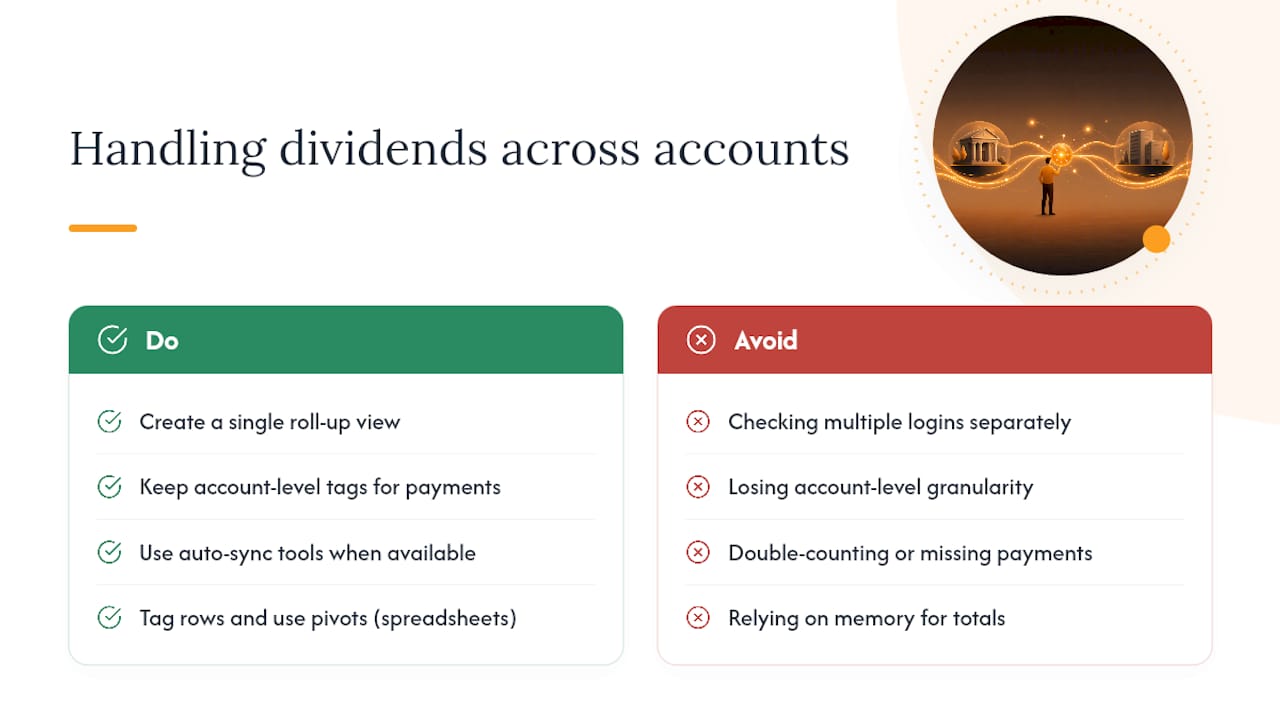
Most dividend investors don't hold everything in one place. A Roth IRA at one brokerage, a taxable account at another, and maybe an old 401(k) rollover sitting somewhere else. Tracking each separately means checking three or four logins just to know your total monthly income, and it's easy to lose track of which account holds which lot.
The practical fix is a single roll-up view that treats every account as one dividend stream while still preserving which account each payment came from. This matters more than it sounds. Withdrawal strategy in retirement often depends on knowing whether income landed in a taxable account or a tax-advantaged one, since the tax treatment differs sharply.
Auto-sync tools solve most of this automatically once each brokerage is connected, pulling historical payments into one calendar without asking you to reconcile accounts by hand. Spreadsheet users can replicate a rough version of this by tagging each row with an account identifier and using pivot tables to break totals down by source. Either way, the goal is the same: one number for your total forecasted income, with the ability to drill back into which account, and which specific holding, produced it. Losing that granularity is how investors end up double-counting or missing a payment entirely when a brokerage merges accounts or migrates a platform.
Accounting for Foreign Dividends, Currency, and Withholding Tax
Foreign dividends add two complications domestic payouts don't have: currency conversion and withholding tax.
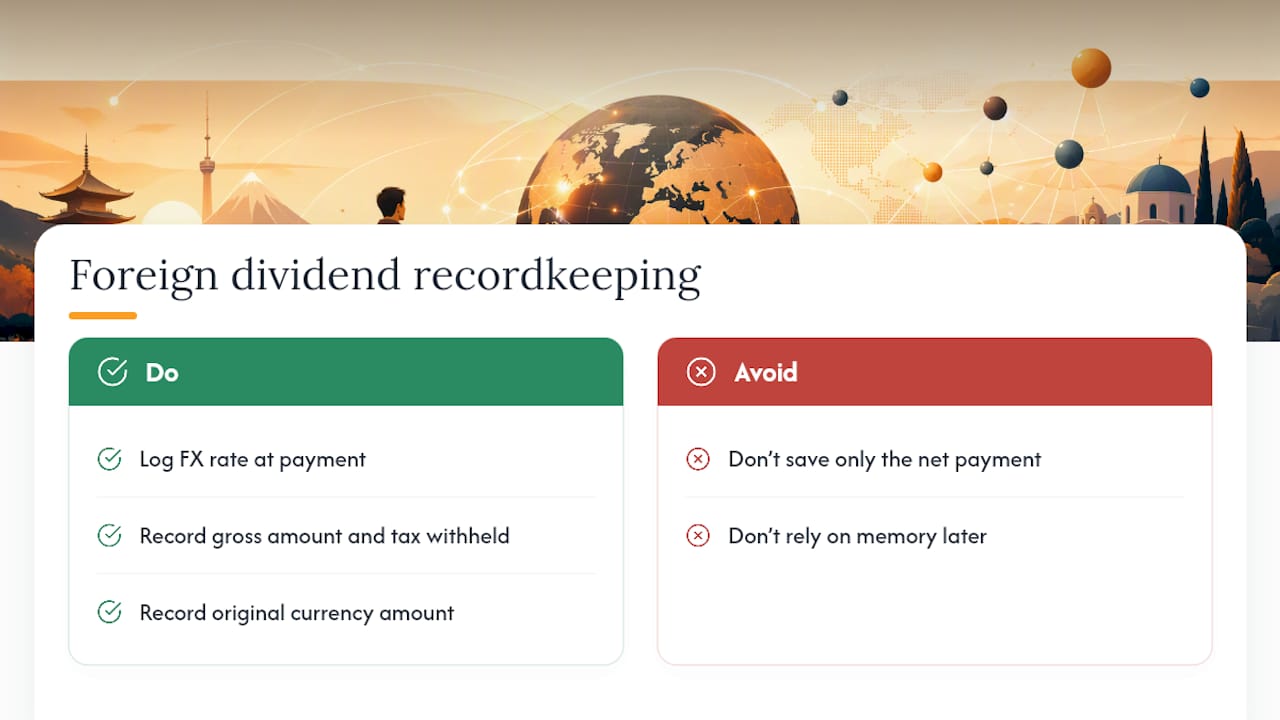
When a foreign company pays a dividend, it's usually declared in its home currency, then converted to US dollars by your broker or custodian at the prevailing exchange rate on payment date. That conversion rate moves. A stock that raises its dividend in local currency terms can still show a shrinking payout in dollar terms if that currency weakens against the dollar between payments. Any tracker worth using needs to log the FX rate at the time of payment, not just the converted dollar amount, so you can see whether a change in your income came from the company or from currency movement.
Withholding tax is the second wrinkle. Many countries deduct tax at the source before a foreign dividend ever reaches your account, and the rate varies by country and by tax treaty status. That withheld amount typically shows up as a foreign tax credit come tax season in the US, but only if your records clearly show the gross dividend and the tax withheld separately, not just the net amount that landed in your account. A tracker that only logs the net payment leaves you reconstructing that split from memory, which is exactly the kind of detail that gets lost by the time you're filing.
The Habits That Actually Keep Dividend Tracking Accurate
The routine that works is boring by design: weekly alerts for ex-dates, a monthly reconciliation against brokerage statements, and one clean annual export for taxes. Skip any of the three and errors compound quietly.
The most common mistakes I see aren't exotic. Investors backfill too little history, ignore ex-dividend dates until a payment surprises them, or let reinvested shares pile up without correcting lot-level cost basis. My one hard rule: when a projection and a gut feeling disagree, trust the conservative number. Dividend cuts happen more often than forecasts admit.
— Vincent
Where to Start Tracking Your Dividends Today
Everything in this guide, from syncing accounts to reading a payout calendar to modeling DRIP, maps directly onto what Evibe's dividend tracker does out of the box. Instead of stitching together a brokerage login here and a spreadsheet formula there, you get one dashboard that pulls dividend payments automatically, separates executed from declared and estimated amounts, and forecasts your forward income without you touching a formula.
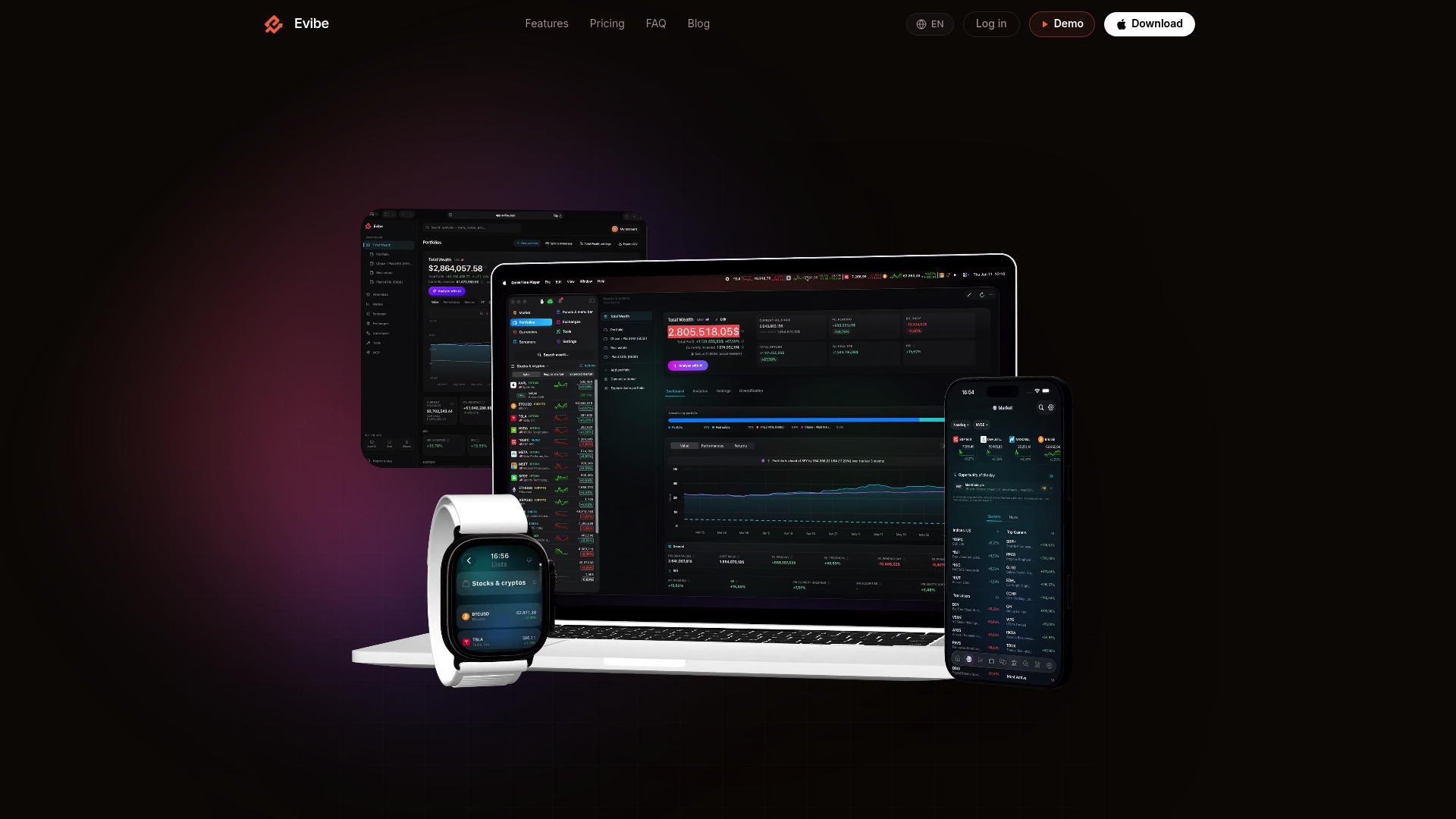
If you also hold dividend-paying ETFs, Evibe's ETF tracker adds fund-specific analytics on top of the same synced data. The setup takes about as long as connecting one brokerage account, and the full dividend tracking workflow is free to try in the Evibe app before deciding whether it replaces your spreadsheet for good.
A Few More Tools Worth Bookmarking
If you'd rather build your own spreadsheet tracker, DividendData's functions pull dividend amounts, forward yield, and ex-dividend dates directly into your cells, which is the fastest way to get a working formula-based tracker off the ground. For anyone holding shares that went through a reverse split, PennyStockScout's reverse-split calculator shows exactly how the adjusted share count changes your dividend math. And whichever method you land on, export your dividend history to CSV every quarter. Local spreadsheet formulas can then handle tax prep without you reconstructing a year of payments from memory.
This article is general information, not a substitute for advice from a qualified financial advisor. Consult a qualified financial professional about your own circumstances before acting on anything here.
Sources
- Dividend Data: Free Stock Data for Excel & Google Sheets
- Reverse stock split calculator | PennyStockScout