Best Crypto and Stocks Tracker for Investors in 2026
Discover the best crypto and stocks tracker for 2026! Evibe unifies your investments with AI insights, seamless syncing, and tax-ready reports.
Best Crypto and Stocks Tracker for Investors in 2026

Evibe is the best crypto and stocks tracker for U.S. investors who want one app to cover stocks, ETFs, options, crypto, real estate, and offline assets together. It automatically syncs bank and brokerage accounts, delivers AI-driven portfolio insights, and produces tax-ready exports without manual data entry. If you track both sides of the market and want a single source of truth, this is the app built for that job.
Quick runner-ups for specific needs:
- Kubera — best for net-worth-focused investors who want broad asset type coverage in a clean interface
- Delta — best for mobile-first investors who need connectivity to hundreds of exchanges and wallets
- CoinTracker — best for crypto-heavy portfolios where tax reporting is the primary concern
The detailed side-by-side comparison is in the next section. The decision checklist and red flags are in the how-to-choose section below that.
Table of Contents
- What are the best apps to track both crypto and stocks?
- How do you choose the right crypto + stocks tracker for your needs?
- What do combined crypto + stock trackers actually do?
- How we evaluated these apps
- Which app should you pick based on your investor profile?
- Which brokerages and exchanges do these apps actually connect to?
- How do mobile and desktop experiences differ across these apps?
- What do user reviews and support quality look like across these apps?
- How do you handle ETFs, mutual funds, and other securities beyond stocks and crypto?
- Key Takeaways
- The case for a unified tracker (and what most investors get wrong)
- Evibe gives you the full picture in one place
- Useful sources and further reading
What are the best apps to track both crypto and stocks?
| App | Best for | Assets supported | Sync methods | Real-time data | Analytics / benchmarking | Tax support | Platforms | Pricing & trial |
|---|---|---|---|---|---|---|---|---|
| Evibe | Investors who want one secure app for all asset classes | Stocks, ETFs, options, crypto, real estate, art, vehicles, cash | Brokerage APIs, exchange APIs, wallet connect, CSV, manual | Real-time | AI-driven risk, diversification, benchmarking vs. indices | Tax-ready CSV exports, dividend tracking | iOS, macOS | Free plan; Premium $9.99/mo or $99.99/yr, 7 days of Premium included |
| Kubera | Net-worth tracking across many asset types | Stocks, crypto, real estate, cash, loans | Bank/brokerage APIs, manual | Near real-time | Net-worth reporting, allocation view | Basic export | Web, iOS | Paid; trial available |
| Delta | Mobile-first investors with many exchange accounts | Stocks, crypto, ETFs | Exchange APIs, wallet connect, CSV | Real-time | Portfolio charts, institutional-grade charts | Limited | iOS, Android, web | Free tier; PRO/PRO+ paid tiers |
| CoinTracker | Crypto investors focused on tax reporting | Crypto, some stocks | Exchange APIs, wallet connect, CSV | Near real-time | Portfolio analytics | Strong tax exports (TurboTax, etc.) | iOS, Android, web | Free tier; paid plans |
| Coinbase (tracker) | Investors who hold most assets on Coinbase | Crypto (Coinbase-held) | Native Coinbase integration | Real-time | Basic balance and P&L view | Limited | iOS, Android, web | Free with Coinbase account |
| FTX / Blockfolio | Crypto-first mobile users who want alerts | Crypto | Manual, exchange APIs | Real-time | Watchlists, price alerts | None | iOS, Android | Free |
| Accointing | Crypto investors needing detailed U.S. tax exports | Crypto | Exchange APIs, wallet connect, CSV | Near real-time | Portfolio analytics, tax workflows | Strong U.S. tax formats | iOS, Android, web | Free tier; paid plans |
| Coin Market Manager | Active crypto traders tracking trade-level results | Crypto | Exchange APIs, manual | Real-time | Trade-level performance attribution | Limited | Web | Paid |
| CoinStats | Crypto investors who want mobile and web sync | Crypto, some DeFi | Exchange APIs, wallet connect | Real-time | Portfolio analytics | Basic | iOS, Android, web | Free tier; paid plans |

Why Evibe leads this table: it is the only app in the list that covers stocks, ETFs, options, crypto, real estate, and custom offline assets in a single dashboard with automatic account syncing and AI-driven analysis. Every other app either limits asset coverage to crypto or lacks the analytics depth that active investors need for real decision-making.

Pro Tip: Before committing to any tracker, connect two accounts you already use and verify that the balances match your broker statements. A tracker that cannot pass that basic check is not ready for your portfolio.
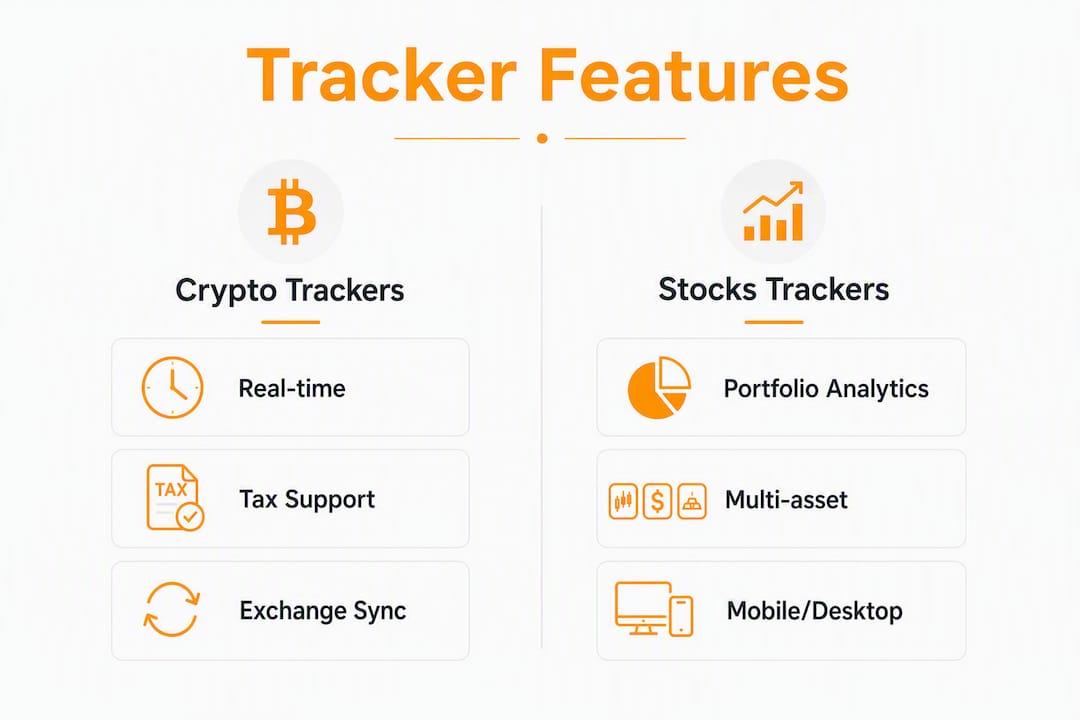
How do you choose the right crypto + stocks tracker for your needs?
Prioritized feature checklist
Start with must-haves. If an app fails any of these, move on:
- Multi-asset coverage — does it track stocks, ETFs, crypto, and any other asset class you hold? A crypto-only tracker forces you to maintain a second app.
- Sync reliability — does it connect to your actual brokerage and exchange accounts via API, not just CSV uploads? Manual imports break the moment you make a trade.
- Real-time price refresh — delayed pricing is acceptable for long-term investors; active traders need live quotes.
- Analytics and benchmarking — can you compare your portfolio's return against the S&P 500 or Bitcoin? Raw P&L without a benchmark tells you very little about whether you are actually performing well.
- Tax export compatibility — does it produce a CSV or file format your tax software accepts? For U.S. investors, this is a decisive time-saver at year-end.
- Security — does it use encryption in transit and at rest, support two-factor authentication, and have a clear policy against selling your data?
Nice-to-haves include options tracking with Greeks, dividend tracking with yield-on-cost calculations, multi-currency support with historical FX rates, and API access for connecting to AI assistants.
Trial checklist: five things to verify in your first 7–14 days
- Connect at least two accounts (one brokerage, one exchange) and confirm balances match your statements to the cent.
- Link multiple accounts simultaneously to test whether the app handles conflicting data sources without duplication.
- Run a sample tax export and open it in your tax software to confirm the column headers and lot-level data are usable.
- Check the mobile app and desktop version side by side. Some apps strip analytics from mobile; others are desktop-only.
- Submit one support request and measure response time. A tracker holding your financial data should respond within 24 hours.
Red flags to watch for
- Hidden fees that appear only after the trial ends
- No clear data-sharing policy, or a policy that permits selling anonymized data to third parties
- Poor API coverage that forces CSV imports for major brokerages like Fidelity or Schwab
- No export function at all, which creates lock-in
Pro Tip: Place one small real trade during your trial period and verify that the tracker attributes it correctly, including the correct cost basis and any applicable commission. Corporate actions like stock splits and dividend reinvestments are where import logic most often breaks.
What do combined crypto + stock trackers actually do?
Understanding how these apps work under the hood helps you evaluate feature claims rather than just marketing copy.
How syncing works
Most trackers connect to your accounts through one of four methods:
- Brokerage and exchange APIs — a read-only API key lets the app pull your holdings and transaction history directly. No password sharing required.
- Wallet connectors — for crypto, you provide a public wallet address; the app reads the blockchain directly.
- CSV import — you export a transaction file from your broker and upload it. Functional, but requires manual updates after every trade.
- Manual entry — you type in holdings yourself. Useful for real estate, private equity, or any asset with no API.
Real-time pricing means the app fetches live market data continuously. Some apps refresh every few seconds; others update on a set schedule (every 15 minutes is common for delayed feeds). For crypto, real-time is the norm. For stocks, real-time data often requires a paid tier.
What analytics and benchmarking actually mean
Performance attribution breaks down which holdings drove your return and by how much. Benchmarking compares that return against a reference index, most commonly the S&P 500 or Bitcoin. Allocation drift shows you when your portfolio has shifted away from your target weights, which matters for rebalancing decisions.
Risk metrics like beta, Sharpe ratio, and volatility give you a more complete picture than raw returns alone. Many retail investors treat a positive return versus the S&P 500 as a clean bill of health, but that misses concentration risk, drawdown exposure, and correlation between holdings. A tracker with AI-driven risk analysis, like Evibe, surfaces those gaps automatically.
Tax and reporting basics for U.S. investors
U.S. investors are required to report capital gains and losses on Schedule D. A good tracker records every transaction with its cost basis, holding period, and realized gain or loss, then exports that data in a format compatible with tools like TurboTax or H&R Block. Trackers are not a substitute for a CPA or tax advisor, and this article is general information only. Confirm your reporting obligations with a qualified tax professional.
Security and privacy expectations
Bank-level security means AES-256 encryption for data at rest and TLS in transit. Two-factor authentication should be mandatory, not optional. Read the privacy policy before subscribing: the key question is whether the provider sells or shares your financial data with third parties. Some free trackers monetize user data; paid, subscription-based apps like Evibe have no financial incentive to do so. Privacy-first alternatives like Bitfolio store data on-device with optional encrypted iCloud sync, which eliminates cloud risk but also eliminates automatic syncing.
How we evaluated these apps
Our evaluation covered seven criteria, weighted by how much each one affects day-to-day usefulness for a U.S. investor tracking both crypto and stocks:
- Sync reliability (highest weight) — we connected accounts at major U.S. brokerages and crypto exchanges and confirmed balance accuracy against statements.
- Asset breadth — we checked whether each app supports stocks, ETFs, options, crypto, and at least one offline asset class.
- Analytics depth — we tested benchmarking, allocation views, and risk metrics on both mobile and desktop.
- Security — we reviewed published privacy policies, confirmed 2FA availability, and checked data-sharing disclosures.
- Tax support — we ran sample exports and opened them in TurboTax to verify usability.
- User experience — we evaluated the iOS app, macOS app, and web interface for each product where available.
- Pricing transparency — we confirmed whether free tiers exist, what they exclude, and what the paid tiers cost.
Apps that restrict key features (like tax export or real-time data) to paid tiers without disclosing that upfront scored lower on transparency. Apps with no export function at all were flagged as a red flag regardless of other strengths.
Which app should you pick based on your investor profile?
| Investor profile | Best pick | Decisive feature | Next step |
|---|---|---|---|
| Long-term investor with stocks, ETFs, and crypto | Evibe | Unified multi-asset dashboard with AI risk analysis | Get started free (7 days of Premium included); connect brokerage and exchange accounts |
| Dividend-focused investor | Evibe | Advanced dividend tracking with yield-on-cost and declared/estimated dividends | Verify dividend attribution during your 7 days of Premium |
| Options trader | Evibe | Options tracking with Greeks and expiry calendars | Test options import with one active position |
| Crypto-heavy, tax-focused investor | CoinTracker | Deep tax export integrations for crypto | Run a sample tax export before subscribing |
| Mobile-first, many exchanges | Delta | Syncs with 300+ exchanges per vendor listing | Confirm your specific exchanges are supported |
| Net-worth tracking across all life assets | Kubera | Broad asset type support including loans and real estate | Test manual entry for illiquid assets |
| Active crypto trader (trade-level analytics) | Coin Market Manager | Trade-level performance attribution | Validate P&L calculation against your own records |
The trade-off between an all-in-one tracker and a narrowly optimized tool comes down to one question: do you need a single source of truth, or do you need the deepest possible feature set for one asset class? If you hold both crypto and traditional securities and want one dashboard, Evibe is the most balanced pick. If you trade crypto exclusively and tax reporting is your only concern, CoinTracker or Accointing may serve that narrow need well.
Which brokerages and exchanges do these apps actually connect to?
Integration depth varies significantly across the apps in this list, and it is one of the most practical filters to apply before choosing.
Evibe's automatic syncing covers 1,000+ banks and brokerages across the US, Canada and Europe through secure, read-only connections. For crypto, it connects via exchange APIs and public wallet addresses. The result is a dashboard where most of your accounts update without any manual input.
Delta advertises connectivity to over 300 exchanges and wallets, making it one of the broadest options for crypto-heavy portfolios. Its brokerage coverage is more limited, which is why it suits mobile-first crypto investors rather than multi-asset portfolios.
CoinTracker and Accointing both focus on crypto exchange integrations, with strong coverage of Coinbase, Binance, Kraken, and other major platforms. Their brokerage connectivity is minimal, which is the core limitation for investors who hold traditional securities.
Coinbase's built-in tracker works only within the Coinbase ecosystem. It is useful for monitoring on-exchange balances but cannot consolidate holdings at Fidelity, Schwab, or any other brokerage.
For investors who hold assets across multiple institutions, the practical test is simple: list every account you hold, then check whether the tracker supports each one via API. A tracker that covers 90% of your accounts but requires CSV imports for the remaining 10% creates a recurring maintenance burden.
How do mobile and desktop experiences differ across these apps?
The gap between mobile and desktop is wider than most app descriptions suggest.
Evibe is built natively for iOS and macOS, which means the desktop app is a full-featured Mac application, not a browser tab. Analytics, dividend tracking, and options views are available on both platforms without feature stripping. That parity matters when you want to do serious portfolio analysis on a large screen and then check a quick balance on your phone.
Delta performs well on mobile, with a clean interface and real-time price views. Its desktop experience is web-based, which works but lacks the responsiveness of a native app. For investors who primarily manage their portfolio from a phone, that is a reasonable trade-off.
CoinStats and CoinTracker both offer iOS, Android, and web interfaces. Their mobile apps handle basic portfolio views and alerts well. Deeper analytics and tax exports are generally easier to navigate on the web version.
FTX (formerly Blockfolio) was built as a mobile-first product, and that shows. The alert and watchlist features are strong on iOS and Android. There is no meaningful desktop experience, which limits its usefulness for anything beyond price monitoring.
One practical note: always test the mobile app during your trial, even if you plan to use the desktop version most of the time. Some apps restrict real-time data or export functions to the web interface, which creates friction when you need a quick answer away from your desk.
What do user reviews and support quality look like across these apps?
Support quality is one of the least-discussed differentiators in this category, and it matters most when something goes wrong with a sync or a tax export.
Evibe operates as a subscription product with no ads and no data selling, which aligns the team's incentives with user satisfaction. The support model is built around the subscription relationship rather than volume-driven free-tier users.
Kubera has built a reputation for responsive support among net-worth-focused investors, with user reviews on platforms like reviews.io reflecting consistent satisfaction with onboarding and account-linking assistance.
Delta's user base is large, and its community forums and app store reviews reflect strong satisfaction with exchange connectivity. Support response times for PRO tier subscribers tend to be faster than for free-tier users, which is a common pattern across this category.
CoinTracker and Accointing both have active user communities and published help documentation. Tax-related support questions are common for both, and both have invested in documentation around U.S. tax workflows.
A practical filter: search the app's name alongside "support" or "sync issue" in the App Store or on Reddit before subscribing. Patterns in user complaints, particularly around sync failures or missing transactions, are more informative than aggregate star ratings.
How do you handle ETFs, mutual funds, and other securities beyond stocks and crypto?
Most trackers in this list handle stocks and crypto reasonably well. The gaps appear when you add ETFs, mutual funds, options, real estate, or other asset classes.
ETFs trade like stocks, so any tracker with brokerage API connectivity will pick them up automatically. The more useful question is whether the app provides ETF-specific analytics: expense ratio visibility, underlying holdings exposure, and distribution tracking. Evibe includes ETF-specific analytics as part of its multi-asset dashboard.
Mutual funds are trickier. They price once per day at NAV, and many trackers that focus on real-time crypto data handle them poorly. If mutual funds are a significant part of your portfolio, verify that the tracker imports them correctly and updates prices on the correct schedule.
Options require their own treatment. Tracking an options position means recording the strike price, expiration date, premium paid, and the Greeks (delta, gamma, theta, vega) that describe how the position behaves. Most trackers in this list do not support options at all. Evibe's options portfolio tracker handles Greeks and expiry calendars, which makes it the practical choice for investors who run covered calls, protective puts, or more complex strategies.
For real estate, private equity, vehicles, and collectibles, manual entry is the standard approach across all apps. Evibe supports custom asset classes with manual entry, so the full picture of your net worth, liquid and illiquid, can live in one place.
Key Takeaways
Evibe is a strong all-in-one choice for U.S. investors who track both crypto and stocks, covering many major asset classes with automatic syncing, AI-driven analytics, and tax-ready exports in a single native iOS and macOS app.
| Point | Details |
|---|---|
| Multi-asset coverage is the primary filter | Choose a tracker that handles every asset class you hold; a crypto-only app forces a second tool. |
| Sync reliability must be verified during trial | Connect two real accounts and confirm balances match your broker statements before subscribing. |
| Tax export format matters for U.S. investors | Confirm the export opens correctly in your tax software before year-end, not at year-end. |
| Security requires a clear data policy | Read the privacy policy; paid subscription apps have less incentive to monetize your financial data than free ones. |
| Evibe covers the full picture | Stocks, ETFs, options, crypto, real estate, and offline assets in one dashboard — free to use, with 7 days of Premium on every new account. |
The case for a unified tracker (and what most investors get wrong)
Most investors who split their tracking across two or three apps believe they are being thorough. They are actually creating blind spots.
The real problem is not that individual apps lack features. CoinTracker is genuinely good at crypto tax reporting. Delta connects to an impressive number of exchanges. The problem is that no single-asset tracker can show you what your portfolio looks like as a whole: how your Bitcoin position correlates with your tech stock exposure, whether your options positions are hedging your equity risk or doubling it, or whether your dividend income is keeping pace with inflation.
Performance attribution only means something when it covers everything you own. Comparing your crypto returns to Bitcoin in isolation, while your S&P 500 holdings sit in a separate app, gives you two incomplete pictures instead of one accurate one. The investors who benefit most from a unified tracker are not the ones with the most complex portfolios. They are the ones who want to make decisions based on the full picture rather than a fragment of it.
There is also a practical argument for consolidation at tax time. Reconciling transactions across multiple apps, each with its own export format and cost-basis methodology, is where errors happen. A single tracker with consistent lot-level accounting eliminates that reconciliation step entirely.
Evibe gives you the full picture in one place
The apps reviewed here each do something well. But if you hold stocks, ETFs, crypto, options, or real estate and want one dashboard that updates automatically, Evibe is the most complete option for U.S. investors.
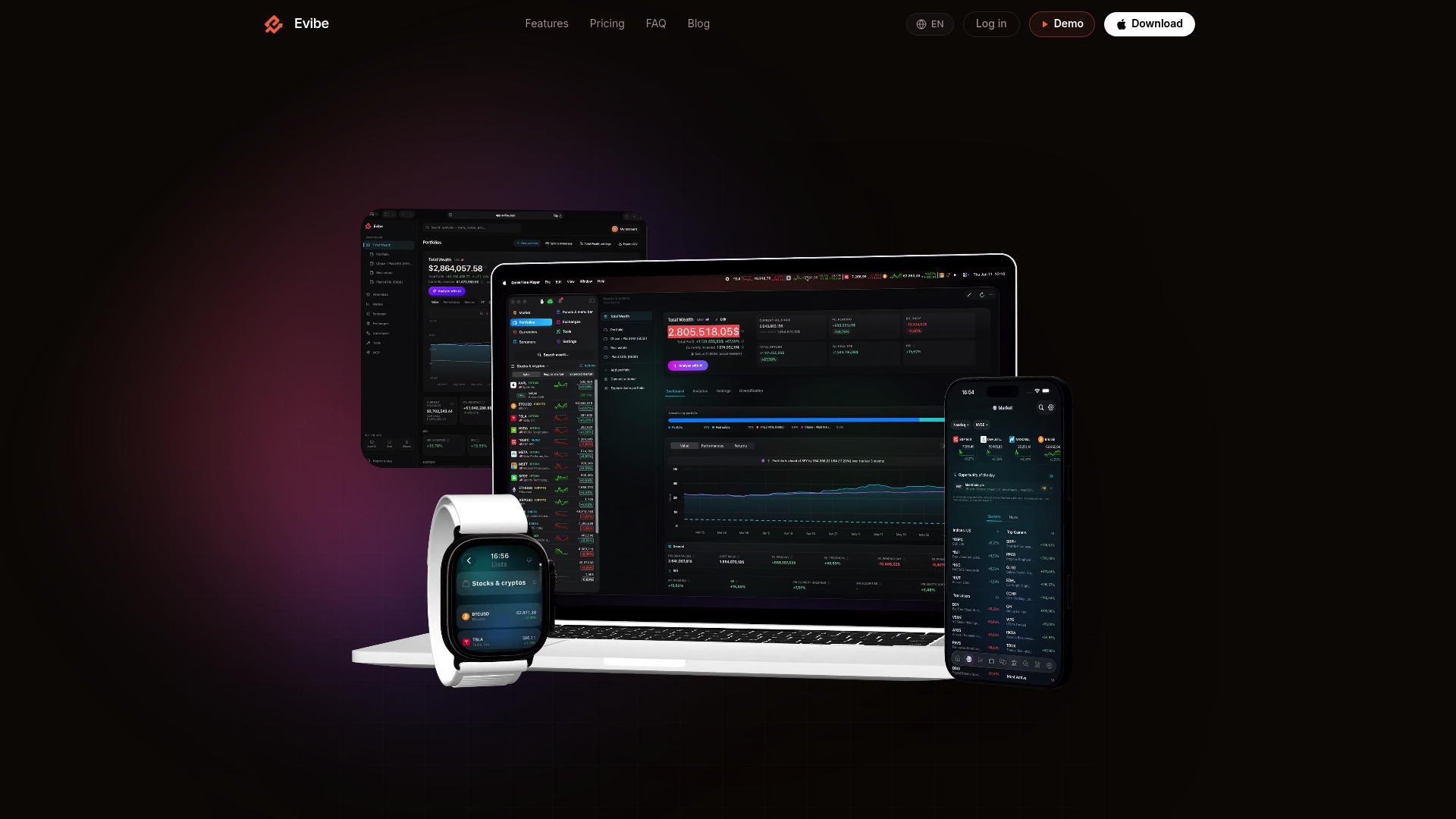
Evibe automatically syncs your brokerage and exchange accounts, tracks dividends with yield-on-cost precision, handles options with Greeks and expiry calendars, and applies AI-driven analysis to surface risk and diversification gaps you might otherwise miss. There is no ad model and no data selling. Evibe is free to use; Premium is managed through the Apple App Store, and the 7 days of Premium every new account gets give you enough time to connect your real accounts and verify that everything works before you pay.
Get started free at Evibe — 7 days of Premium included — and connect your first accounts today. If you want to go deeper on a specific asset class first, the stock and multi-asset tracking page walks through every feature in detail.
Useful sources and further reading
The pages below back the product claims in this article and give you a starting point for deeper research. Vendor pages are noted as such.
- Bitfolio on the App Store (app store listing) — useful reference if on-device privacy is your primary concern and you are willing to trade automatic syncing for local data storage.