Investors: Securely Link Accounts to ChatGPT With Read Only Access
Security-first guide for investors linking brokerage accounts to ChatGPT: keep scopes read-only, revoke tokens cleanly, and feed one consolidated portfolio.
Investors: Securely Link Accounts to ChatGPT With Read Only Access

Yes, you can connect your real portfolio to ChatGPT, using either ChatGPT's own built-in account-linking feature (Finances) or a brokerage's Model Context Protocol (MCP) connector. Both methods give ChatGPT read-only access to your holdings, so it can analyze allocation, net worth, and dividend activity. You keep full control over any trade, and neither method hands over your login credentials to OpenAI directly.
TL;DR:
- Connecting your portfolio through ChatGPT's built-in account linking or through MCP grants ChatGPT read-only access, which updates at different frequencies depending on the data source's refresh cycle.
- Portfolio analysis features include asset allocation breakdowns, net worth aggregation, dividend calendars, and scenario modeling, though data may sometimes be incomplete or outdated.
- Always verify account support and complete the privacy audit before linking, ensuring scopes are limited to read-only and revoking access promptly when needed.
- Using Evibe consolidates multiple accounts into one automatic feed, making multi-asset tracking more manageable and less tedious for investors with diversified holdings.
- Treat AI as an assistant for analysis, not an autonomous trader, and maintain careful oversight, especially when granting access or acting on investment suggestions.
Table of Contents
- What Connected ChatGPT Can and Cannot Do With Your Portfolio
- What You Need Before You Start Connecting Accounts
- How to Connect a Portfolio to ChatGPT Step by Step
- Security, Privacy, and Control: A Checklist Before You Connect
- Best Prompts to Get Accurate Portfolio Analysis From ChatGPT
- Common Sync Problems and How to Disconnect Cleanly
- Evibe and AI Assistants: A Consolidated Feed for ChatGPT
- Treat AI as an Assistant, Not an Autopilot
- Try Evibe as Your Privacy-First Feed Into ChatGPT
- Sources
- FAQ
What Connected ChatGPT Can and Cannot Do With Your Portfolio
Once ChatGPT has read access to your accounts, it turns static numbers into something you can actually interrogate. Ask it what percentage of your portfolio sits in tech stocks, and it answers in seconds instead of you building a spreadsheet formula. That is the real shift: portfolio analysis becomes a conversation instead of a chore.
The practical value shows up fastest in a handful of everyday tasks:
- Allocation breakdowns by sector, asset class, or account, so you can spot drift from your target mix.
- Net worth tracking that aggregates brokerage, bank, and (depending on the connector) crypto balances into one number.
- Daily profit and loss summaries pulled from your linked accounts rather than a manual tally.
- Subscription and recurring bill detection, which is genuinely useful if Finances is also watching your checking account.
- Dividend calendars that flag upcoming payments and estimated yield on cost.
- Scenario modeling, like asking what your portfolio would look like if you moved 10% from bonds into an S&P 500 fund.
The limits matter just as much as the features. Data freshness depends entirely on your connector. Some brokerage feeds update within minutes; others sync once a day, so a number ChatGPT gives you at 9 a.m. might reflect yesterday's closing prices. Holdings can also come through incomplete. Retirement accounts, options positions, and less common asset types sometimes don't map cleanly through an aggregator, which means the "complete" picture you're looking at might be missing a chunk of your actual net worth.
ChatGPT also has no license to give you trading advice in the way a licensed advisor would. It can surface concentration risk (say, if 40% of your equity holdings sit in one stock) or note that your dividend income growth has flattened. It cannot guarantee an outcome, and it should never be the sole basis for a trade decision. Interactive Brokers's documentation on AI integrations is explicit about this: the tools analyze and suggest, but execution stays with you.
The three use cases investors ask about most: checking whether their retirement allocation still matches their target risk profile, catching concentration before it becomes a problem, and getting a forward-looking dividend forecast without opening five different statements.
What You Need Before You Start Connecting Accounts
Before you touch any settings, confirm the basics line up. Missing one of these is the most common reason a connection attempt stalls halfway through.
- Check your ChatGPT plan. Finances in ChatGPT is available in the U.S. to Plus and Pro subscribers on web, iOS, and Android. Free-tier accounts don't have access to this feature.
- Confirm your brokerage or bank supports the connection method you want. ChatGPT's built-in account linking reaches a wide range of U.S. institutions through the account aggregator behind it, but not every regional bank or niche brokerage is covered. MCP support is narrower and is currently concentrated among a handful of forward-leaning brokers, with Interactive Brokers publishing a public MCP endpoint as one of the clearer examples.
- Have your online banking or brokerage login ready, along with two-factor authentication set up if it isn't already. You'll need to complete an OAuth-style login during the connection process, not just paste in a password.
- Check for developer or connector toggles. Some brokerages require you to opt into third-party access from within account settings before ChatGPT's account linking or an MCP connector can even see the account.
- Do a quick privacy audit first. Log into your brokerage and note which third-party apps already have access. It's a good moment to remove anything you no longer use before adding one more connection to the list.
- Write down your current balances. This sounds trivial, but it's the fastest way to catch a sync error later. If ChatGPT reports a number wildly different from what you know is true, you'll notice immediately instead of trusting a bad figure.
How to Connect a Portfolio to ChatGPT Step by Step
There are two distinct paths here, and which one you use depends on whether your institution supports ChatGPT's built-in account linking, MCP, or both. Most retail investors will use ChatGPT Finances. Investors at brokerages with published MCP endpoints, like Interactive Brokers, get a more direct option.
Connecting through ChatGPT Finances
- Open ChatGPT on web, iOS, or Android and navigate to the Finances feature (availability depends on your Plus or Pro plan and U.S. eligibility).
- Choose "Connect an account" and select your bank or brokerage from the institution list the linking flow presents.
- You'll be redirected into an OAuth login screen hosted by your institution, not by OpenAI or by the account aggregator behind the feature. Enter your normal credentials there.
- Review the consent screen carefully. It will list exactly which data categories you're sharing, such as account balances, transaction history, or holdings.
- Select only the accounts you actually want visible to ChatGPT. If you have five accounts at one brokerage but only want retirement data included, uncheck the rest here.
- Confirm the connection, and return to ChatGPT to verify the linked accounts appear in your dashboard with recent balances.
- Check the sync timestamp on the summary. If it says "last updated" from several days ago, the data feeding your analysis is stale, and you should trigger a manual refresh if the option is available.
Connecting through an MCP brokerage connector
- Confirm your broker publishes an MCP endpoint. Interactive Brokers, for example, documents a public MCP server URL for exactly this purpose.
- In ChatGPT (or another MCP-compatible AI platform), open the custom connector or plugin settings and choose to add a new MCP server.
- Paste the broker-provided MCP server URL into the connector field rather than entering any account credentials into ChatGPT itself.
- You'll be redirected to authenticate directly with your broker, the same way you'd log into their app or website. Your credentials never pass through the AI platform.
- Select the scope of access you want to grant. Most MCP implementations default to read-only, letting the AI see positions and balances without any ability to place trades.
- Confirm the connection and ask ChatGPT a basic question, like your total account value, to verify the sync is live.
A few things to watch on any consent screen, regardless of which flow you're using:
- Decline any request for write access or trading permissions unless you specifically want an agentic workflow and understand how order approval works.
- Accept read-only scopes for balances, positions, and transaction history if that's all you need.
- Note the app or connector name shown on the consent screen so you recognize it later when reviewing access.
If you want to write access for agentic investing, meaning an AI that can propose trades for you to approve, understand that reputable implementations keep execution under the broker's control. Interactive Brokers's approach has the AI draft an order that you then review and confirm inside the broker's own interface, not through blind AI execution. Never enable a connector that skips this approval step.
Security, Privacy, and Control: A Checklist Before You Connect
Financial data connections deserve more scrutiny than a typical app permission request, and a five-minute checklist before you connect can save you a much longer cleanup later.
- Default to read-only scopes. Unless you're specifically building an approve-and-execute trading workflow, there is no reason to grant write access.
- Read the consent screen line by line. It spells out exactly which data categories you're handing over, and you do get to choose — but that choice only protects you if you actually read what's being requested.
- Turn on multi-factor authentication at your brokerage or bank if it isn't already active, since this is your backstop if a session token is ever compromised.
- Keep an external log. A simple note with the connector name, the date you authorized it, and the scopes granted takes two minutes and makes future audits painless.
- Know how to revoke access in three places: inside ChatGPT's connected apps settings, inside the dashboard of the account aggregator behind the linking feature if it offers one, and inside your brokerage's third-party access page. Revoking in only one place can leave a stale token active elsewhere.
- Ask what data persists after disconnection. Some cached balances or transaction snippets may remain in ChatGPT's memory until you clear conversation history; check the privacy policy of whichever platform you're using.
On the technical side, a few trust signals are worth checking before you link anything. Confirm the connection uses TLS encryption (visible as the padlock icon and https:// in your browser), that the institution uses a genuine OAuth redirect rather than asking you to type a password into a third-party form, and that a privacy policy is published and dated recently. NIST's cryptographic standards form the technical backbone behind most of these TLS and key-management practices, even though you'll never interact with NIST directly. If a connector redirects you somewhere that doesn't show a secure padlock, stop and back out.
Pro Tip: Set a recurring quarterly reminder to review every connected app across your financial accounts, not just the AI ones. Old connectors from apps you stopped using years ago are the most common source of quiet, unnoticed data exposure.

Read access alone, when paired with an institution's OAuth flow and TLS encryption, is generally considered a low-risk way to let an AI assistant see your numbers. The higher-risk decisions come later, when you're deciding whether to grant any write or execution permissions at all.
Best Prompts to Get Accurate Portfolio Analysis From ChatGPT
The quality of ChatGPT's portfolio analysis depends heavily on how you ask. Vague prompts get vague answers; specific prompts that request raw data force the model to show its work.
A few templates worth keeping on hand:
- Overview: "Give me my total net worth broken down by account type, and tell me the timestamp of the last data sync."
- Allocation check: "What percentage of my portfolio is in equities versus fixed income versus cash, and which three holdings represent the largest dollar amounts?"
- Concentration alert: "Which single stock or fund represents more than 10% of my total portfolio value?"
- Dividend forecast: "Based on my current holdings and their historical payment schedules, what dividend income should I expect over the next quarter?"
- Rebalancing scenario: "If I sold $5,000 of my largest bond fund and moved it into my S&P 500 index position, what would my new sector allocation look like?"
- Verification prompt: "Show me the raw account balances and holding quantities you used to calculate that net worth figure."
That last one matters more than it looks. Always ask ChatGPT to show its underlying numbers rather than accepting a summary at face value, and cross-check at least one figure against your actual brokerage statement the first time you run any analysis. If the model gives you a percentage without the raw dollar amounts behind it, ask again and request both. This single habit catches most sync errors and stale-data problems before they lead you to a bad decision.
Common Sync Problems and How to Disconnect Cleanly
Connections between brokerages and AI platforms are still a relatively new pattern, and early adopters have reported a fairly consistent set of hiccups during initial setup, particularly around incomplete transaction history for older accounts. Here's how to work through the most common issues.
- Data looks stale or missing entirely. Re-authenticate the connection first. Most sync failures come from an expired session token rather than a broken integration. If re-authentication doesn't fix it, check whether your specific account type (say, a trust account or a 401(k) rollover) is fully supported by the connector, since not every account type maps cleanly.
- Holdings history looks incomplete. This usually traces back to API limits on the aggregator's side or a mapping issue between your account type and how the connector categorizes it. Options positions and less common asset classes are the most frequent casualties.
- You need a manual refresh. Look for a "sync now" or refresh option inside ChatGPT's Finances settings or your MCP connector dashboard. Most platforms show a last-sync timestamp right next to the account name, which is the fastest way to confirm whether your data is current.
- You want to fully disconnect. Revoke access inside ChatGPT's connected accounts settings first, then remove the linked institution from the account aggregator's own dashboard if the linking feature exposes one, and finally check your brokerage's own third-party access page to confirm the token was actually revoked on their end, not just on the app side.
Confirming deletion across all three layers takes a few extra minutes, but it's the only way to be certain a dormant connection isn't still quietly pulling your data months later.
Evibe and AI Assistants: A Consolidated Feed for ChatGPT
Evibe consolidates stocks, ETFs, options and crypto — plus custom assets like real estate — into a single dashboard, then keeps the numbers current with read-only broker sync: 1,000+ banks and brokers across the US, Canada, Europe and crypto exchanges. You sign in on your institution's own page, so Evibe never sees your credentials, never places orders and never moves money. For investors juggling accounts across multiple brokerages and banks, that consolidation solves a real problem: connecting five separate accounts to ChatGPT one at a time is tedious, and each one is a separate consent screen to manage.
Evibe's personal MCP endpoint is built specifically so ChatGPT, Claude or Gemini can pull a consolidated, multi-asset view rather than a single account's slice of the picture. It is a Premium feature, read-only, and you can revoke it from Evibe's settings at any time. Combined with Evibe's AI-driven analysis for risk and diversification, this means the AI conversation you're having isn't limited to whatever one brokerage's data happens to include.
A few things worth verifying if you're an Evibe user connecting to ChatGPT:
- Check which asset classes are actually synced before assuming your full net worth is represented in any AI summary.
- Review the scopes granted to any AI assistant connector the same way you would with a brokerage's own OAuth screen.
- Know how to revoke access from within Evibe's settings, not just from ChatGPT's side.
| What to check | Where to find it |
|---|---|
| Which accounts are synced | Evibe account dashboard |
| AI assistant connection status | Evibe integration settings |
| Data freshness / last sync | Sync timestamp next to each account |
| How to revoke access | Evibe settings and the AI platform's connected apps page |
If you're setting this up for the first time, Evibe's MCP connectivity documentation walks through the specific steps. Evibe itself is free to use, and the MCP endpoint is part of Premium — every new account starts with 7 days of Premium, broker sync included and no card required, so you have room to test the connection before deciding anything.
Treat AI as an Assistant, Not an Autopilot
The single biggest mistake I see investors make with tools like this is treating a fluent answer as a verified one. ChatGPT can hold a genuinely useful conversation about your allocation, but it doesn't carry fiduciary responsibility, and it won't catch a data error unless you ask it to show its work. The investors who get the most value from these connections are the ones who keep asking "where did that number come from" rather than accepting the summary at face value. AI augments the analysis. You remain the final authority on every trade.
One habit worth adopting from day one: keep a simple record of any recommendation you actually act on, along with the date and the reasoning ChatGPT gave you. It takes thirty seconds and turns a vague memory of "the AI suggested this" into an actual decision trail you can review later.
— Vincent
Try Evibe as Your Privacy-First Feed Into ChatGPT
Evibe gives you one consolidated, automatically synced view of your entire portfolio — stocks, ETFs, crypto, plus custom assets like real estate — then exposes that view to ChatGPT, Claude and Gemini through a personal MCP endpoint, a Premium feature, instead of forcing you to link each brokerage separately. The sync behind it is read-only: you sign in on your institution's own page, Evibe never sees your credentials, never places orders and never moves money, and stored data is held anonymized.
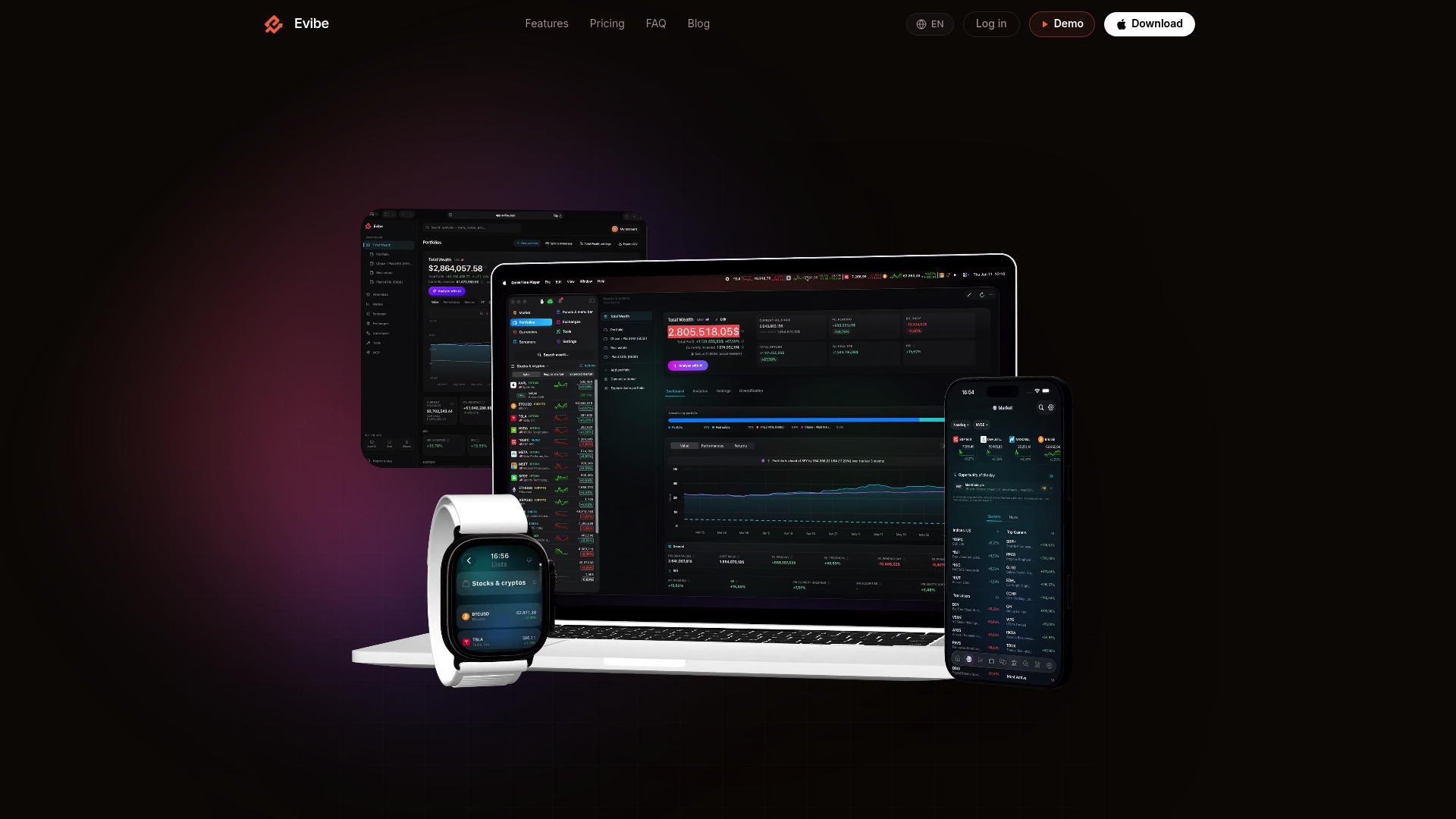
If your holdings are spread across several institutions, a consolidated feed solves the tedium of managing multiple separate connections and consent screens. Evibe's AI-driven analysis also handles the risk and diversification math directly, so the questions you ask ChatGPT can build on a portfolio view that's already been checked for concentration and allocation drift. Evibe is free to use — one portfolio of up to 50 holdings, a watchlist, real-time prices and AI statement import — and Premium is $9.99 per month or $99.99 per year (US reference price) for unlimited portfolios, broker sync, AI analysis and the MCP endpoint. Every new account gets 7 days of Premium, broker sync included, no card. Head to Evibe and connect your first account today.
Sources
The procedural and security claims in this guide draw on official platform documentation rather than third-party summaries, which matters when the topic touches your real financial accounts.
- Finances in ChatGPT — OpenAI Help Center
- AI-Powered Portfolio Analysis & Trading Tools | Interactive Brokers
- Cryptographic standards and guidelines — NIST / CSRC
This article is general information, not a substitute for advice from a qualified financial advisor. Consult a qualified financial professional about your own circumstances before acting on anything here.
FAQ
Is It Safe to Connect Interactive Brokers to ChatGPT?
It's generally considered safe when done through Interactive Brokers's documented MCP connector, which lets AI platforms access account data without your API keys or password ever passing through the AI. Stick to read-only scopes and you eliminate most of the practical risk, since trade execution stays behind the broker's own approval workflow.
Should I Connect My Financial Accounts to ChatGPT?
That depends on how much you value conversational analysis versus how comfortable you are granting third-party read access to your balances and holdings. If you choose read-only scopes, review the consent screen carefully, and know how to revoke access, the risk is manageable for most investors; if you're uneasy about any third-party access to financial data, it's reasonable to skip it.
Can ChatGPT Make a Portfolio?
ChatGPT can suggest a hypothetical allocation or model a scenario based on your goals, but it cannot open accounts or place trades on its own. Any actual portfolio construction still requires you, or a connected brokerage's approve-before-execute workflow, to act on the suggestion.
Can I Use AI to Manage My Portfolio?
AI tools like ChatGPT can monitor allocation, flag concentration risk, and forecast dividend income, which covers a meaningful share of portfolio oversight. Full "management" in the sense of unsupervised trading isn't something reputable connectors allow. Execution stays under your control or your broker's approve-and-execute system.
What Does Evibe Cost to Connect My Portfolio to ChatGPT?
Evibe is free to use: the Free plan covers one portfolio of up to 50 holdings, a watchlist, real-time prices and AI statement import. The MCP endpoint that lets ChatGPT, Claude and Gemini read your consolidated portfolio is a Premium feature — $9.99 per month or $99.99 per year (US reference price) — alongside broker sync and AI analysis. Every new account gets 7 days of Premium, broker sync included, no card required.