Best Wealth Dashboard Apps for Investors: 2026 Guide
Discover the best wealth dashboard apps for investors in 2026 — compare features and privacy. Simplify tracking stocks, crypto, and more with Evibe.
Best Wealth Dashboard Apps for Investors: 2026 Guide

For active retail investors who track stocks, options, dividends, and crypto across multiple accounts, Evibe is the strongest wealth dashboard available in 2026. It consolidates every major asset class into a single real-time view on iPhone and Mac, with AI-driven analysis and automatic account syncing that eliminates manual entry. If you want a free-tier option or primarily need budgeting tools alongside basic net worth tracking, Monarch Money or Empower are the most capable alternatives.
Top picks at a glance:
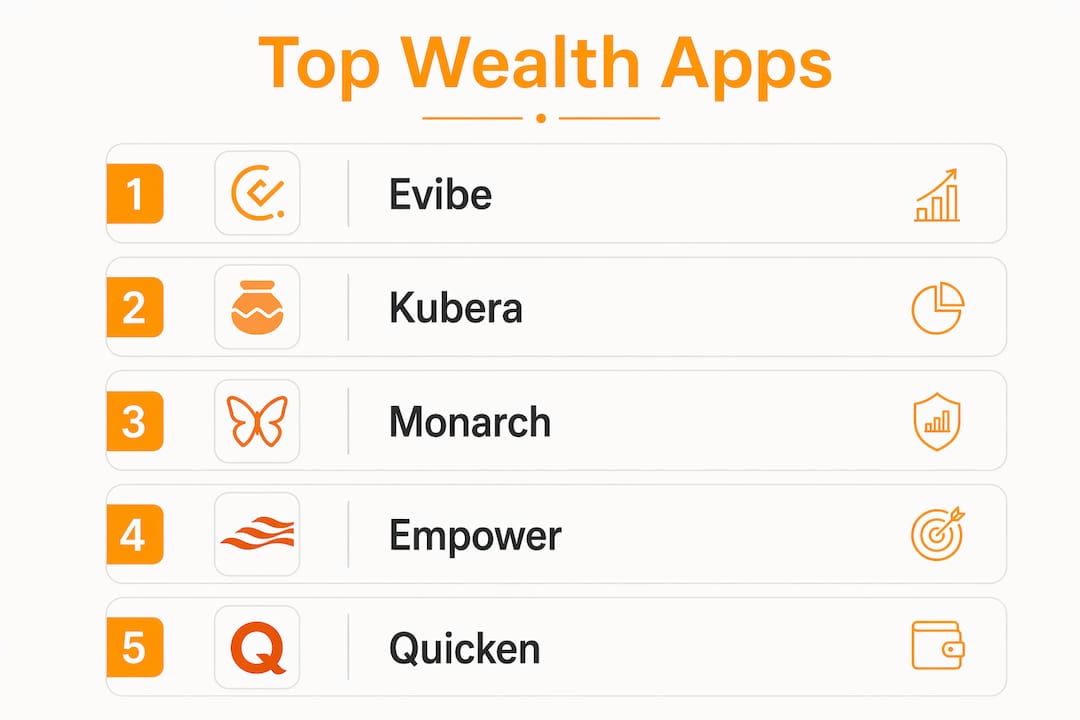
- Evibe — Best for active retail investors who track stocks, options, dividends, crypto, and real estate in one place; real-time mark-to-market, AI analysis, Apple ecosystem (iPhone and Mac)
- Kubera — Best for users with international assets, private investments, and collectibles; strong multi-currency support
- Monarch Money — Best for combined budgeting and net worth tracking; modern UX with goal-setting tools
- Empower — Best free-tier option for consolidated account aggregation and advisor-style portfolio summaries
- Tiller — Best for spreadsheet-driven users who want live data in Google Sheets or Excel
- YNAB — Best for strict budgeting discipline; net worth is a secondary feature
- PocketSmith — Best for cash-flow forecasting and scenario planning
- Copilot Money — Best for clean visual summaries and fast onboarding
Evibe is distributed through the Apple App Store and uses read-only connections to financial accounts, meaning no transaction execution is possible from within the app. The subscription model means no ads and no data selling, which matters when you are sharing brokerage and bank credentials.
Table of Contents
- How do the best wealth dashboards compare side by side?
- A closer look at each top wealth tracking app
- How to choose the right wealth dashboard for your needs
- How we evaluated these apps
- Why active investors need pro-grade wealth dashboard features
- Key Takeaways
- A note on how we approach this comparison
- Evibe: one app for your entire investment picture
- Useful sources and vendor links
How do the best wealth dashboards compare side by side?
The table below covers the 11 most relevant options across the dimensions that actually drive the choice: asset breadth, syncing, advanced investment features, and price.
| App | Best for | Price / trial | Platforms | Asset types | Auto-sync | Advanced investment features | Customization / export | Ease of use |
|---|---|---|---|---|---|---|---|---|
| Evibe | Active investors: stocks, options, dividends, crypto, real estate | Free plan; Premium via Apple App Store, 7 days of Premium included | iOS, macOS | Stocks, ETFs, options, crypto, real estate, art, vehicles, startups, loans, collectibles, cash | Yes (1,000+ banks, brokers and crypto exchanges across the US, Canada and Europe) | Real-time market data, options Greeks, dividend tracking, benchmarking, AI analysis | Multi-currency, historical FX, API for ChatGPT/Claude/Gemini | Intermediate to advanced |
| Kubera | International assets, collectibles, private investments | Paid subscription; trial available | Web, iOS, Android | Stocks, crypto, real estate, collectibles, private investments | Yes | Basic performance views | Manual entry, multi-currency | Beginner to intermediate |
| Monarch Money | Budgeting + net worth combined | Paid subscription; free trial period | iOS, Android, web | Bank accounts, investments, loans, credit cards | Yes | Investment performance views | Customizable dashboard, reports | Beginner |
| Empower | Free consolidated account view and portfolio advice | Free (advisory services upsell) | iOS, Android, web | Investments, bank accounts, credit, loans | Yes | Portfolio analysis, retirement planner | Limited export | Beginner to intermediate |
| Simplifi by Quicken | Transaction categorization and long-term records | Paid subscription | iOS, Android, web | Bank accounts, investments, loans | Yes | Basic investment views | Spending reports, export | Beginner to intermediate |
| Quicken | Deep transaction history and desktop-first users | Paid subscription | Windows, Mac, iOS, Android | Bank accounts, investments, loans, property | Yes | Investment performance, tax reports | Extensive export, Quicken format | Intermediate to advanced |
| Tiller | Spreadsheet-driven customization | Paid subscription; free trial period | Google Sheets, Excel (web) | Bank accounts, investments, loans | Yes (feeds into sheets) | Customizable via templates | Fully customizable spreadsheets | Intermediate to advanced |
| PocketSmith | Cash-flow forecasting and scenario planning | Free tier; paid plans | iOS, Android, web | Bank accounts, investments, loans, property | Yes | Cash-flow projections | Scenario tools, export | Intermediate |
| YNAB | Strict budgeting discipline | Paid subscription; free trial period | iOS, Android, web | Bank accounts, loans, credit cards | Yes | Basic net worth view | Category-level reports | Beginner |
| Copilot Money | Visual net worth and cash-flow summaries | Paid subscription; free trial | iOS, macOS | Bank accounts, investments, loans | Yes | Visual performance summaries | Dashboard customization | Beginner |
| WalletHub | Credit monitoring paired with net worth tools | Free | Web | Bank accounts, credit cards | Yes | Credit score tracking | Limited | Beginner |
| Betterment | Managed portfolios with aggregated account view | Free dashboard; managed portfolio fees apply | iOS, Android, web | Investments (Betterment accounts + linked external) | Yes (linked accounts) | Managed portfolio analytics | Limited | Beginner |
Three tradeoffs worth noting:
- Cost vs. depth: Free tools like Empower and WalletHub cover the basics, but real-time market data, options Greeks, and multi-currency historical FX rates are paid-tier features. Evibe, Kubera, and Tiller all require a subscription to unlock their full capability.
- Syncing breadth: Apps that support a large number of financial institutions reduce manual entry significantly. Checking an app's supported institution list before committing to a trial is the single most practical pre-signup step.
- Pro-investor features: Only Evibe offers combined options tracking (with Greeks and expiry calendars), dedicated dividend tracking with executed, declared, and estimated views, and real-time mark-to-market across all asset classes in a consumer-facing app.
A closer look at each top wealth tracking app
Evibe
Evibe consolidates multiple asset classes — stocks, ETFs, options, crypto, real estate, collectibles, art, vehicles, startups, loans, and cash — into a single real-time dashboard on iPhone and Mac. It is built for investors who hold positions across several brokerages and need accurate, live net worth figures, not end-of-day snapshots.

Who it fits: Active retail investors, dividend-focused investors, and options traders who want one place for everything. If you track Greeks, monitor declared versus estimated dividends, or hold crypto alongside equities, Evibe covers all of it without switching apps.
Key features:
- Real-time mark-to-market across all asset classes
- Options tracking with Greeks and expiry calendars
- Dedicated dividend tracker (executed, declared, and estimated)
- AI-driven analysis for risk, diversification, and performance
- Multi-currency support with historical FX rates
- Smart alerts for market changes and benchmarking against major indices
- API endpoints for integration with ChatGPT, Claude, and Gemini
Pricing: Free to use; Premium ($9.99/month or $99.99/year) via the Apple App Store, with 7 days of Premium on every new account. No ads, no data selling.
Pros: Broadest asset coverage in the category; real-time data; options and dividend analytics that most competitors lack; clean Apple-native UX.
Cons: Apple ecosystem only (no Android or web app); advanced features need Premium.
Kubera
Kubera handles the assets that most apps ignore: private equity stakes, domain names, vehicles, collectibles, and international holdings in non-USD currencies. Its manual entry workflow is unusually clean, and multi-currency tracking with live FX rates makes it a practical choice for investors with cross-border exposure.
Pros: Handles exotic and illiquid assets well; strong multi-currency support. Cons: Investment analytics are basic; no options or dividend tracking.
Monarch Money

Monarch Money positions itself as a budgeting app that also tracks net worth, and that framing is accurate. The Wall Street Journal named it the best budgeting app, and its goal-setting and spending categorization tools are genuinely well-built. Net worth tracking works through account aggregation, but there is no real-time market data or advanced investment analytics.
Pros: Best-in-class budgeting and goal tools; clean UX; collaborative household features. Cons: Net worth view is account-balance-based, not mark-to-market; no options or dividend tracking.
Empower
Empower's free personal dashboard aggregates bank accounts, investment accounts, credit cards, and loans into a single view with a retirement planner and basic portfolio analysis. The free tier is genuinely useful. The trade-off is that Empower's business model involves upselling advisory services, so expect outreach if your portfolio crosses certain thresholds.
Pros: Free; strong account aggregation; retirement planning tools. Cons: Advisory upsell pressure; limited export; no advanced investment features for active traders.
Quicken and Simplifi by Quicken
Quicken is the legacy desktop-first option with decades of transaction history, deep export capabilities, and tax-report generation. Simplifi by Quicken is its modern, subscription-based sibling with a cleaner interface and mobile parity. Both suit users who prioritize transaction-level control and long-term financial records over real-time investment analytics.
Pros: Unmatched transaction history depth; strong export and tax reporting. Cons: Quicken's desktop-first architecture feels dated; neither version offers real-time market data or options tracking.
Tiller
Tiller feeds live bank and brokerage data directly into Google Sheets or Microsoft Excel templates. For users who want complete control over their financial reporting, it is the most flexible option in this list. The catch: you need to be comfortable building and maintaining spreadsheet models.
Pros: Fully customizable; live data in spreadsheets; strong template library. Cons: No native dashboard; requires spreadsheet proficiency; no real-time investment data.
PocketSmith
PocketSmith's calendar-based cash-flow forecasting is its genuine differentiator. You can model future scenarios, project account balances months ahead, and stress-test spending decisions against income projections. Net worth tracking is present but secondary to the planning tools.
Pros: Best cash-flow forecasting in the category; scenario planning tools. Cons: Investment analytics are limited; interface takes time to learn.
YNAB
YNAB (You Need A Budget) uses an envelope-style budgeting method that requires every dollar to be assigned a job. Net worth visibility is included but clearly secondary. It works well for users who want to change spending behavior, not for investors who need portfolio analytics.
Pros: Highly effective budgeting methodology; strong community and educational resources. Cons: Net worth tracking is basic; no investment analytics; requires active budget maintenance.
Copilot Money
Copilot Money is an Apple-native app (iOS and macOS) with fast onboarding and clean visual summaries of net worth and cash flow. It suits users who want a quick, readable financial picture without deep configuration. Investment features are present but not detailed enough for active traders.
Pros: Fast setup; clean visuals; Apple-native. Cons: Limited investment depth; no options or dividend tracking.
WalletHub
WalletHub is primarily a consumer finance site with credit monitoring tools. Its net worth tracking features are basic, and the platform is web-only. It suits users who want to pair credit score monitoring with a rough net worth estimate, not investors who need portfolio analytics.
Betterment
Betterment is a robo-advisor first. Its dashboard aggregates linked external accounts alongside its managed portfolios, giving a consolidated investment view. For passive investors who use Betterment's managed portfolios and want a single screen, it works. For active investors who hold positions outside Betterment, the aggregation is limited.
Pros: Clean managed portfolio analytics; good for passive investors already using Betterment. Cons: Aggregation of external accounts is basic; no real-time data or advanced features for active traders.
How to choose the right wealth dashboard for your needs
Start with your primary job-to-be-done
The single most useful question before evaluating any app: what is the one thing you need it to do well? The answer maps directly to a product category.
If your priority is accurate real-time net worth across equities, options, crypto, and real estate, you need mark-to-market pricing and broad asset support. Evibe is built for this. If your priority is budgeting and spending control, Monarch Money or YNAB will serve you better than a portfolio tracker. For cash-flow forecasting, PocketSmith's scenario tools are in a different league from the rest. For spreadsheet-driven reporting, Tiller is the only real option.
Questions to ask during a trial
Before committing to a paid subscription, run through this checklist during the free trial period:
Account syncing: Does the app support your specific banks and brokerages? Check the supported institution list before connecting accounts. Apps that support a large number of institutions reduce manual entry significantly, which is a practical early test.
Connection type: Confirm the app uses read-only connections. No wealth dashboard should have the ability to execute transactions. This is a non-negotiable security requirement.
Update frequency: Does the app update positions in real time or once daily? For active traders, end-of-day snapshots produce inaccurate net worth figures during market hours.
Export formats: Can you export your data to CSV or connect to a spreadsheet? Lock-in risk is real when an app holds years of financial history with no clean export path.
Multi-entity support: If you track accounts for a spouse, business, or trust, confirm the app supports multiple entities or household views before you import everything.
Red flags to watch for
A few signals that an app is not ready for serious use: no automatic bank or brokerage sync (manual-only entry at scale is unsustainable), no data export option, a vague or absent privacy policy, and mobile-only access with no desktop dashboard. Any one of these is a reason to look elsewhere.
Pro Tip: Run a parallel test during your trial: connect the same brokerage account to two apps and compare the net worth figures after one trading day. Discrepancies reveal which app is using real-time data versus delayed feeds.
How we evaluated these apps
Our evaluation framework covers eight dimensions: sync breadth (number of supported institutions and asset types), update frequency (real-time versus daily), advanced investment features (options tracking, dividend analytics, benchmarking), security and privacy (read-only connections, encryption, data-handling policy), user experience (onboarding speed, dashboard clarity), export and portability, pricing transparency, and platform availability.
For hands-on testing, the process follows a consistent sequence: connect accounts in read-only mode, import a sample portfolio that includes at least one brokerage account, one crypto wallet, and one manually entered asset (real estate or collectible), then test the export function and reconcile the output against a known position. We also test support responsiveness during the trial window.
A practical benchmark for syncing: integration breadth is one of the most useful early signals. Apps that list support for 10,000 or more financial institutions generally reduce manual entry to near zero for US and Canadian retail investors. Check this number on the vendor's product page or App Store listing before you start a trial.
Evibe's platform availability covers iPhone and Mac, with automatic syncing from 1,000+ banks, brokerages and crypto exchanges across the US, Canada and Europe. The app supports manual entry for custom assets that cannot be synced automatically, which covers real estate, collectibles, vehicles, and private investments.
This article was last reviewed and updated in 2026. Product features and pricing change; verify current details on each vendor's product page or App Store listing.
Why active investors need pro-grade wealth dashboard features
Most consumer finance apps were designed for budgeting, not for investors who hold options positions, track dividend income across dozens of tickers, or need accurate net worth figures during market hours. The gap between a basic net worth tracker and a pro-grade wealth dashboard comes down to a few specific capabilities.
Real-time mark-to-market and net worth accuracy
A wealth dashboard that uses real-time market data computes net worth as total assets minus liabilities using live prices, not yesterday's close. For a portfolio with active options positions, the difference between a real-time and an end-of-day valuation can be substantial. Mark-to-market valuation is the standard for accurate portfolio accounting, and it is the feature that separates tools built for active investors from those built for casual net worth awareness.
Scenario simulation and decision quality
AI-enabled wealth platforms can simulate major financial decisions before execution, including rebalancing scenarios, tax-loss harvesting timing, and position-sizing changes. This kind of what-if modeling was previously available only through advisor-grade software. Consumer dashboards that incorporate scenario tools give retail investors the same decision-quality advantage. Advisor-grade features — what-if modeling, household-level aggregation, and integrated reporting — are now expected in higher-end consumer dashboards, which is why feature breadth determines who benefits most, not just price.
Options Greeks and dividend analytics
Options tracking requires more than a position count. Knowing delta, gamma, theta, and vega for each contract, alongside expiry calendars, changes how you manage risk across a portfolio. Similarly, dividend tracking that distinguishes between executed, declared, and estimated payments gives income investors an accurate forward-looking yield picture. These are the features that most budgeting-first apps simply do not include.
| Feature | Active investor priority | Passive investor priority |
|---|---|---|
| Real-time mark-to-market | High | Low |
| Options Greeks and expiry calendar | High | Not needed |
| Dividend tracking (executed, declared, estimated) | High | Medium |
| Scenario simulation / rebalancing tools | High | Medium |
| Budgeting and spending categorization | Low | Medium |
| Cash-flow forecasting | Medium | High |
| Managed portfolio analytics | Low | High |
Pro Tip: During a rebalancing decision, run the scenario in your dashboard before placing any orders. A tool that models the post-rebalance allocation and its effect on overall portfolio risk lets you validate the decision against your target allocation without committing capital first.
Key Takeaways
The best wealth dashboard for active retail investors combines real-time mark-to-market pricing, multi-asset support, and advanced investment analytics — features that budgeting-first apps consistently lack.
| Point | Details |
|---|---|
| Best pick for active investors | Evibe covers stocks, ETFs, options, crypto, and real estate with real-time data and AI analysis on iPhone and Mac. |
| Best free-tier alternative | Empower offers free account aggregation and a retirement planner, suitable for users who do not need advanced investment analytics. |
| Pro features that matter most | Real-time mark-to-market, options Greeks, and dedicated dividend tracking separate pro-grade dashboards from basic net worth trackers. |
| Trial checklist | During any free trial, verify institution support, read-only connections, update frequency, and export options before committing. |
| Evibe is free to start | Evibe is free to use, and every new account gets 7 days of Premium; start by importing brokerage accounts and high-volatility positions first. |
A note on how we approach this comparison
This comparison was built around a straightforward question: which wealth dashboard actually serves active retail investors who hold complex, multi-asset portfolios? We evaluated each app on the features that drive real decisions — syncing breadth, real-time data, options and dividend analytics, security, and pricing transparency — not on marketing claims.
We should be transparent: Evibe is the publisher of this article, and we recommend it where it genuinely fits. That means we recommend it for active investors who need real-time, multi-asset tracking with options and dividend analytics on Apple devices. For users whose primary need is budgeting, we recommend Monarch Money or YNAB. For free-tier users, Empower. The methodology section above describes exactly how we tested each app, and every claim about Evibe's features can be verified on the product pages linked throughout this article.
We update this comparison as products change. If you find a feature claim that is out of date, the product pages and App Store listings are the authoritative source.
Evibe: one app for your entire investment picture
If you track stocks, options, dividends, crypto, and real estate across multiple accounts, Evibe gives you a single real-time dashboard that covers all of it — without the manual entry, the spreadsheet maintenance, or the end-of-day lag that makes most trackers unreliable for active investors.
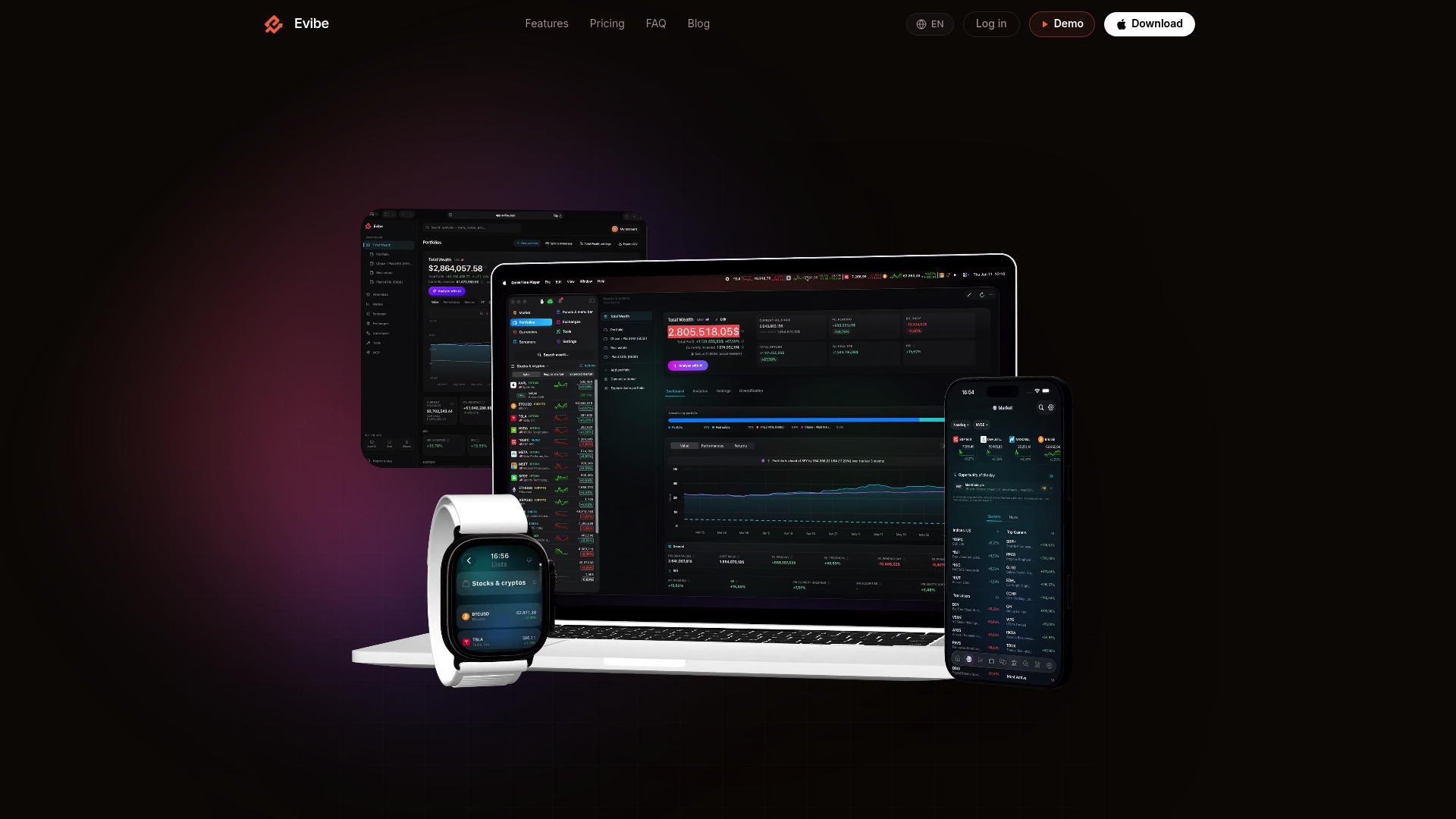
Evibe tracks your entire net worth in real time on iPhone and Mac, with automatic syncing from 1,000+ banks, brokerages and crypto exchanges across the US, Canada and Europe, AI-driven portfolio analysis, options tracking with Greeks and expiry calendars, and a dedicated dividend tracker that shows executed, declared, and estimated payments in one view. Evibe is free to use; Premium is managed through the Apple App Store — no ads, no data selling, and read-only connections throughout. Every new account gets 7 days of Premium directly in the app. Import your brokerage accounts first, then add crypto and any manually tracked assets, and you will have an accurate net worth figure within minutes.
Useful sources and vendor links
The claims in this article draw on the following sources. Verify current product features and pricing directly on each vendor's page, as subscription terms and feature sets change.
- Evibe product overview and launch details: evibe.com and the Evibe launch post
- Evibe dividend and options tracking pages: evibe.com/track/dividends and evibe.com/track/options
- Evibe net worth tracker comparison: evibe.com/blog/best-net-worth-tracker
- Empower Personal Dashboard: empower.com/tools
- Monarch Money App Store listing: apps.apple.com
- Advisor-grade financial planning software overview: Investopedia
- AI-powered scenario simulation in wealth platforms: Vise
- Integration breadth benchmark (Wealthica): Google Play Store listing
This article is general information, not financial or investment advice. Verify current product terms, pricing, and supported institutions directly with each vendor before subscribing.
Last reviewed: 2026.